# Colores y paletas de colores en R

_Todo sobre la creación, personalización, modificación y uso de colores y paletas en R_

> El uso del color es clave para comunicar, y el ecosistema de R tiene varios trucos convenientes para ayudarnos a usar el color de mejores formas. En este post veremos consejos y trucos para trabajar con colores: incluyendo previsualizarlos, mezclarlos, modificarlos y usarlos como paletas en gráficos.

- URL: https://bastianolea.rbind.io/blog/colores/
- Fecha: 2026-07-07
- Autor: Bastián Olea Herrera
- Etiquetas: visualización de datos, ggplot2
- Recursos: [colorspace](https://colorspace.r-forge.r-project.org/articles/colorspace.html) [shades](https://github.com/jonclayden/shades)

---

El uso del color es clave para comunicar, y el ecosistema de R tiene varios trucos convenientes para ayudarnos a usar el color de mejores formas.

En R, los colores se escriben como código, y a grandes rasgos pueden ser colores con **nombre** (por ejemplo, `"purple"`), colores **hexadecimales** (escritos como códigos de al menos 6 dígitos, como `#FFFFFF`), o como parte de funciones que producen **paletas** de colores.

## Usar colores

La forma más básica de elegir un color en R es por su *nombre*.
Por defecto, en R **existen 657 colores** con nombre.

Aquí puedes ver una lista de los **principales colores de R** y copiar sus nombres para usarlos:

<span style="background-color: #FFFFFF ; color: black; border-radius: 4px; padding: 1px 4px; margin: 2px; line-height: 1.9; color: black ; border: solid 1px #ABABAB ;">white</span>
<span style="background-color: #FFAEB9 ; color: black; border-radius: 4px; padding: 1px 4px; margin: 2px; line-height: 1.9; color: black ; border: solid 1px #DD5770 ;">lightpink1</span>
<span style="background-color: #EEA2AD ; color: black; border-radius: 4px; padding: 1px 4px; margin: 2px; line-height: 1.9; color: black ; border: solid 1px #C15C6E ;">lightpink2</span>
<span style="background-color: #FFB6C1 ; color: black; border-radius: 4px; padding: 1px 4px; margin: 2px; line-height: 1.9; color: black ; border: solid 1px #DD5D77 ;">lightpink</span>
<span style="background-color: #FFB5C5 ; color: black; border-radius: 4px; padding: 1px 4px; margin: 2px; line-height: 1.9; color: black ; border: solid 1px #DD5C80 ;">pink1</span>
<span style="background-color: #EEA9B8 ; color: black; border-radius: 4px; padding: 1px 4px; margin: 2px; line-height: 1.9; color: black ; border: solid 1px #C0617A ;">pink2</span>
<span style="background-color: #CD8C95 ; color: black; border-radius: 4px; padding: 1px 4px; margin: 2px; line-height: 1.9; color: black ; border: solid 1px #995963 ;">lightpink3</span>
<span style="background-color: #CD919E ; color: black; border-radius: 4px; padding: 1px 4px; margin: 2px; line-height: 1.9; color: black ; border: solid 1px #9A5C6B ;">pink3</span>
<span style="background-color: #FFC0CB ; color: black; border-radius: 4px; padding: 1px 4px; margin: 2px; line-height: 1.9; color: black ; border: solid 1px #DE6581 ;">pink</span>
<span style="background-color: #B03060 ; color: black; border-radius: 4px; padding: 1px 4px; margin: 2px; line-height: 1.9; color: white ; border: solid 1px #7A2543 ;">maroon</span>
<span style="background-color: #FF82AB ; color: black; border-radius: 4px; padding: 1px 4px; margin: 2px; line-height: 1.9; color: black ; border: solid 1px #DC1C75 ;">palevioletred1</span>
<span style="background-color: #EE799F ; color: black; border-radius: 4px; padding: 1px 4px; margin: 2px; line-height: 1.9; color: black ; border: solid 1px #C4316D ;">palevioletred2</span>
<span style="background-color: #DB7093 ; color: black; border-radius: 4px; padding: 1px 4px; margin: 2px; line-height: 1.9; color: black ; border: solid 1px #A64065 ;">palevioletred</span>
<span style="background-color: #CD6889 ; color: black; border-radius: 4px; padding: 1px 4px; margin: 2px; line-height: 1.9; color: black ; border: solid 1px #94435E ;">palevioletred3</span>
<span style="background-color: #FFF0F5 ; color: black; border-radius: 4px; padding: 1px 4px; margin: 2px; line-height: 1.9; color: black ; border: solid 1px #E487AD ;">lavenderblush</span>
<span style="background-color: #EEE0E5 ; color: black; border-radius: 4px; padding: 1px 4px; margin: 2px; line-height: 1.9; color: black ; border: solid 1px #B0919D ;">lavenderblush2</span>
<span style="background-color: #CDC1C5 ; color: black; border-radius: 4px; padding: 1px 4px; margin: 2px; line-height: 1.9; color: black ; border: solid 1px #908186 ;">lavenderblush3</span>
<span style="background-color: #FF1493 ; color: black; border-radius: 4px; padding: 1px 4px; margin: 2px; line-height: 1.9; color: black ; border: solid 1px #B50166 ;">deeppink</span>
<span style="background-color: #EE1289 ; color: black; border-radius: 4px; padding: 1px 4px; margin: 2px; line-height: 1.9; color: black ; border: solid 1px #AA005F ;">deeppink2</span>
<span style="background-color: #FF3E96 ; color: black; border-radius: 4px; padding: 1px 4px; margin: 2px; line-height: 1.9; color: black ; border: solid 1px #BE0268 ;">violetred1</span>
<span style="background-color: #EE3A8C ; color: black; border-radius: 4px; padding: 1px 4px; margin: 2px; line-height: 1.9; color: black ; border: solid 1px #B20762 ;">violetred2</span>
<span style="background-color: #CD1076 ; color: black; border-radius: 4px; padding: 1px 4px; margin: 2px; line-height: 1.9; color: white ; border: solid 1px #940153 ;">deeppink3</span>
<span style="background-color: #FF69B4 ; color: black; border-radius: 4px; padding: 1px 4px; margin: 2px; line-height: 1.9; color: black ; border: solid 1px #D00284 ;">hotpink</span>
<span style="background-color: #CD3278 ; color: black; border-radius: 4px; padding: 1px 4px; margin: 2px; line-height: 1.9; color: black ; border: solid 1px #8B2953 ;">violetred3</span>
<span style="background-color: #FF6EB4 ; color: black; border-radius: 4px; padding: 1px 4px; margin: 2px; line-height: 1.9; color: black ; border: solid 1px #D30284 ;">hotpink1</span>
<span style="background-color: #EE6AA7 ; color: black; border-radius: 4px; padding: 1px 4px; margin: 2px; line-height: 1.9; color: black ; border: solid 1px #C12179 ;">hotpink2</span>
<span style="background-color: #CD6090 ; color: black; border-radius: 4px; padding: 1px 4px; margin: 2px; line-height: 1.9; color: black ; border: solid 1px #943D64 ;">hotpink3</span>
<span style="background-color: #FF34B3 ; color: black; border-radius: 4px; padding: 1px 4px; margin: 2px; line-height: 1.9; color: black ; border: solid 1px #BA007F ;">maroon1</span>
<span style="background-color: #EE30A7 ; color: black; border-radius: 4px; padding: 1px 4px; margin: 2px; line-height: 1.9; color: black ; border: solid 1px #AF0077 ;">maroon2</span>
<span style="background-color: #D02090 ; color: black; border-radius: 4px; padding: 1px 4px; margin: 2px; line-height: 1.9; color: black ; border: solid 1px #980367 ;">violetred</span>
<span style="background-color: #C71585 ; color: black; border-radius: 4px; padding: 1px 4px; margin: 2px; line-height: 1.9; color: white ; border: solid 1px #90015E ;">mediumvioletred</span>
<span style="background-color: #CD2990 ; color: black; border-radius: 4px; padding: 1px 4px; margin: 2px; line-height: 1.9; color: black ; border: solid 1px #921865 ;">maroon3</span>
<span style="background-color: #FF00FF ; color: black; border-radius: 4px; padding: 1px 4px; margin: 2px; line-height: 1.9; color: black ; border: solid 1px #B201B2 ;">magenta</span>
<span style="background-color: #EE00EE ; color: black; border-radius: 4px; padding: 1px 4px; margin: 2px; line-height: 1.9; color: black ; border: solid 1px #A700A7 ;">magenta2</span>
<span style="background-color: #CD00CD ; color: black; border-radius: 4px; padding: 1px 4px; margin: 2px; line-height: 1.9; color: black ; border: solid 1px #910091 ;">magenta3</span>
<span style="background-color: #FF83FA ; color: black; border-radius: 4px; padding: 1px 4px; margin: 2px; line-height: 1.9; color: black ; border: solid 1px #D604D1 ;">orchid1</span>
<span style="background-color: #8B008B ; color: black; border-radius: 4px; padding: 1px 4px; margin: 2px; line-height: 1.9; color: white ; border: solid 1px #660066 ;">darkmagenta</span>
<span style="background-color: #EE7AE9 ; color: black; border-radius: 4px; padding: 1px 4px; margin: 2px; line-height: 1.9; color: black ; border: solid 1px #C80DC3 ;">orchid2</span>
<span style="background-color: #EE82EE ; color: black; border-radius: 4px; padding: 1px 4px; margin: 2px; line-height: 1.9; color: black ; border: solid 1px #C820C8 ;">violet</span>
<span style="background-color: #DA70D6 ; color: black; border-radius: 4px; padding: 1px 4px; margin: 2px; line-height: 1.9; color: black ; border: solid 1px #A837A5 ;">orchid</span>
<span style="background-color: #CD69C9 ; color: black; border-radius: 4px; padding: 1px 4px; margin: 2px; line-height: 1.9; color: black ; border: solid 1px #983D94 ;">orchid3</span>
<span style="background-color: #FFBBFF ; color: black; border-radius: 4px; padding: 1px 4px; margin: 2px; line-height: 1.9; color: black ; border: solid 1px #DB55DB ;">plum1</span>
<span style="background-color: #EEAEEE ; color: black; border-radius: 4px; padding: 1px 4px; margin: 2px; line-height: 1.9; color: black ; border: solid 1px #BF5FBF ;">plum2</span>
<span style="background-color: #DDA0DD ; color: black; border-radius: 4px; padding: 1px 4px; margin: 2px; line-height: 1.9; color: black ; border: solid 1px #AC5DAC ;">plum</span>
<span style="background-color: #CD96CD ; color: black; border-radius: 4px; padding: 1px 4px; margin: 2px; line-height: 1.9; color: black ; border: solid 1px #9A5C9A ;">plum3</span>
<span style="background-color: #FFE1FF ; color: black; border-radius: 4px; padding: 1px 4px; margin: 2px; line-height: 1.9; color: black ; border: solid 1px #DE76DE ;">thistle1</span>
<span style="background-color: #EED2EE ; color: black; border-radius: 4px; padding: 1px 4px; margin: 2px; line-height: 1.9; color: black ; border: solid 1px #B682B6 ;">thistle2</span>
<span style="background-color: #D8BFD8 ; color: black; border-radius: 4px; padding: 1px 4px; margin: 2px; line-height: 1.9; color: black ; border: solid 1px #9E7C9E ;">thistle</span>
<span style="background-color: #CDB5CD ; color: black; border-radius: 4px; padding: 1px 4px; margin: 2px; line-height: 1.9; color: black ; border: solid 1px #947694 ;">thistle3</span>
<span style="background-color: #E066FF ; color: black; border-radius: 4px; padding: 1px 4px; margin: 2px; line-height: 1.9; color: black ; border: solid 1px #B400D2 ;">mediumorchid1</span>
<span style="background-color: #D15FEE ; color: black; border-radius: 4px; padding: 1px 4px; margin: 2px; line-height: 1.9; color: black ; border: solid 1px #A900C5 ;">mediumorchid2</span>
<span style="background-color: #BA55D3 ; color: black; border-radius: 4px; padding: 1px 4px; margin: 2px; line-height: 1.9; color: black ; border: solid 1px #8A2F9E ;">mediumorchid</span>
<span style="background-color: #B452CD ; color: black; border-radius: 4px; padding: 1px 4px; margin: 2px; line-height: 1.9; color: black ; border: solid 1px #833196 ;">mediumorchid3</span>
<span style="background-color: #BF3EFF ; color: black; border-radius: 4px; padding: 1px 4px; margin: 2px; line-height: 1.9; color: black ; border: solid 1px #9000C5 ;">darkorchid1</span>
<span style="background-color: #A020F0 ; color: black; border-radius: 4px; padding: 1px 4px; margin: 2px; line-height: 1.9; color: white ; border: solid 1px #7402B2 ;">purple</span>
<span style="background-color: #B23AEE ; color: black; border-radius: 4px; padding: 1px 4px; margin: 2px; line-height: 1.9; color: black ; border: solid 1px #8601B9 ;">darkorchid2</span>
<span style="background-color: #9400D3 ; color: black; border-radius: 4px; padding: 1px 4px; margin: 2px; line-height: 1.9; color: white ; border: solid 1px #6A0099 ;">darkviolet</span>
<span style="background-color: #9A32CD ; color: black; border-radius: 4px; padding: 1px 4px; margin: 2px; line-height: 1.9; color: white ; border: solid 1px #6E2093 ;">darkorchid3</span>
<span style="background-color: #9932CC ; color: black; border-radius: 4px; padding: 1px 4px; margin: 2px; line-height: 1.9; color: white ; border: solid 1px #6D2093 ;">darkorchid</span>
<span style="background-color: #9B30FF ; color: black; border-radius: 4px; padding: 1px 4px; margin: 2px; line-height: 1.9; color: black ; border: solid 1px #7201C4 ;">purple1</span>
<span style="background-color: #912CEE ; color: black; border-radius: 4px; padding: 1px 4px; margin: 2px; line-height: 1.9; color: white ; border: solid 1px #6C01B8 ;">purple2</span>
<span style="background-color: #8A2BE2 ; color: black; border-radius: 4px; padding: 1px 4px; margin: 2px; line-height: 1.9; color: white ; border: solid 1px #6700B1 ;">blueviolet</span>
<span style="background-color: #7D26CD ; color: black; border-radius: 4px; padding: 1px 4px; margin: 2px; line-height: 1.9; color: white ; border: solid 1px #5C0C9D ;">purple3</span>
<span style="background-color: #AB82FF ; color: black; border-radius: 4px; padding: 1px 4px; margin: 2px; line-height: 1.9; color: black ; border: solid 1px #8732F5 ;">mediumpurple1</span>
<span style="background-color: #9F79EE ; color: black; border-radius: 4px; padding: 1px 4px; margin: 2px; line-height: 1.9; color: black ; border: solid 1px #7A3AD8 ;">mediumpurple2</span>
<span style="background-color: #9370DB ; color: black; border-radius: 4px; padding: 1px 4px; margin: 2px; line-height: 1.9; color: black ; border: solid 1px #6B43B1 ;">mediumpurple</span>
<span style="background-color: #8968CD ; color: black; border-radius: 4px; padding: 1px 4px; margin: 2px; line-height: 1.9; color: black ; border: solid 1px #61449B ;">mediumpurple3</span>
<span style="background-color: #836FFF ; color: black; border-radius: 4px; padding: 1px 4px; margin: 2px; line-height: 1.9; color: black ; border: solid 1px #5824FF ;">slateblue1</span>
<span style="background-color: #8470FF ; color: black; border-radius: 4px; padding: 1px 4px; margin: 2px; line-height: 1.9; color: black ; border: solid 1px #5925FF ;">lightslateblue</span>
<span style="background-color: #7A67EE ; color: black; border-radius: 4px; padding: 1px 4px; margin: 2px; line-height: 1.9; color: black ; border: solid 1px #5332D9 ;">slateblue2</span>
<span style="background-color: #7B68EE ; color: black; border-radius: 4px; padding: 1px 4px; margin: 2px; line-height: 1.9; color: black ; border: solid 1px #5433D9 ;">mediumslateblue</span>
<span style="background-color: #6959CD ; color: black; border-radius: 4px; padding: 1px 4px; margin: 2px; line-height: 1.9; color: white ; border: solid 1px #493B9A ;">slateblue3</span>
<span style="background-color: #6A5ACD ; color: black; border-radius: 4px; padding: 1px 4px; margin: 2px; line-height: 1.9; color: white ; border: solid 1px #4A3C9A ;">slateblue</span>
<span style="background-color: #483D8B ; color: black; border-radius: 4px; padding: 1px 4px; margin: 2px; line-height: 1.9; color: white ; border: solid 1px #332B68 ;">darkslateblue</span>
<span style="background-color: #0000FF ; color: black; border-radius: 4px; padding: 1px 4px; margin: 2px; line-height: 1.9; color: white ; border: solid 1px #0606BA ;">blue</span>
<span style="background-color: #0000EE ; color: black; border-radius: 4px; padding: 1px 4px; margin: 2px; line-height: 1.9; color: white ; border: solid 1px #0505AE ;">blue2</span>
<span style="background-color: #0000CD ; color: black; border-radius: 4px; padding: 1px 4px; margin: 2px; line-height: 1.9; color: white ; border: solid 1px #02029A ;">blue3</span>
<span style="background-color: #000080 ; color: black; border-radius: 4px; padding: 1px 4px; margin: 2px; line-height: 1.9; color: white ; border: solid 1px #020266 ;">navy</span>
<span style="background-color: #191970 ; color: black; border-radius: 4px; padding: 1px 4px; margin: 2px; line-height: 1.9; color: white ; border: solid 1px #020272 ;">midnightblue</span>
<span style="background-color: #E6E6FA ; color: black; border-radius: 4px; padding: 1px 4px; margin: 2px; line-height: 1.9; color: black ; border: solid 1px #9696D8 ;">lavender</span>
<span style="background-color: #F8F8FF ; color: black; border-radius: 4px; padding: 1px 4px; margin: 2px; line-height: 1.9; color: black ; border: solid 1px #9E9EF7 ;">ghostwhite</span>
<span style="background-color: #4876FF ; color: black; border-radius: 4px; padding: 1px 4px; margin: 2px; line-height: 1.9; color: black ; border: solid 1px #004ECD ;">royalblue1</span>
<span style="background-color: #436EEE ; color: black; border-radius: 4px; padding: 1px 4px; margin: 2px; line-height: 1.9; color: black ; border: solid 1px #1E4AB5 ;">royalblue2</span>
<span style="background-color: #4169E1 ; color: black; border-radius: 4px; padding: 1px 4px; margin: 2px; line-height: 1.9; color: black ; border: solid 1px #2948A3 ;">royalblue</span>
<span style="background-color: #3A5FCD ; color: black; border-radius: 4px; padding: 1px 4px; margin: 2px; line-height: 1.9; color: white ; border: solid 1px #2E438A ;">royalblue3</span>
<span style="background-color: #6495ED ; color: black; border-radius: 4px; padding: 1px 4px; margin: 2px; line-height: 1.9; color: black ; border: solid 1px #2A66B8 ;">cornflowerblue</span>
<span style="background-color: #1E90FF ; color: black; border-radius: 4px; padding: 1px 4px; margin: 2px; line-height: 1.9; color: black ; border: solid 1px #0C63B3 ;">dodgerblue</span>
<span style="background-color: #1C86EE ; color: black; border-radius: 4px; padding: 1px 4px; margin: 2px; line-height: 1.9; color: black ; border: solid 1px #225CA1 ;">dodgerblue2</span>
<span style="background-color: #1874CD ; color: black; border-radius: 4px; padding: 1px 4px; margin: 2px; line-height: 1.9; color: black ; border: solid 1px #1C508D ;">dodgerblue3</span>
<span style="background-color: #63B8FF ; color: black; border-radius: 4px; padding: 1px 4px; margin: 2px; line-height: 1.9; color: black ; border: solid 1px #007FBF ;">steelblue1</span>
<span style="background-color: #5CACEE ; color: black; border-radius: 4px; padding: 1px 4px; margin: 2px; line-height: 1.9; color: black ; border: solid 1px #1177B2 ;">steelblue2</span>
<span style="background-color: #4F94CD ; color: black; border-radius: 4px; padding: 1px 4px; margin: 2px; line-height: 1.9; color: black ; border: solid 1px #36668E ;">steelblue3</span>
<span style="background-color: #4682B4 ; color: black; border-radius: 4px; padding: 1px 4px; margin: 2px; line-height: 1.9; color: black ; border: solid 1px #385978 ;">steelblue</span>
<span style="background-color: #CAE1FF ; color: black; border-radius: 4px; padding: 1px 4px; margin: 2px; line-height: 1.9; color: black ; border: solid 1px #5E9BD3 ;">lightsteelblue1</span>
<span style="background-color: #BCD2EE ; color: black; border-radius: 4px; padding: 1px 4px; margin: 2px; line-height: 1.9; color: black ; border: solid 1px #6A90B7 ;">lightsteelblue2</span>
<span style="background-color: #B0C4DE ; color: black; border-radius: 4px; padding: 1px 4px; margin: 2px; line-height: 1.9; color: black ; border: solid 1px #6A86A6 ;">lightsteelblue</span>
<span style="background-color: #A2B5CD ; color: black; border-radius: 4px; padding: 1px 4px; margin: 2px; line-height: 1.9; color: black ; border: solid 1px #647C97 ;">lightsteelblue3</span>
<span style="background-color: #F0F8FF ; color: black; border-radius: 4px; padding: 1px 4px; margin: 2px; line-height: 1.9; color: black ; border: solid 1px #72ADD2 ;">aliceblue</span>
<span style="background-color: #00BFFF ; color: black; border-radius: 4px; padding: 1px 4px; margin: 2px; line-height: 1.9; color: black ; border: solid 1px #0382AF ;">deepskyblue</span>
<span style="background-color: #00B2EE ; color: black; border-radius: 4px; padding: 1px 4px; margin: 2px; line-height: 1.9; color: black ; border: solid 1px #0779A3 ;">deepskyblue2</span>
<span style="background-color: #009ACD ; color: black; border-radius: 4px; padding: 1px 4px; margin: 2px; line-height: 1.9; color: black ; border: solid 1px #016A8E ;">deepskyblue3</span>
<span style="background-color: #87CEFF ; color: black; border-radius: 4px; padding: 1px 4px; margin: 2px; line-height: 1.9; color: black ; border: solid 1px #0C8FC4 ;">skyblue1</span>
<span style="background-color: #87CEFA ; color: black; border-radius: 4px; padding: 1px 4px; margin: 2px; line-height: 1.9; color: black ; border: solid 1px #0890C0 ;">lightskyblue</span>
<span style="background-color: #7EC0EE ; color: black; border-radius: 4px; padding: 1px 4px; margin: 2px; line-height: 1.9; color: black ; border: solid 1px #0C86B8 ;">skyblue2</span>
<span style="background-color: #6CA6CD ; color: black; border-radius: 4px; padding: 1px 4px; margin: 2px; line-height: 1.9; color: black ; border: solid 1px #3F7292 ;">skyblue3</span>
<span style="background-color: #87CEEB ; color: black; border-radius: 4px; padding: 1px 4px; margin: 2px; line-height: 1.9; color: black ; border: solid 1px #0991B1 ;">skyblue</span>
<span style="background-color: #B0E2FF ; color: black; border-radius: 4px; padding: 1px 4px; margin: 2px; line-height: 1.9; color: black ; border: solid 1px #319FC8 ;">lightskyblue1</span>
<span style="background-color: #A4D3EE ; color: black; border-radius: 4px; padding: 1px 4px; margin: 2px; line-height: 1.9; color: black ; border: solid 1px #4793B4 ;">lightskyblue2</span>
<span style="background-color: #8DB6CD ; color: black; border-radius: 4px; padding: 1px 4px; margin: 2px; line-height: 1.9; color: black ; border: solid 1px #507E94 ;">lightskyblue3</span>
<span style="background-color: #BFEFFF ; color: black; border-radius: 4px; padding: 1px 4px; margin: 2px; line-height: 1.9; color: black ; border: solid 1px #31A9C3 ;">lightblue1</span>
<span style="background-color: #B2DFEE ; color: black; border-radius: 4px; padding: 1px 4px; margin: 2px; line-height: 1.9; color: black ; border: solid 1px #509CB0 ;">lightblue2</span>
<span style="background-color: #ADD8E6 ; color: black; border-radius: 4px; padding: 1px 4px; margin: 2px; line-height: 1.9; color: black ; border: solid 1px #5596A8 ;">lightblue</span>
<span style="background-color: #9AC0CD ; color: black; border-radius: 4px; padding: 1px 4px; margin: 2px; line-height: 1.9; color: black ; border: solid 1px #568593 ;">lightblue3</span>
<span style="background-color: #98F5FF ; color: black; border-radius: 4px; padding: 1px 4px; margin: 2px; line-height: 1.9; color: black ; border: solid 1px #05ABB6 ;">cadetblue1</span>
<span style="background-color: #8EE5EE ; color: black; border-radius: 4px; padding: 1px 4px; margin: 2px; line-height: 1.9; color: black ; border: solid 1px #01A1AB ;">cadetblue2</span>
<span style="background-color: #7AC5CD ; color: black; border-radius: 4px; padding: 1px 4px; margin: 2px; line-height: 1.9; color: black ; border: solid 1px #388990 ;">cadetblue3</span>
<span style="background-color: #B0E0E6 ; color: black; border-radius: 4px; padding: 1px 4px; margin: 2px; line-height: 1.9; color: black ; border: solid 1px #529DA4 ;">powderblue</span>
<span style="background-color: #00FFFF ; color: black; border-radius: 4px; padding: 1px 4px; margin: 2px; line-height: 1.9; color: black ; border: solid 1px #0AACAC ;">cyan</span>
<span style="background-color: #00F5FF ; color: black; border-radius: 4px; padding: 1px 4px; margin: 2px; line-height: 1.9; color: black ; border: solid 1px #0FA5AC ;">turquoise1</span>
<span style="background-color: #00EEEE ; color: black; border-radius: 4px; padding: 1px 4px; margin: 2px; line-height: 1.9; color: black ; border: solid 1px #09A1A1 ;">cyan2</span>
<span style="background-color: #00E5EE ; color: black; border-radius: 4px; padding: 1px 4px; margin: 2px; line-height: 1.9; color: black ; border: solid 1px #0E9BA1 ;">turquoise2</span>
<span style="background-color: #00CDCD ; color: black; border-radius: 4px; padding: 1px 4px; margin: 2px; line-height: 1.9; color: black ; border: solid 1px #088B8B ;">cyan3</span>
<span style="background-color: #00CED1 ; color: black; border-radius: 4px; padding: 1px 4px; margin: 2px; line-height: 1.9; color: black ; border: solid 1px #0F8C8E ;">darkturquoise</span>
<span style="background-color: #00C5CD ; color: black; border-radius: 4px; padding: 1px 4px; margin: 2px; line-height: 1.9; color: black ; border: solid 1px #0D868C ;">turquoise3</span>
<span style="background-color: #48D1CC ; color: black; border-radius: 4px; padding: 1px 4px; margin: 2px; line-height: 1.9; color: black ; border: solid 1px #07908C ;">mediumturquoise</span>
<span style="background-color: #20B2AA ; color: black; border-radius: 4px; padding: 1px 4px; margin: 2px; line-height: 1.9; color: black ; border: solid 1px #057A75 ;">lightseagreen</span>
<span style="background-color: #BBFFFF ; color: black; border-radius: 4px; padding: 1px 4px; margin: 2px; line-height: 1.9; color: black ; border: solid 1px #00B6B6 ;">paleturquoise1</span>
<span style="background-color: #AFEEEE ; color: black; border-radius: 4px; padding: 1px 4px; margin: 2px; line-height: 1.9; color: black ; border: solid 1px #3CA8A8 ;">paleturquoise</span>
<span style="background-color: #AEEEEE ; color: black; border-radius: 4px; padding: 1px 4px; margin: 2px; line-height: 1.9; color: black ; border: solid 1px #3AA8A8 ;">paleturquoise2</span>
<span style="background-color: #5F9EA0 ; color: black; border-radius: 4px; padding: 1px 4px; margin: 2px; line-height: 1.9; color: black ; border: solid 1px #446C6D ;">cadetblue</span>
<span style="background-color: #96CDCD ; color: black; border-radius: 4px; padding: 1px 4px; margin: 2px; line-height: 1.9; color: black ; border: solid 1px #4C8F8F ;">paleturquoise3</span>
<span style="background-color: #E0FFFF ; color: black; border-radius: 4px; padding: 1px 4px; margin: 2px; line-height: 1.9; color: black ; border: solid 1px #3FB8B8 ;">lightcyan</span>
<span style="background-color: #D1EEEE ; color: black; border-radius: 4px; padding: 1px 4px; margin: 2px; line-height: 1.9; color: black ; border: solid 1px #6EA6A6 ;">lightcyan2</span>
<span style="background-color: #B4CDCD ; color: black; border-radius: 4px; padding: 1px 4px; margin: 2px; line-height: 1.9; color: black ; border: solid 1px #6D8D8D ;">lightcyan3</span>
<span style="background-color: #F0FFFF ; color: black; border-radius: 4px; padding: 1px 4px; margin: 2px; line-height: 1.9; color: black ; border: solid 1px #4FB9B9 ;">azure</span>
<span style="background-color: #E0EEEE ; color: black; border-radius: 4px; padding: 1px 4px; margin: 2px; line-height: 1.9; color: black ; border: solid 1px #84A4A4 ;">azure2</span>
<span style="background-color: #C1CDCD ; color: black; border-radius: 4px; padding: 1px 4px; margin: 2px; line-height: 1.9; color: black ; border: solid 1px #7C8C8C ;">azure3</span>
<span style="background-color: #40E0D0 ; color: black; border-radius: 4px; padding: 1px 4px; margin: 2px; line-height: 1.9; color: black ; border: solid 1px #05998D ;">turquoise</span>
<span style="background-color: #00FA9A ; color: black; border-radius: 4px; padding: 1px 4px; margin: 2px; line-height: 1.9; color: black ; border: solid 1px #0BA967 ;">mediumspringgreen</span>
<span style="background-color: #7FFFD4 ; color: black; border-radius: 4px; padding: 1px 4px; margin: 2px; line-height: 1.9; color: black ; border: solid 1px #00B189 ;">aquamarine</span>
<span style="background-color: #76EEC6 ; color: black; border-radius: 4px; padding: 1px 4px; margin: 2px; line-height: 1.9; color: black ; border: solid 1px #07A680 ;">aquamarine2</span>
<span style="background-color: #66CDAA ; color: black; border-radius: 4px; padding: 1px 4px; margin: 2px; line-height: 1.9; color: black ; border: solid 1px #338D71 ;">aquamarine3</span>
<span style="background-color: #00FF7F ; color: black; border-radius: 4px; padding: 1px 4px; margin: 2px; line-height: 1.9; color: black ; border: solid 1px #1BAC57 ;">springgreen</span>
<span style="background-color: #00EE76 ; color: black; border-radius: 4px; padding: 1px 4px; margin: 2px; line-height: 1.9; color: black ; border: solid 1px #05A14E ;">springgreen2</span>
<span style="background-color: #00CD66 ; color: black; border-radius: 4px; padding: 1px 4px; margin: 2px; line-height: 1.9; color: black ; border: solid 1px #068C44 ;">springgreen3</span>
<span style="background-color: #54FF9F ; color: black; border-radius: 4px; padding: 1px 4px; margin: 2px; line-height: 1.9; color: black ; border: solid 1px #07AF62 ;">seagreen1</span>
<span style="background-color: #4EEE94 ; color: black; border-radius: 4px; padding: 1px 4px; margin: 2px; line-height: 1.9; color: black ; border: solid 1px #03A35B ;">seagreen2</span>
<span style="background-color: #43CD80 ; color: black; border-radius: 4px; padding: 1px 4px; margin: 2px; line-height: 1.9; color: black ; border: solid 1px #328B58 ;">seagreen3</span>
<span style="background-color: #3CB371 ; color: black; border-radius: 4px; padding: 1px 4px; margin: 2px; line-height: 1.9; color: black ; border: solid 1px #327A50 ;">mediumseagreen</span>
<span style="background-color: #2E8B57 ; color: black; border-radius: 4px; padding: 1px 4px; margin: 2px; line-height: 1.9; color: black ; border: solid 1px #18613A ;">seagreen</span>
<span style="background-color: #F5FFFA ; color: black; border-radius: 4px; padding: 1px 4px; margin: 2px; line-height: 1.9; color: black ; border: solid 1px #5BBB94 ;">mintcream</span>
<span style="background-color: #00FF00 ; color: black; border-radius: 4px; padding: 1px 4px; margin: 2px; line-height: 1.9; color: black ; border: solid 1px #09AC09 ;">green</span>
<span style="background-color: #00EE00 ; color: black; border-radius: 4px; padding: 1px 4px; margin: 2px; line-height: 1.9; color: black ; border: solid 1px #0AA10A ;">green2</span>
<span style="background-color: #00CD00 ; color: black; border-radius: 4px; padding: 1px 4px; margin: 2px; line-height: 1.9; color: black ; border: solid 1px #078C07 ;">green3</span>
<span style="background-color: #32CD32 ; color: black; border-radius: 4px; padding: 1px 4px; margin: 2px; line-height: 1.9; color: black ; border: solid 1px #1D8C1D ;">limegreen</span>
<span style="background-color: #228B22 ; color: black; border-radius: 4px; padding: 1px 4px; margin: 2px; line-height: 1.9; color: black ; border: solid 1px #046204 ;">forestgreen</span>
<span style="background-color: #9AFF9A ; color: black; border-radius: 4px; padding: 1px 4px; margin: 2px; line-height: 1.9; color: black ; border: solid 1px #0FB50F ;">palegreen1</span>
<span style="background-color: #98FB98 ; color: black; border-radius: 4px; padding: 1px 4px; margin: 2px; line-height: 1.9; color: black ; border: solid 1px #0CB30C ;">palegreen</span>
<span style="background-color: #006400 ; color: black; border-radius: 4px; padding: 1px 4px; margin: 2px; line-height: 1.9; color: white ; border: solid 1px #014701 ;">darkgreen</span>
<span style="background-color: #90EE90 ; color: black; border-radius: 4px; padding: 1px 4px; margin: 2px; line-height: 1.9; color: black ; border: solid 1px #06AA06 ;">lightgreen</span>
<span style="background-color: #7CCD7C ; color: black; border-radius: 4px; padding: 1px 4px; margin: 2px; line-height: 1.9; color: black ; border: solid 1px #3F8F3F ;">palegreen3</span>
<span style="background-color: #C1FFC1 ; color: black; border-radius: 4px; padding: 1px 4px; margin: 2px; line-height: 1.9; color: black ; border: solid 1px #2DB92D ;">darkseagreen1</span>
<span style="background-color: #B4EEB4 ; color: black; border-radius: 4px; padding: 1px 4px; margin: 2px; line-height: 1.9; color: black ; border: solid 1px #4FA94F ;">darkseagreen2</span>
<span style="background-color: #9BCD9B ; color: black; border-radius: 4px; padding: 1px 4px; margin: 2px; line-height: 1.9; color: black ; border: solid 1px #559055 ;">darkseagreen3</span>
<span style="background-color: #8FBC8F ; color: black; border-radius: 4px; padding: 1px 4px; margin: 2px; line-height: 1.9; color: black ; border: solid 1px #588258 ;">darkseagreen</span>
<span style="background-color: #F0FFF0 ; color: black; border-radius: 4px; padding: 1px 4px; margin: 2px; line-height: 1.9; color: black ; border: solid 1px #5CBD5C ;">honeydew</span>
<span style="background-color: #E0EEE0 ; color: black; border-radius: 4px; padding: 1px 4px; margin: 2px; line-height: 1.9; color: black ; border: solid 1px #86A686 ;">honeydew2</span>
<span style="background-color: #C1CDC1 ; color: black; border-radius: 4px; padding: 1px 4px; margin: 2px; line-height: 1.9; color: black ; border: solid 1px #7D8D7D ;">honeydew3</span>
<span style="background-color: #7FFF00 ; color: black; border-radius: 4px; padding: 1px 4px; margin: 2px; line-height: 1.9; color: black ; border: solid 1px #54AC02 ;">chartreuse</span>
<span style="background-color: #7CFC00 ; color: black; border-radius: 4px; padding: 1px 4px; margin: 2px; line-height: 1.9; color: black ; border: solid 1px #52AA05 ;">lawngreen</span>
<span style="background-color: #76EE00 ; color: black; border-radius: 4px; padding: 1px 4px; margin: 2px; line-height: 1.9; color: black ; border: solid 1px #4EA101 ;">chartreuse2</span>
<span style="background-color: #66CD00 ; color: black; border-radius: 4px; padding: 1px 4px; margin: 2px; line-height: 1.9; color: black ; border: solid 1px #448C05 ;">chartreuse3</span>
<span style="background-color: #ADFF2F ; color: black; border-radius: 4px; padding: 1px 4px; margin: 2px; line-height: 1.9; color: black ; border: solid 1px #72AC09 ;">greenyellow</span>
<span style="background-color: #CAFF70 ; color: black; border-radius: 4px; padding: 1px 4px; margin: 2px; line-height: 1.9; color: black ; border: solid 1px #81AE03 ;">darkolivegreen1</span>
<span style="background-color: #BCEE68 ; color: black; border-radius: 4px; padding: 1px 4px; margin: 2px; line-height: 1.9; color: black ; border: solid 1px #78A306 ;">darkolivegreen2</span>
<span style="background-color: #A2CD5A ; color: black; border-radius: 4px; padding: 1px 4px; margin: 2px; line-height: 1.9; color: black ; border: solid 1px #6A8C2A ;">darkolivegreen3</span>
<span style="background-color: #556B2F ; color: black; border-radius: 4px; padding: 1px 4px; margin: 2px; line-height: 1.9; color: white ; border: solid 1px #384C0D ;">darkolivegreen</span>
<span style="background-color: #C0FF3E ; color: black; border-radius: 4px; padding: 1px 4px; margin: 2px; line-height: 1.9; color: black ; border: solid 1px #7EAD08 ;">olivedrab1</span>
<span style="background-color: #B3EE3A ; color: black; border-radius: 4px; padding: 1px 4px; margin: 2px; line-height: 1.9; color: black ; border: solid 1px #76A200 ;">olivedrab2</span>
<span style="background-color: #9ACD32 ; color: black; border-radius: 4px; padding: 1px 4px; margin: 2px; line-height: 1.9; color: black ; border: solid 1px #678B1C ;">olivedrab3</span>
<span style="background-color: #6B8E23 ; color: black; border-radius: 4px; padding: 1px 4px; margin: 2px; line-height: 1.9; color: black ; border: solid 1px #476300 ;">olivedrab</span>
<span style="background-color: #FFFF00 ; color: black; border-radius: 4px; padding: 1px 4px; margin: 2px; line-height: 1.9; color: black ; border: solid 1px #ABAB00 ;">yellow</span>
<span style="background-color: #EEEE00 ; color: black; border-radius: 4px; padding: 1px 4px; margin: 2px; line-height: 1.9; color: black ; border: solid 1px #A0A007 ;">yellow2</span>
<span style="background-color: #CDCD00 ; color: black; border-radius: 4px; padding: 1px 4px; margin: 2px; line-height: 1.9; color: black ; border: solid 1px #8B8B08 ;">yellow3</span>
<span style="background-color: #FAFAD2 ; color: black; border-radius: 4px; padding: 1px 4px; margin: 2px; line-height: 1.9; color: black ; border: solid 1px #ABAB47 ;">lightgoldenrodyellow</span>
<span style="background-color: #FFFFE0 ; color: black; border-radius: 4px; padding: 1px 4px; margin: 2px; line-height: 1.9; color: black ; border: solid 1px #AFAF37 ;">lightyellow</span>
<span style="background-color: #EEEED1 ; color: black; border-radius: 4px; padding: 1px 4px; margin: 2px; line-height: 1.9; color: black ; border: solid 1px #A2A26A ;">lightyellow2</span>
<span style="background-color: #F5F5DC ; color: black; border-radius: 4px; padding: 1px 4px; margin: 2px; line-height: 1.9; color: black ; border: solid 1px #A7A769 ;">beige</span>
<span style="background-color: #CDCDB4 ; color: black; border-radius: 4px; padding: 1px 4px; margin: 2px; line-height: 1.9; color: black ; border: solid 1px #8B8B6C ;">lightyellow3</span>
<span style="background-color: #FFFFF0 ; color: black; border-radius: 4px; padding: 1px 4px; margin: 2px; line-height: 1.9; color: black ; border: solid 1px #AFAF47 ;">ivory</span>
<span style="background-color: #EEEEE0 ; color: black; border-radius: 4px; padding: 1px 4px; margin: 2px; line-height: 1.9; color: black ; border: solid 1px #A1A182 ;">ivory2</span>
<span style="background-color: #CDCDC1 ; color: black; border-radius: 4px; padding: 1px 4px; margin: 2px; line-height: 1.9; color: black ; border: solid 1px #8B8B7B ;">ivory3</span>
<span style="background-color: #BDB76B ; color: black; border-radius: 4px; padding: 1px 4px; margin: 2px; line-height: 1.9; color: black ; border: solid 1px #817D3E ;">darkkhaki</span>
<span style="background-color: #FFF68F ; color: black; border-radius: 4px; padding: 1px 4px; margin: 2px; line-height: 1.9; color: black ; border: solid 1px #AFA60A ;">khaki1</span>
<span style="background-color: #EEE685 ; color: black; border-radius: 4px; padding: 1px 4px; margin: 2px; line-height: 1.9; color: black ; border: solid 1px #A49C06 ;">khaki2</span>
<span style="background-color: #CDC673 ; color: black; border-radius: 4px; padding: 1px 4px; margin: 2px; line-height: 1.9; color: black ; border: solid 1px #8D8732 ;">khaki3</span>
<span style="background-color: #EEE8AA ; color: black; border-radius: 4px; padding: 1px 4px; margin: 2px; line-height: 1.9; color: black ; border: solid 1px #A59E35 ;">palegoldenrod</span>
<span style="background-color: #F0E68C ; color: black; border-radius: 4px; padding: 1px 4px; margin: 2px; line-height: 1.9; color: black ; border: solid 1px #A69C09 ;">khaki</span>
<span style="background-color: #FFFACD ; color: black; border-radius: 4px; padding: 1px 4px; margin: 2px; line-height: 1.9; color: black ; border: solid 1px #B3AA27 ;">lemonchiffon</span>
<span style="background-color: #EEE9BF ; color: black; border-radius: 4px; padding: 1px 4px; margin: 2px; line-height: 1.9; color: black ; border: solid 1px #A59E55 ;">lemonchiffon2</span>
<span style="background-color: #CDC9A5 ; color: black; border-radius: 4px; padding: 1px 4px; margin: 2px; line-height: 1.9; color: black ; border: solid 1px #8D895C ;">lemonchiffon3</span>
<span style="background-color: #FFD700 ; color: black; border-radius: 4px; padding: 1px 4px; margin: 2px; line-height: 1.9; color: black ; border: solid 1px #AD9101 ;">gold</span>
<span style="background-color: #EEC900 ; color: black; border-radius: 4px; padding: 1px 4px; margin: 2px; line-height: 1.9; color: black ; border: solid 1px #A28800 ;">gold2</span>
<span style="background-color: #CDAD00 ; color: black; border-radius: 4px; padding: 1px 4px; margin: 2px; line-height: 1.9; color: black ; border: solid 1px #8C7607 ;">gold3</span>
<span style="background-color: #EEDD82 ; color: black; border-radius: 4px; padding: 1px 4px; margin: 2px; line-height: 1.9; color: black ; border: solid 1px #A69502 ;">lightgoldenrod</span>
<span style="background-color: #FFEC8B ; color: black; border-radius: 4px; padding: 1px 4px; margin: 2px; line-height: 1.9; color: black ; border: solid 1px #B29F05 ;">lightgoldenrod1</span>
<span style="background-color: #EEDC82 ; color: black; border-radius: 4px; padding: 1px 4px; margin: 2px; line-height: 1.9; color: black ; border: solid 1px #A69501 ;">lightgoldenrod2</span>
<span style="background-color: #CDBE70 ; color: black; border-radius: 4px; padding: 1px 4px; margin: 2px; line-height: 1.9; color: black ; border: solid 1px #8E8132 ;">lightgoldenrod3</span>
<span style="background-color: #EEE8CD ; color: black; border-radius: 4px; padding: 1px 4px; margin: 2px; line-height: 1.9; color: black ; border: solid 1px #A69D69 ;">cornsilk2</span>
<span style="background-color: #CDC8B1 ; color: black; border-radius: 4px; padding: 1px 4px; margin: 2px; line-height: 1.9; color: black ; border: solid 1px #8D886A ;">cornsilk3</span>
<span style="background-color: #FFF8DC ; color: black; border-radius: 4px; padding: 1px 4px; margin: 2px; line-height: 1.9; color: black ; border: solid 1px #B8A743 ;">cornsilk</span>
<span style="background-color: #FFB90F ; color: black; border-radius: 4px; padding: 1px 4px; margin: 2px; line-height: 1.9; color: black ; border: solid 1px #AE7D02 ;">darkgoldenrod1</span>
<span style="background-color: #FFC125 ; color: black; border-radius: 4px; padding: 1px 4px; margin: 2px; line-height: 1.9; color: black ; border: solid 1px #AE8207 ;">goldenrod1</span>
<span style="background-color: #EEAD0E ; color: black; border-radius: 4px; padding: 1px 4px; margin: 2px; line-height: 1.9; color: black ; border: solid 1px #A37500 ;">darkgoldenrod2</span>
<span style="background-color: #EEB422 ; color: black; border-radius: 4px; padding: 1px 4px; margin: 2px; line-height: 1.9; color: black ; border: solid 1px #A37A05 ;">goldenrod2</span>
<span style="background-color: #DAA520 ; color: black; border-radius: 4px; padding: 1px 4px; margin: 2px; line-height: 1.9; color: black ; border: solid 1px #967004 ;">goldenrod</span>
<span style="background-color: #CD950C ; color: black; border-radius: 4px; padding: 1px 4px; margin: 2px; line-height: 1.9; color: black ; border: solid 1px #8D6502 ;">darkgoldenrod3</span>
<span style="background-color: #CD9B1D ; color: black; border-radius: 4px; padding: 1px 4px; margin: 2px; line-height: 1.9; color: black ; border: solid 1px #8E6901 ;">goldenrod3</span>
<span style="background-color: #B8860B ; color: black; border-radius: 4px; padding: 1px 4px; margin: 2px; line-height: 1.9; color: black ; border: solid 1px #7F5C05 ;">darkgoldenrod</span>
<span style="background-color: #FFFAF0 ; color: black; border-radius: 4px; padding: 1px 4px; margin: 2px; line-height: 1.9; color: black ; border: solid 1px #BFA65E ;">floralwhite</span>
<span style="background-color: #FFA500 ; color: black; border-radius: 4px; padding: 1px 4px; margin: 2px; line-height: 1.9; color: black ; border: solid 1px #AE7005 ;">orange</span>
<span style="background-color: #EE9A00 ; color: black; border-radius: 4px; padding: 1px 4px; margin: 2px; line-height: 1.9; color: black ; border: solid 1px #A36800 ;">orange2</span>
<span style="background-color: #CD8500 ; color: black; border-radius: 4px; padding: 1px 4px; margin: 2px; line-height: 1.9; color: black ; border: solid 1px #8E5B00 ;">orange3</span>
<span style="background-color: #FFE7BA ; color: black; border-radius: 4px; padding: 1px 4px; margin: 2px; line-height: 1.9; color: black ; border: solid 1px #BD9929 ;">wheat1</span>
<span style="background-color: #F5DEB3 ; color: black; border-radius: 4px; padding: 1px 4px; margin: 2px; line-height: 1.9; color: black ; border: solid 1px #B39442 ;">wheat</span>
<span style="background-color: #EED8AE ; color: black; border-radius: 4px; padding: 1px 4px; margin: 2px; line-height: 1.9; color: black ; border: solid 1px #AC9049 ;">wheat2</span>
<span style="background-color: #CDBA96 ; color: black; border-radius: 4px; padding: 1px 4px; margin: 2px; line-height: 1.9; color: black ; border: solid 1px #917D52 ;">wheat3</span>
<span style="background-color: #FDF5E6 ; color: black; border-radius: 4px; padding: 1px 4px; margin: 2px; line-height: 1.9; color: black ; border: solid 1px #BBA364 ;">oldlace</span>
<span style="background-color: #FFE4B5 ; color: black; border-radius: 4px; padding: 1px 4px; margin: 2px; line-height: 1.9; color: black ; border: solid 1px #BE9723 ;">moccasin</span>
<span style="background-color: #FFEFD5 ; color: black; border-radius: 4px; padding: 1px 4px; margin: 2px; line-height: 1.9; color: black ; border: solid 1px #C09E4B ;">papayawhip</span>
<span style="background-color: #FFDEAD ; color: black; border-radius: 4px; padding: 1px 4px; margin: 2px; line-height: 1.9; color: black ; border: solid 1px #BF921A ;">navajowhite</span>
<span style="background-color: #EECFA1 ; color: black; border-radius: 4px; padding: 1px 4px; margin: 2px; line-height: 1.9; color: black ; border: solid 1px #AF893C ;">navajowhite2</span>
<span style="background-color: #CDB38B ; color: black; border-radius: 4px; padding: 1px 4px; margin: 2px; line-height: 1.9; color: black ; border: solid 1px #92784B ;">navajowhite3</span>
<span style="background-color: #FFEBCD ; color: black; border-radius: 4px; padding: 1px 4px; margin: 2px; line-height: 1.9; color: black ; border: solid 1px #C09B46 ;">blanchedalmond</span>
<span style="background-color: #FFD39B ; color: black; border-radius: 4px; padding: 1px 4px; margin: 2px; line-height: 1.9; color: black ; border: solid 1px #C08A00 ;">burlywood1</span>
<span style="background-color: #EEC591 ; color: black; border-radius: 4px; padding: 1px 4px; margin: 2px; line-height: 1.9; color: black ; border: solid 1px #B18127 ;">burlywood2</span>
<span style="background-color: #DEB887 ; color: black; border-radius: 4px; padding: 1px 4px; margin: 2px; line-height: 1.9; color: black ; border: solid 1px #A27A36 ;">burlywood</span>
<span style="background-color: #CDAA7D ; color: black; border-radius: 4px; padding: 1px 4px; margin: 2px; line-height: 1.9; color: black ; border: solid 1px #927244 ;">burlywood3</span>
<span style="background-color: #D2B48C ; color: black; border-radius: 4px; padding: 1px 4px; margin: 2px; line-height: 1.9; color: black ; border: solid 1px #977849 ;">tan</span>
<span style="background-color: #FAEBD7 ; color: black; border-radius: 4px; padding: 1px 4px; margin: 2px; line-height: 1.9; color: black ; border: solid 1px #BA9B64 ;">antiquewhite</span>
<span style="background-color: #EEDFCC ; color: black; border-radius: 4px; padding: 1px 4px; margin: 2px; line-height: 1.9; color: black ; border: solid 1px #AC9470 ;">antiquewhite2</span>
<span style="background-color: #FF8C00 ; color: black; border-radius: 4px; padding: 1px 4px; margin: 2px; line-height: 1.9; color: black ; border: solid 1px #B05F01 ;">darkorange</span>
<span style="background-color: #FFE4C4 ; color: black; border-radius: 4px; padding: 1px 4px; margin: 2px; line-height: 1.9; color: black ; border: solid 1px #C39542 ;">bisque</span>
<span style="background-color: #EED5B7 ; color: black; border-radius: 4px; padding: 1px 4px; margin: 2px; line-height: 1.9; color: black ; border: solid 1px #AF8D59 ;">bisque2</span>
<span style="background-color: #FFEFDB ; color: black; border-radius: 4px; padding: 1px 4px; margin: 2px; line-height: 1.9; color: black ; border: solid 1px #C39C56 ;">antiquewhite1</span>
<span style="background-color: #CDC0B0 ; color: black; border-radius: 4px; padding: 1px 4px; margin: 2px; line-height: 1.9; color: black ; border: solid 1px #90816D ;">antiquewhite3</span>
<span style="background-color: #CDB79E ; color: black; border-radius: 4px; padding: 1px 4px; margin: 2px; line-height: 1.9; color: black ; border: solid 1px #937B5B ;">bisque3</span>
<span style="background-color: #FF7F00 ; color: black; border-radius: 4px; padding: 1px 4px; margin: 2px; line-height: 1.9; color: black ; border: solid 1px #B05601 ;">darkorange1</span>
<span style="background-color: #EE7600 ; color: black; border-radius: 4px; padding: 1px 4px; margin: 2px; line-height: 1.9; color: black ; border: solid 1px #A55000 ;">darkorange2</span>
<span style="background-color: #CD6600 ; color: black; border-radius: 4px; padding: 1px 4px; margin: 2px; line-height: 1.9; color: black ; border: solid 1px #8F4602 ;">darkorange3</span>
<span style="background-color: #CD853F ; color: black; border-radius: 4px; padding: 1px 4px; margin: 2px; line-height: 1.9; color: black ; border: solid 1px #8C5B2E ;">peru</span>
<span style="background-color: #FAF0E6 ; color: black; border-radius: 4px; padding: 1px 4px; margin: 2px; line-height: 1.9; color: black ; border: solid 1px #BB9E79 ;">linen</span>
<span style="background-color: #FFA54F ; color: black; border-radius: 4px; padding: 1px 4px; margin: 2px; line-height: 1.9; color: black ; border: solid 1px #B66D04 ;">tan1</span>
<span style="background-color: #EE9A49 ; color: black; border-radius: 4px; padding: 1px 4px; margin: 2px; line-height: 1.9; color: black ; border: solid 1px #AA6604 ;">tan2</span>
<span style="background-color: #F4A460 ; color: black; border-radius: 4px; padding: 1px 4px; margin: 2px; line-height: 1.9; color: black ; border: solid 1px #B36A02 ;">sandybrown</span>
<span style="background-color: #FFDAB9 ; color: black; border-radius: 4px; padding: 1px 4px; margin: 2px; line-height: 1.9; color: black ; border: solid 1px #C58C3E ;">peachpuff</span>
<span style="background-color: #EECBAD ; color: black; border-radius: 4px; padding: 1px 4px; margin: 2px; line-height: 1.9; color: black ; border: solid 1px #B28553 ;">peachpuff2</span>
<span style="background-color: #CDAF95 ; color: black; border-radius: 4px; padding: 1px 4px; margin: 2px; line-height: 1.9; color: black ; border: solid 1px #947556 ;">peachpuff3</span>
<span style="background-color: #EEE5DE ; color: black; border-radius: 4px; padding: 1px 4px; margin: 2px; line-height: 1.9; color: black ; border: solid 1px #AB9888 ;">seashell2</span>
<span style="background-color: #CDC5BF ; color: black; border-radius: 4px; padding: 1px 4px; margin: 2px; line-height: 1.9; color: black ; border: solid 1px #8F847D ;">seashell3</span>
<span style="background-color: #FF7F24 ; color: black; border-radius: 4px; padding: 1px 4px; margin: 2px; line-height: 1.9; color: black ; border: solid 1px #B35400 ;">chocolate1</span>
<span style="background-color: #EE7621 ; color: black; border-radius: 4px; padding: 1px 4px; margin: 2px; line-height: 1.9; color: black ; border: solid 1px #A45019 ;">chocolate2</span>
<span style="background-color: #D2691E ; color: black; border-radius: 4px; padding: 1px 4px; margin: 2px; line-height: 1.9; color: black ; border: solid 1px #8F4920 ;">chocolate</span>
<span style="background-color: #CD661D ; color: black; border-radius: 4px; padding: 1px 4px; margin: 2px; line-height: 1.9; color: black ; border: solid 1px #8D471D ;">chocolate3</span>
<span style="background-color: #FFF5EE ; color: black; border-radius: 4px; padding: 1px 4px; margin: 2px; line-height: 1.9; color: black ; border: solid 1px #CC9D6E ;">seashell</span>
<span style="background-color: #FF8247 ; color: black; border-radius: 4px; padding: 1px 4px; margin: 2px; line-height: 1.9; color: black ; border: solid 1px #BA5200 ;">sienna1</span>
<span style="background-color: #EE7942 ; color: black; border-radius: 4px; padding: 1px 4px; margin: 2px; line-height: 1.9; color: black ; border: solid 1px #AA4F1C ;">sienna2</span>
<span style="background-color: #CD6839 ; color: black; border-radius: 4px; padding: 1px 4px; margin: 2px; line-height: 1.9; color: black ; border: solid 1px #894A32 ;">sienna3</span>
<span style="background-color: #A0522D ; color: black; border-radius: 4px; padding: 1px 4px; margin: 2px; line-height: 1.9; color: white ; border: solid 1px #6F3A23 ;">sienna</span>
<span style="background-color: #FFA07A ; color: black; border-radius: 4px; padding: 1px 4px; margin: 2px; line-height: 1.9; color: black ; border: solid 1px #C85E00 ;">lightsalmon</span>
<span style="background-color: #EE9572 ; color: black; border-radius: 4px; padding: 1px 4px; margin: 2px; line-height: 1.9; color: black ; border: solid 1px #B65B26 ;">lightsalmon2</span>
<span style="background-color: #CD8162 ; color: black; border-radius: 4px; padding: 1px 4px; margin: 2px; line-height: 1.9; color: black ; border: solid 1px #90573F ;">lightsalmon3</span>
<span style="background-color: #FF4500 ; color: black; border-radius: 4px; padding: 1px 4px; margin: 2px; line-height: 1.9; color: black ; border: solid 1px #AD341A ;">orangered</span>
<span style="background-color: #EE4000 ; color: black; border-radius: 4px; padding: 1px 4px; margin: 2px; line-height: 1.9; color: black ; border: solid 1px #A42E11 ;">orangered2</span>
<span style="background-color: #CD3700 ; color: black; border-radius: 4px; padding: 1px 4px; margin: 2px; line-height: 1.9; color: black ; border: solid 1px #922400 ;">orangered3</span>
<span style="background-color: #FF7F50 ; color: black; border-radius: 4px; padding: 1px 4px; margin: 2px; line-height: 1.9; color: black ; border: solid 1px #BD4C00 ;">coral</span>
<span style="background-color: #E9967A ; color: black; border-radius: 4px; padding: 1px 4px; margin: 2px; line-height: 1.9; color: black ; border: solid 1px #B25C34 ;">darksalmon</span>
<span style="background-color: #FF8C69 ; color: black; border-radius: 4px; padding: 1px 4px; margin: 2px; line-height: 1.9; color: black ; border: solid 1px #C65000 ;">salmon1</span>
<span style="background-color: #EE8262 ; color: black; border-radius: 4px; padding: 1px 4px; margin: 2px; line-height: 1.9; color: black ; border: solid 1px #B34F25 ;">salmon2</span>
<span style="background-color: #CD7054 ; color: black; border-radius: 4px; padding: 1px 4px; margin: 2px; line-height: 1.9; color: black ; border: solid 1px #8D4D3B ;">salmon3</span>
<span style="background-color: #FF7256 ; color: black; border-radius: 4px; padding: 1px 4px; margin: 2px; line-height: 1.9; color: black ; border: solid 1px #C33C00 ;">coral1</span>
<span style="background-color: #EE6A50 ; color: black; border-radius: 4px; padding: 1px 4px; margin: 2px; line-height: 1.9; color: black ; border: solid 1px #B03F22 ;">coral2</span>
<span style="background-color: #CD5B45 ; color: black; border-radius: 4px; padding: 1px 4px; margin: 2px; line-height: 1.9; color: black ; border: solid 1px #8A4235 ;">coral3</span>
<span style="background-color: #FF6347 ; color: black; border-radius: 4px; padding: 1px 4px; margin: 2px; line-height: 1.9; color: black ; border: solid 1px #BF3400 ;">tomato</span>
<span style="background-color: #EE5C42 ; color: black; border-radius: 4px; padding: 1px 4px; margin: 2px; line-height: 1.9; color: black ; border: solid 1px #AC381F ;">tomato2</span>
<span style="background-color: #CD4F39 ; color: black; border-radius: 4px; padding: 1px 4px; margin: 2px; line-height: 1.9; color: black ; border: solid 1px #883C32 ;">tomato3</span>
<span style="background-color: #FA8072 ; color: black; border-radius: 4px; padding: 1px 4px; margin: 2px; line-height: 1.9; color: black ; border: solid 1px #D03700 ;">salmon</span>
<span style="background-color: #FFE4E1 ; color: black; border-radius: 4px; padding: 1px 4px; margin: 2px; line-height: 1.9; color: black ; border: solid 1px #DD8679 ;">mistyrose</span>
<span style="background-color: #EED5D2 ; color: black; border-radius: 4px; padding: 1px 4px; margin: 2px; line-height: 1.9; color: black ; border: solid 1px #B58982 ;">mistyrose2</span>
<span style="background-color: #CDB7B5 ; color: black; border-radius: 4px; padding: 1px 4px; margin: 2px; line-height: 1.9; color: black ; border: solid 1px #947977 ;">mistyrose3</span>
<span style="background-color: #FF0000 ; color: black; border-radius: 4px; padding: 1px 4px; margin: 2px; line-height: 1.9; color: black ; border: solid 1px #B30303 ;">red</span>
<span style="background-color: #EE0000 ; color: black; border-radius: 4px; padding: 1px 4px; margin: 2px; line-height: 1.9; color: black ; border: solid 1px #A80202 ;">red2</span>
<span style="background-color: #FF3030 ; color: black; border-radius: 4px; padding: 1px 4px; margin: 2px; line-height: 1.9; color: black ; border: solid 1px #BB0303 ;">firebrick1</span>
<span style="background-color: #CD0000 ; color: black; border-radius: 4px; padding: 1px 4px; margin: 2px; line-height: 1.9; color: white ; border: solid 1px #930101 ;">red3</span>
<span style="background-color: #EE2C2C ; color: black; border-radius: 4px; padding: 1px 4px; margin: 2px; line-height: 1.9; color: black ; border: solid 1px #AE0808 ;">firebrick2</span>
<span style="background-color: #FF4040 ; color: black; border-radius: 4px; padding: 1px 4px; margin: 2px; line-height: 1.9; color: black ; border: solid 1px #C10303 ;">brown1</span>
<span style="background-color: #EE3B3B ; color: black; border-radius: 4px; padding: 1px 4px; margin: 2px; line-height: 1.9; color: black ; border: solid 1px #B21010 ;">brown2</span>
<span style="background-color: #CD2626 ; color: black; border-radius: 4px; padding: 1px 4px; margin: 2px; line-height: 1.9; color: white ; border: solid 1px #8D2121 ;">firebrick3</span>
<span style="background-color: #CD3333 ; color: black; border-radius: 4px; padding: 1px 4px; margin: 2px; line-height: 1.9; color: black ; border: solid 1px #892C2C ;">brown3</span>
<span style="background-color: #B22222 ; color: black; border-radius: 4px; padding: 1px 4px; margin: 2px; line-height: 1.9; color: white ; border: solid 1px #7F1919 ;">firebrick</span>
<span style="background-color: #8B0000 ; color: black; border-radius: 4px; padding: 1px 4px; margin: 2px; line-height: 1.9; color: white ; border: solid 1px #670000 ;">darkred</span>
<span style="background-color: #FF6A6A ; color: black; border-radius: 4px; padding: 1px 4px; margin: 2px; line-height: 1.9; color: black ; border: solid 1px #D60404 ;">indianred1</span>
<span style="background-color: #EE6363 ; color: black; border-radius: 4px; padding: 1px 4px; margin: 2px; line-height: 1.9; color: black ; border: solid 1px #BE2626 ;">indianred2</span>
<span style="background-color: #A52A2A ; color: black; border-radius: 4px; padding: 1px 4px; margin: 2px; line-height: 1.9; color: white ; border: solid 1px #741F1F ;">brown</span>
<span style="background-color: #CD5555 ; color: black; border-radius: 4px; padding: 1px 4px; margin: 2px; line-height: 1.9; color: black ; border: solid 1px #8F3A3A ;">indianred3</span>
<span style="background-color: #CD5C5C ; color: black; border-radius: 4px; padding: 1px 4px; margin: 2px; line-height: 1.9; color: black ; border: solid 1px #913E3E ;">indianred</span>
<span style="background-color: #F08080 ; color: black; border-radius: 4px; padding: 1px 4px; margin: 2px; line-height: 1.9; color: black ; border: solid 1px #C93737 ;">lightcoral</span>
<span style="background-color: #FFC1C1 ; color: black; border-radius: 4px; padding: 1px 4px; margin: 2px; line-height: 1.9; color: black ; border: solid 1px #E06767 ;">rosybrown1</span>
<span style="background-color: #EEB4B4 ; color: black; border-radius: 4px; padding: 1px 4px; margin: 2px; line-height: 1.9; color: black ; border: solid 1px #C06C6C ;">rosybrown2</span>
<span style="background-color: #CD9B9B ; color: black; border-radius: 4px; padding: 1px 4px; margin: 2px; line-height: 1.9; color: black ; border: solid 1px #9A6363 ;">rosybrown3</span>
<span style="background-color: #BC8F8F ; color: black; border-radius: 4px; padding: 1px 4px; margin: 2px; line-height: 1.9; color: black ; border: solid 1px #875F5F ;">rosybrown</span>
<span style="background-color: #FFFAFA ; color: black; border-radius: 4px; padding: 1px 4px; margin: 2px; line-height: 1.9; color: black ; border: solid 1px #E89191 ;">snow</span>
<span style="background-color: #EEE9E9 ; color: black; border-radius: 4px; padding: 1px 4px; margin: 2px; line-height: 1.9; color: black ; border: solid 1px #A89B9B ;">snow2</span>
<span style="background-color: #CDC9C9 ; color: black; border-radius: 4px; padding: 1px 4px; margin: 2px; line-height: 1.9; color: black ; border: solid 1px #8D8787 ;">snow3</span>
<span style="background-color: #DCDCDC ; color: black; border-radius: 4px; padding: 1px 4px; margin: 2px; line-height: 1.9; color: black ; border: solid 1px #949494 ;">gainsboro</span>
<span style="background-color: #BEBEBE ; color: black; border-radius: 4px; padding: 1px 4px; margin: 2px; line-height: 1.9; color: black ; border: solid 1px #818181 ;">grey</span>
<span style="background-color: #000000 ; color: black; border-radius: 4px; padding: 1px 4px; margin: 2px; line-height: 1.9; color: white ; border: solid 1px #000000 ;">black</span>
**Ver un gráfico con todos los colores de R**
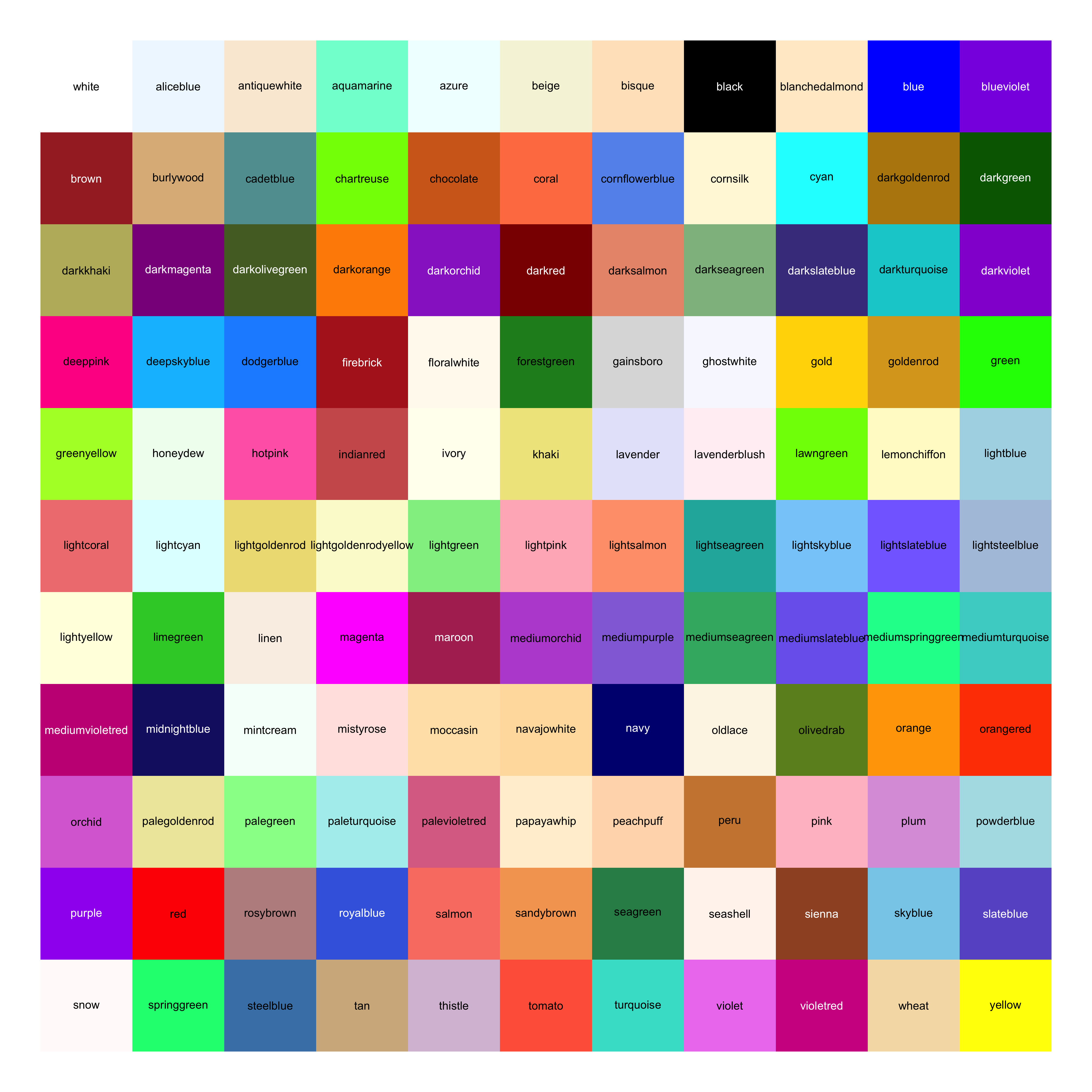
![](https://bastianolea.rbind.io/blog/colores/index.markdown_strict_files/figure-markdown_strict/colores-de-R-1.png)

**Ver código para generar los cuadritos con colores que aparecen arriba**

``` r
# toma todos los colores con nombres desde `colors()` y los ordena por tono, intensidad y brillo, y genera html con todos los colores en pildoritas

colores <- colors(distinct = T) |> 
  stringr::str_subset("gray", negate = T) |> 
  stringr::str_subset("4", negate = T)

library(dplyr)

tabla_colores <- tibble(color = colores) |> 
  mutate(hex = gplots::col2hex(color)) |> 
  mutate(tono = shades::hue(color)) |> 
  mutate(brillo = shades::lightness(color)) |> 
  mutate(croma = shades::chroma(color)) |> 
  # mutate(contraste = colorspace::contrast_ratio(color, "black")) |> 
  mutate(across(where(is.numeric), ~round(.x, 0) |> signif(2))) |> 
  arrange(desc(tono), desc(croma), desc(brillo)) |>
  filter(!color %in% c("black", "white"))

colores <- tabla_colores$color

colores <- c("white", colores, "grey", "black")

estilo <- "color: black; border-radius: 4px; padding: 1px 4px; margin: 2px; line-height: 1.9;"

cuadritos <- purrr::map(
  colores,
  \(color) {
    shiny::span(
      color, 
      style = paste("background-color:", gplots::col2hex(color), ";",
                    estilo,
                    paste("color:", 
                          ifelse(
                            colorspace::contrast_ratio(color, "black") < 4, 
                            "white", "black"),
                          ";"),
                    paste("border: solid 1px", colorspace::darken(color, 0.3), ";")
      )
    )
  })

shiny::tagList(cuadritos)
```

<br>

Para usar colores en R, simplemente usa su nombre en las funciones donde se puedan usar colores:

``` r
colores <- c("indianred", "steelblue", "grey60")
```

<div style="align-items: center; justify-content: center; text-align: center;">
<div style="background-color: #CD5C5C ; width: 90px; height: 90px; font-size: 12px; border-radius: 50%; margin: 8px; display: inline-flex; word-break: break-all; align-items: center; justify-content: center; text-align: center; color: black ; border: solid 1px #A14A4A ;">indianred</div>
<div style="background-color: #4682B4 ; width: 90px; height: 90px; font-size: 12px; border-radius: 50%; margin: 8px; display: inline-flex; word-break: break-all; align-items: center; justify-content: center; text-align: center; color: black ; border: solid 1px #446687 ;">steelblue</div>
<div style="background-color: #999999 ; width: 90px; height: 90px; font-size: 12px; border-radius: 50%; margin: 8px; display: inline-flex; word-break: break-all; align-items: center; justify-content: center; text-align: center; color: black ; border: solid 1px #787878 ;">grey60</div>
</div>

Casi todos estos colores pueden ser modificados agregando un número del 1 al 4 al final del nombre; por ejemplo, el color `mediumorchid` puede hacerse levemente más claro o más oscuro:

``` r
escala <- c("mediumorchid", "mediumorchid1", "mediumorchid2", "mediumorchid3", "mediumorchid4")
```

<div style="align-items: center; justify-content: center; text-align: center;">
<div style="background-color: #BA55D3 ; width: 90px; height: 90px; font-size: 12px; border-radius: 50%; margin: 8px; display: inline-flex; word-break: break-all; align-items: center; justify-content: center; text-align: center; color: black ; border: solid 1px #983DAE ;">mediumorchid</div>
<div style="background-color: #E066FF ; width: 90px; height: 90px; font-size: 12px; border-radius: 50%; margin: 8px; display: inline-flex; word-break: break-all; align-items: center; justify-content: center; text-align: center; color: black ; border: solid 1px #C331E2 ;">mediumorchid1</div>
<div style="background-color: #D15FEE ; width: 90px; height: 90px; font-size: 12px; border-radius: 50%; margin: 8px; display: inline-flex; word-break: break-all; align-items: center; justify-content: center; text-align: center; color: black ; border: solid 1px #B532D1 ;">mediumorchid2</div>
<div style="background-color: #B452CD ; width: 90px; height: 90px; font-size: 12px; border-radius: 50%; margin: 8px; display: inline-flex; word-break: break-all; align-items: center; justify-content: center; text-align: center; color: black ; border: solid 1px #913EA6 ;">mediumorchid3</div>
<div style="background-color: #7A378B ; width: 90px; height: 90px; font-size: 12px; border-radius: 50%; margin: 8px; display: inline-flex; word-break: break-all; align-items: center; justify-content: center; text-align: center; color: white ; border: solid 1px #642A72 ;">mediumorchid4</div>
</div>

Los grises (`gray`) tienen la particularidad de que puedes ponerles un número entre 1 y 99 para ajustar su brillo:

``` r
escala <- c("gray2", "gray10", "gray30", "gray50", "gray70", "gray90")
```

<div style="align-items: center; justify-content: center; text-align: center;">
<div style="background-color: #050505 ; width: 90px; height: 90px; font-size: 12px; border-radius: 50%; margin: 8px; display: inline-flex; word-break: break-all; align-items: center; justify-content: center; text-align: center; color: white ; border: solid 1px #040404 ;">gray2</div>
<div style="background-color: #1A1A1A ; width: 90px; height: 90px; font-size: 12px; border-radius: 50%; margin: 8px; display: inline-flex; word-break: break-all; align-items: center; justify-content: center; text-align: center; color: white ; border: solid 1px #161616 ;">gray10</div>
<div style="background-color: #4D4D4D ; width: 90px; height: 90px; font-size: 12px; border-radius: 50%; margin: 8px; display: inline-flex; word-break: break-all; align-items: center; justify-content: center; text-align: center; color: white ; border: solid 1px #3E3E3E ;">gray30</div>
<div style="background-color: #7F7F7F ; width: 90px; height: 90px; font-size: 12px; border-radius: 50%; margin: 8px; display: inline-flex; word-break: break-all; align-items: center; justify-content: center; text-align: center; color: black ; border: solid 1px #646464 ;">gray50</div>
<div style="background-color: #B3B3B3 ; width: 90px; height: 90px; font-size: 12px; border-radius: 50%; margin: 8px; display: inline-flex; word-break: break-all; align-items: center; justify-content: center; text-align: center; color: black ; border: solid 1px #8C8C8C ;">gray70</div>
<div style="background-color: #E5E5E5 ; width: 90px; height: 90px; font-size: 12px; border-radius: 50%; margin: 8px; display: inline-flex; word-break: break-all; align-items: center; justify-content: center; text-align: center; color: black ; border: solid 1px #B2B2B2 ;">gray90</div>
</div>

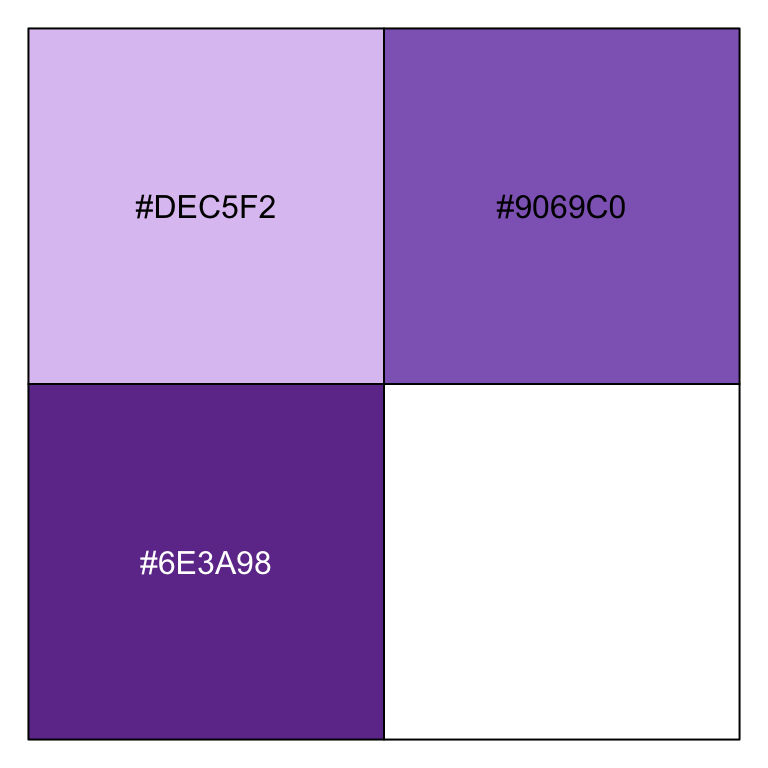
Si tienes **colores hexadecimales**, que puedes encontrar en internet en muchas páginas, como [coolors.co](https://coolors.co), recuerda ponerlos entre comillas y anteponer el signo gato:

``` r
colores <- c("#DEC5F2", "#9069C0", "#6E3A98")
```

<div style="align-items: center; justify-content: center; text-align: center;">
<div style="background-color: #DEC5F2 ; width: 90px; height: 90px; font-size: 12px; border-radius: 50%; margin: 8px; display: inline-flex; word-break: break-all; align-items: center; justify-content: center; text-align: center; color: black ; border: solid 1px #B595CD ;">#DEC5F2</div>
<div style="background-color: #9069C0 ; width: 90px; height: 90px; font-size: 12px; border-radius: 50%; margin: 8px; display: inline-flex; word-break: break-all; align-items: center; justify-content: center; text-align: center; color: black ; border: solid 1px #725399 ;">#9069C0</div>
<div style="background-color: #6E3A98 ; width: 90px; height: 90px; font-size: 12px; border-radius: 50%; margin: 8px; display: inline-flex; word-break: break-all; align-items: center; justify-content: center; text-align: center; color: white ; border: solid 1px #582F7A ;">#6E3A98</div>
</div>
**Ver código para generar estos círculos con colores**

``` r
paleta <- function(colores) {
  
  # colores <- colors(distinct = T) |> 
  #   stringr::str_subset("gray", negate = T)
  
  tamaño <- "width: 90px; height: 90px; font-size: 12px;"
  forma <- "border-radius: 50%; margin: 8px; display: inline-flex; word-break: break-all;"
  centrar <- "align-items: center; justify-content: center; text-align: center;"
  
  estilo <- paste(tamaño, forma, centrar)
  
  cuadritos <- purrr::map(
    colores,
    \(color) {
      shiny::div(
        color, 
        style = paste(
          paste("background-color:", gplots::col2hex(color), ";"),
          estilo,
          paste("color:", 
                ifelse(
                  colorspace::contrast_ratio(color, "black") < 4, 
                  "white", "black"), ";",
                paste("border: solid 1px", colorspace::darken(color, 0.2), ";")
          )
        ),
      )
    })
  
  
  output <- shiny::div(style = centrar,
                       shiny::tagList(cuadritos)
  ) 
  
  return(output)
}

# usar
paleta(c("#DEC5F2", "#9069C0", "#6E3A98"))
```

## Paletas de colores

Varios paquetes de R contienen sus propias paletas de colores prediseñadas. Veremos algunas.

Uno de los conjuntos de paletas principales en visualización de datos, sobre todo para mapas, son las de [Color Brewer](https://colorbrewer2.org/#type=sequential&scheme=BuGn&n=3), a las que puedes acceder con el paquete `{RColorBrewer}`.

Éstas son algunas de las paletas de Color Brewer:

``` r
library(RColorBrewer)
```

``` r
colores <- brewer.pal(name = "PuRd", n = 5)
```

<div style="align-items: center; justify-content: center; text-align: center;">
<div style="background-color: #F1EEF6 ; width: 90px; height: 90px; font-size: 12px; border-radius: 50%; margin: 8px; display: inline-flex; word-break: break-all; align-items: center; justify-content: center; text-align: center; color: black ; border: solid 1px #BFB7CB ;">#F1EEF6</div>
<div style="background-color: #D7B5D8 ; width: 90px; height: 90px; font-size: 12px; border-radius: 50%; margin: 8px; display: inline-flex; word-break: break-all; align-items: center; justify-content: center; text-align: center; color: black ; border: solid 1px #AD8BAE ;">#D7B5D8</div>
<div style="background-color: #DF65B0 ; width: 90px; height: 90px; font-size: 12px; border-radius: 50%; margin: 8px; display: inline-flex; word-break: break-all; align-items: center; justify-content: center; text-align: center; color: black ; border: solid 1px #BD4291 ;">#DF65B0</div>
<div style="background-color: #DD1C77 ; width: 90px; height: 90px; font-size: 12px; border-radius: 50%; margin: 8px; display: inline-flex; word-break: break-all; align-items: center; justify-content: center; text-align: center; color: black ; border: solid 1px #AB245E ;">#DD1C77</div>
<div style="background-color: #980043 ; width: 90px; height: 90px; font-size: 12px; border-radius: 50%; margin: 8px; display: inline-flex; word-break: break-all; align-items: center; justify-content: center; text-align: center; color: white ; border: solid 1px #7D0036 ;">#980043</div>
</div>

``` r
colores <- brewer.pal(name = "BuPu", n = 5)
```

<div style="align-items: center; justify-content: center; text-align: center;">
<div style="background-color: #EDF8FB ; width: 90px; height: 90px; font-size: 12px; border-radius: 50%; margin: 8px; display: inline-flex; word-break: break-all; align-items: center; justify-content: center; text-align: center; color: black ; border: solid 1px #A5C5CD ;">#EDF8FB</div>
<div style="background-color: #B3CDE3 ; width: 90px; height: 90px; font-size: 12px; border-radius: 50%; margin: 8px; display: inline-flex; word-break: break-all; align-items: center; justify-content: center; text-align: center; color: black ; border: solid 1px #86A1B7 ;">#B3CDE3</div>
<div style="background-color: #8C96C6 ; width: 90px; height: 90px; font-size: 12px; border-radius: 50%; margin: 8px; display: inline-flex; word-break: break-all; align-items: center; justify-content: center; text-align: center; color: black ; border: solid 1px #6D76A0 ;">#8C96C6</div>
<div style="background-color: #8856A7 ; width: 90px; height: 90px; font-size: 12px; border-radius: 50%; margin: 8px; display: inline-flex; word-break: break-all; align-items: center; justify-content: center; text-align: center; color: white ; border: solid 1px #68487D ;">#8856A7</div>
<div style="background-color: #810F7C ; width: 90px; height: 90px; font-size: 12px; border-radius: 50%; margin: 8px; display: inline-flex; word-break: break-all; align-items: center; justify-content: center; text-align: center; color: white ; border: solid 1px #6D0068 ;">#810F7C</div>
</div>

``` r
colores <- brewer.pal(name = "Purples", n = 5)
```

<div style="align-items: center; justify-content: center; text-align: center;">
<div style="background-color: #F2F0F7 ; width: 90px; height: 90px; font-size: 12px; border-radius: 50%; margin: 8px; display: inline-flex; word-break: break-all; align-items: center; justify-content: center; text-align: center; color: black ; border: solid 1px #BFB9CC ;">#F2F0F7</div>
<div style="background-color: #CBC9E2 ; width: 90px; height: 90px; font-size: 12px; border-radius: 50%; margin: 8px; display: inline-flex; word-break: break-all; align-items: center; justify-content: center; text-align: center; color: black ; border: solid 1px #9E9CB8 ;">#CBC9E2</div>
<div style="background-color: #9E9AC8 ; width: 90px; height: 90px; font-size: 12px; border-radius: 50%; margin: 8px; display: inline-flex; word-break: break-all; align-items: center; justify-content: center; text-align: center; color: black ; border: solid 1px #7C78A2 ;">#9E9AC8</div>
<div style="background-color: #756BB1 ; width: 90px; height: 90px; font-size: 12px; border-radius: 50%; margin: 8px; display: inline-flex; word-break: break-all; align-items: center; justify-content: center; text-align: center; color: black ; border: solid 1px #5D5689 ;">#756BB1</div>
<div style="background-color: #54278F ; width: 90px; height: 90px; font-size: 12px; border-radius: 50%; margin: 8px; display: inline-flex; word-break: break-all; align-items: center; justify-content: center; text-align: center; color: white ; border: solid 1px #481681 ;">#54278F</div>
</div>

``` r
colores <- brewer.pal(name = "Blues", n = 5)
```

<div style="align-items: center; justify-content: center; text-align: center;">
<div style="background-color: #EFF3FF ; width: 90px; height: 90px; font-size: 12px; border-radius: 50%; margin: 8px; display: inline-flex; word-break: break-all; align-items: center; justify-content: center; text-align: center; color: black ; border: solid 1px #ADBDE7 ;">#EFF3FF</div>
<div style="background-color: #BDD7E7 ; width: 90px; height: 90px; font-size: 12px; border-radius: 50%; margin: 8px; display: inline-flex; word-break: break-all; align-items: center; justify-content: center; text-align: center; color: black ; border: solid 1px #8CA9BA ;">#BDD7E7</div>
<div style="background-color: #6BAED6 ; width: 90px; height: 90px; font-size: 12px; border-radius: 50%; margin: 8px; display: inline-flex; word-break: break-all; align-items: center; justify-content: center; text-align: center; color: black ; border: solid 1px #498AAD ;">#6BAED6</div>
<div style="background-color: #3182BD ; width: 90px; height: 90px; font-size: 12px; border-radius: 50%; margin: 8px; display: inline-flex; word-break: break-all; align-items: center; justify-content: center; text-align: center; color: black ; border: solid 1px #37668F ;">#3182BD</div>
<div style="background-color: #08519C ; width: 90px; height: 90px; font-size: 12px; border-radius: 50%; margin: 8px; display: inline-flex; word-break: break-all; align-items: center; justify-content: center; text-align: center; color: white ; border: solid 1px #024180 ;">#08519C</div>
</div>

``` r
colores <- brewer.pal(name = "Set2", n = 5)
```

<div style="align-items: center; justify-content: center; text-align: center;">
<div style="background-color: #66C2A5 ; width: 90px; height: 90px; font-size: 12px; border-radius: 50%; margin: 8px; display: inline-flex; word-break: break-all; align-items: center; justify-content: center; text-align: center; color: black ; border: solid 1px #4E9881 ;">#66C2A5</div>
<div style="background-color: #FC8D62 ; width: 90px; height: 90px; font-size: 12px; border-radius: 50%; margin: 8px; display: inline-flex; word-break: break-all; align-items: center; justify-content: center; text-align: center; color: black ; border: solid 1px #CE6A3E ;">#FC8D62</div>
<div style="background-color: #8DA0CB ; width: 90px; height: 90px; font-size: 12px; border-radius: 50%; margin: 8px; display: inline-flex; word-break: break-all; align-items: center; justify-content: center; text-align: center; color: black ; border: solid 1px #6D7EA3 ;">#8DA0CB</div>
<div style="background-color: #E78AC3 ; width: 90px; height: 90px; font-size: 12px; border-radius: 50%; margin: 8px; display: inline-flex; word-break: break-all; align-items: center; justify-content: center; text-align: center; color: black ; border: solid 1px #C0659E ;">#E78AC3</div>
<div style="background-color: #A6D854 ; width: 90px; height: 90px; font-size: 12px; border-radius: 50%; margin: 8px; display: inline-flex; word-break: break-all; align-items: center; justify-content: center; text-align: center; color: black ; border: solid 1px #7FAA2E ;">#A6D854</div>
</div>

``` r
colores <- brewer.pal(name = "Pastel1", n = 5)
```

<div style="align-items: center; justify-content: center; text-align: center;">
<div style="background-color: #FBB4AE ; width: 90px; height: 90px; font-size: 12px; border-radius: 50%; margin: 8px; display: inline-flex; word-break: break-all; align-items: center; justify-content: center; text-align: center; color: black ; border: solid 1px #D4867E ;">#FBB4AE</div>
<div style="background-color: #B3CDE3 ; width: 90px; height: 90px; font-size: 12px; border-radius: 50%; margin: 8px; display: inline-flex; word-break: break-all; align-items: center; justify-content: center; text-align: center; color: black ; border: solid 1px #86A1B7 ;">#B3CDE3</div>
<div style="background-color: #CCEBC5 ; width: 90px; height: 90px; font-size: 12px; border-radius: 50%; margin: 8px; display: inline-flex; word-break: break-all; align-items: center; justify-content: center; text-align: center; color: black ; border: solid 1px #96BA8E ;">#CCEBC5</div>
<div style="background-color: #DECBE4 ; width: 90px; height: 90px; font-size: 12px; border-radius: 50%; margin: 8px; display: inline-flex; word-break: break-all; align-items: center; justify-content: center; text-align: center; color: black ; border: solid 1px #B29CB9 ;">#DECBE4</div>
<div style="background-color: #FED9A6 ; width: 90px; height: 90px; font-size: 12px; border-radius: 50%; margin: 8px; display: inline-flex; word-break: break-all; align-items: center; justify-content: center; text-align: center; color: black ; border: solid 1px #CFA769 ;">#FED9A6</div>
</div>

``` r
colores <- brewer.pal(name = "PRGn", n = 5)
```

<div style="align-items: center; justify-content: center; text-align: center;">
<div style="background-color: #7B3294 ; width: 90px; height: 90px; font-size: 12px; border-radius: 50%; margin: 8px; display: inline-flex; word-break: break-all; align-items: center; justify-content: center; text-align: center; color: white ; border: solid 1px #65257B ;">#7B3294</div>
<div style="background-color: #C2A5CF ; width: 90px; height: 90px; font-size: 12px; border-radius: 50%; margin: 8px; display: inline-flex; word-break: break-all; align-items: center; justify-content: center; text-align: center; color: black ; border: solid 1px #9B80A7 ;">#C2A5CF</div>
<div style="background-color: #F7F7F7 ; width: 90px; height: 90px; font-size: 12px; border-radius: 50%; margin: 8px; display: inline-flex; word-break: break-all; align-items: center; justify-content: center; text-align: center; color: black ; border: solid 1px #C0C0C0 ;">#F7F7F7</div>
<div style="background-color: #A6DBA0 ; width: 90px; height: 90px; font-size: 12px; border-radius: 50%; margin: 8px; display: inline-flex; word-break: break-all; align-items: center; justify-content: center; text-align: center; color: black ; border: solid 1px #7BAD75 ;">#A6DBA0</div>
<div style="background-color: #008837 ; width: 90px; height: 90px; font-size: 12px; border-radius: 50%; margin: 8px; display: inline-flex; word-break: break-all; align-items: center; justify-content: center; text-align: center; color: black ; border: solid 1px #006C2A ;">#008837</div>
</div>

``` r
colores <- brewer.pal(name = "RdYlBu", n = 5)
```

<div style="align-items: center; justify-content: center; text-align: center;">
<div style="background-color: #D7191C ; width: 90px; height: 90px; font-size: 12px; border-radius: 50%; margin: 8px; display: inline-flex; word-break: break-all; align-items: center; justify-content: center; text-align: center; color: black ; border: solid 1px #A82021 ;">#D7191C</div>
<div style="background-color: #FDAE61 ; width: 90px; height: 90px; font-size: 12px; border-radius: 50%; margin: 8px; display: inline-flex; word-break: break-all; align-items: center; justify-content: center; text-align: center; color: black ; border: solid 1px #CF852A ;">#FDAE61</div>
<div style="background-color: #FFFFBF ; width: 90px; height: 90px; font-size: 12px; border-radius: 50%; margin: 8px; display: inline-flex; word-break: break-all; align-items: center; justify-content: center; text-align: center; color: black ; border: solid 1px #C8C86F ;">#FFFFBF</div>
<div style="background-color: #ABD9E9 ; width: 90px; height: 90px; font-size: 12px; border-radius: 50%; margin: 8px; display: inline-flex; word-break: break-all; align-items: center; justify-content: center; text-align: center; color: black ; border: solid 1px #7AABBB ;">#ABD9E9</div>
<div style="background-color: #2C7BB6 ; width: 90px; height: 90px; font-size: 12px; border-radius: 50%; margin: 8px; display: inline-flex; word-break: break-all; align-items: center; justify-content: center; text-align: center; color: black ; border: solid 1px #31618B ;">#2C7BB6</div>
</div>

Puedes verlas todas ejecutando `RColorBrewer::display.brewer.all()`!

**Ver todas las paletas de Color Brewer**

``` r
RColorBrewer::display.brewer.all()
```
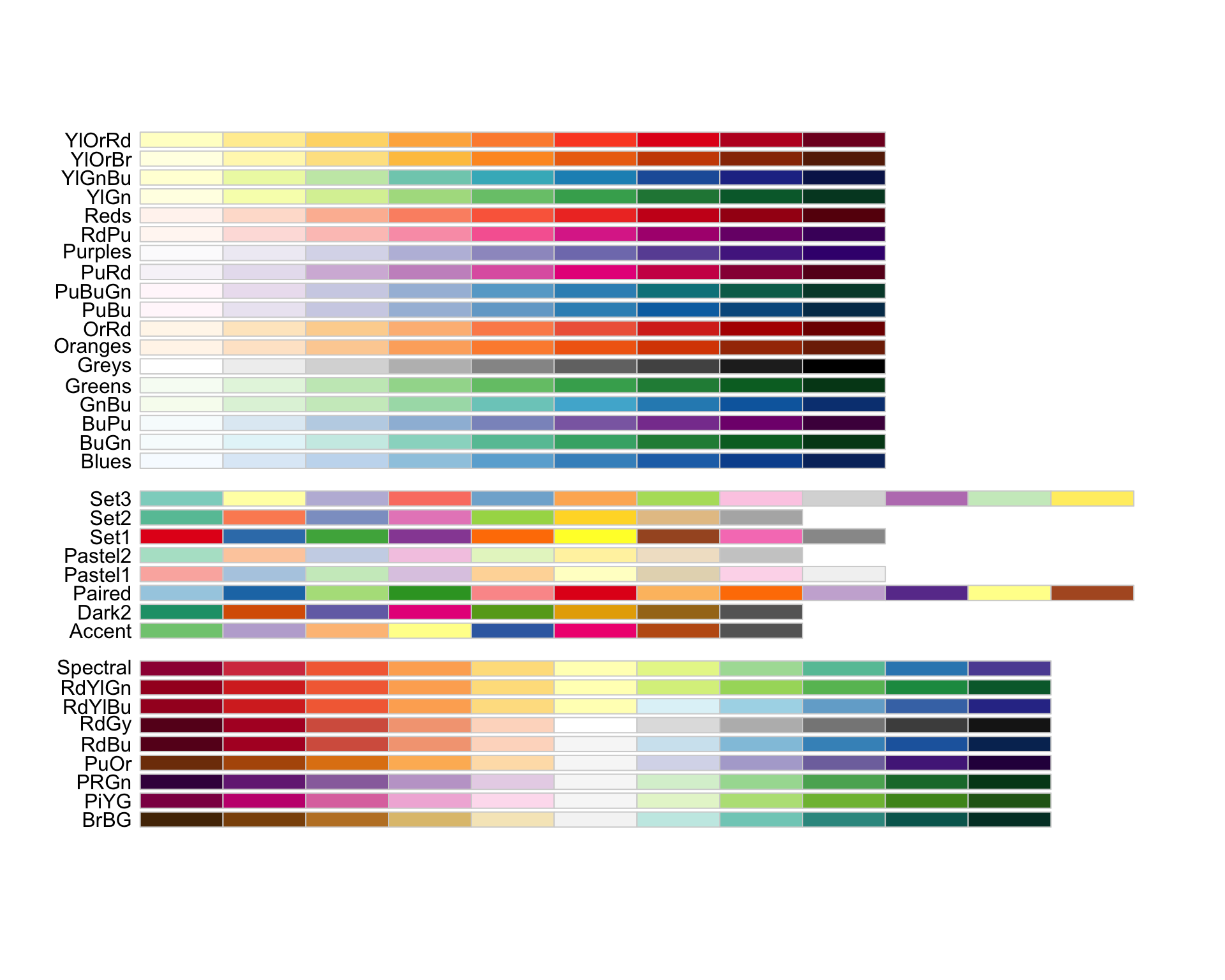
![](https://bastianolea.rbind.io/blog/colores/index.markdown_strict_files/figure-markdown_strict/paletas-de-colores-color-brewer-R-1.png)

Cuando **elijas** una de las paletas, puedes usarla [en cualquier gráfico de `{ggplot2}`](https://bastianolea.rbind.io/blog/r_introduccion/tutorial_visualizacion_ggplot/) con la función `scale_color_brewer()` o `scale_fill_brewer()`, según corresponda a la variable que quieres pintar, y elije la paleta por medio de su nombre:

``` r
library(ggplot2)

iris |> 
  ggplot() +
  aes(x = Sepal.Length, y = Sepal.Width, color = Species) +
  geom_point(size = 3, alpha = 0.8) +
  # usar la paleta "PuRd"
  scale_color_brewer(palette = "Set2")
```
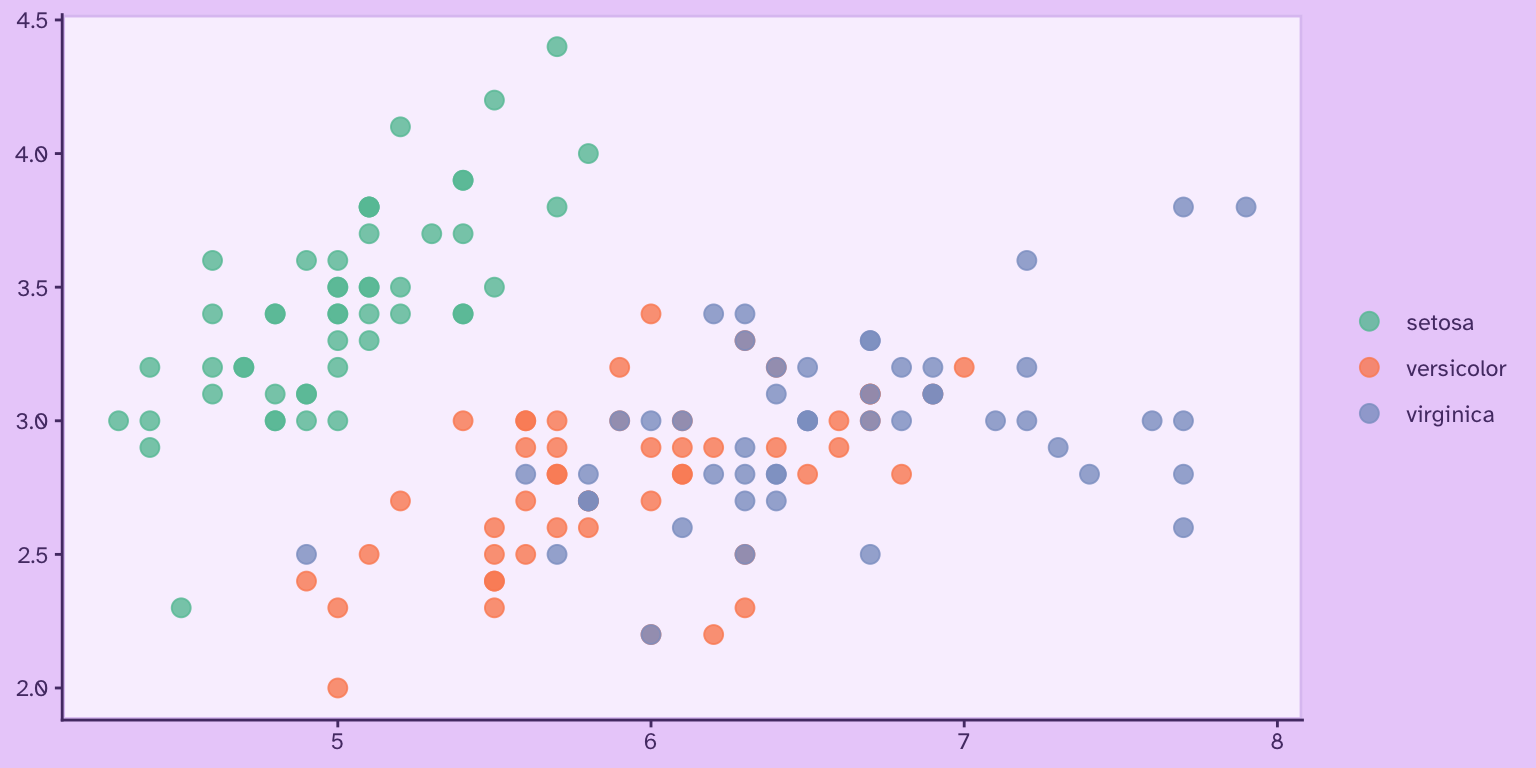
![](https://bastianolea.rbind.io/blog/colores/index.markdown_strict_files/figure-markdown_strict/unnamed-chunk-28-1.png)

Con el paquete `{colorspace}` también podemos ver otras paletas disponibles:

``` r
library(colorspace)
```

Aquí van algunas de ellas:

``` r
colores <- colorspace::sequential_hcl(5, palette = "Red-Blue")
```

<div style="align-items: center; justify-content: center; text-align: center;">
<div style="background-color: #A93154 ; width: 90px; height: 90px; font-size: 12px; border-radius: 50%; margin: 8px; display: inline-flex; word-break: break-all; align-items: center; justify-content: center; text-align: center; color: white ; border: solid 1px #812F44 ;">#A93154</div>
<div style="background-color: #BA4B8E ; width: 90px; height: 90px; font-size: 12px; border-radius: 50%; margin: 8px; display: inline-flex; word-break: break-all; align-items: center; justify-content: center; text-align: center; color: black ; border: solid 1px #8E416E ;">#BA4B8E</div>
<div style="background-color: #BC6EB9 ; width: 90px; height: 90px; font-size: 12px; border-radius: 50%; margin: 8px; display: inline-flex; word-break: break-all; align-items: center; justify-content: center; text-align: center; color: black ; border: solid 1px #965694 ;">#BC6EB9</div>
<div style="background-color: #B494D5 ; width: 90px; height: 90px; font-size: 12px; border-radius: 50%; margin: 8px; display: inline-flex; word-break: break-all; align-items: center; justify-content: center; text-align: center; color: black ; border: solid 1px #9072AE ;">#B494D5</div>
<div style="background-color: #AEB6E5 ; width: 90px; height: 90px; font-size: 12px; border-radius: 50%; margin: 8px; display: inline-flex; word-break: break-all; align-items: center; justify-content: center; text-align: center; color: black ; border: solid 1px #868EBC ;">#AEB6E5</div>
</div>

``` r
colores <- colorspace::sequential_hcl(5, palette = "Purple-Orange")
```

<div style="align-items: center; justify-content: center; text-align: center;">
<div style="background-color: #5B3794 ; width: 90px; height: 90px; font-size: 12px; border-radius: 50%; margin: 8px; display: inline-flex; word-break: break-all; align-items: center; justify-content: center; text-align: center; color: white ; border: solid 1px #492C78 ;">#5B3794</div>
<div style="background-color: #9953A1 ; width: 90px; height: 90px; font-size: 12px; border-radius: 50%; margin: 8px; display: inline-flex; word-break: break-all; align-items: center; justify-content: center; text-align: center; color: black ; border: solid 1px #75467A ;">#9953A1</div>
<div style="background-color: #C87AAD ; width: 90px; height: 90px; font-size: 12px; border-radius: 50%; margin: 8px; display: inline-flex; word-break: break-all; align-items: center; justify-content: center; text-align: center; color: black ; border: solid 1px #A55B8C ;">#C87AAD</div>
<div style="background-color: #EBA8BA ; width: 90px; height: 90px; font-size: 12px; border-radius: 50%; margin: 8px; display: inline-flex; word-break: break-all; align-items: center; justify-content: center; text-align: center; color: black ; border: solid 1px #C27F92 ;">#EBA8BA</div>
<div style="background-color: #F8DCD9 ; width: 90px; height: 90px; font-size: 12px; border-radius: 50%; margin: 8px; display: inline-flex; word-break: break-all; align-items: center; justify-content: center; text-align: center; color: black ; border: solid 1px #D2A6A1 ;">#F8DCD9</div>
</div>

``` r
colores <- colorspace::sequential_hcl(5, palette = "Heat 2")
```

<div style="align-items: center; justify-content: center; text-align: center;">
<div style="background-color: #D33F6A ; width: 90px; height: 90px; font-size: 12px; border-radius: 50%; margin: 8px; display: inline-flex; word-break: break-all; align-items: center; justify-content: center; text-align: center; color: black ; border: solid 1px #A03B55 ;">#D33F6A</div>
<div style="background-color: #E1704C ; width: 90px; height: 90px; font-size: 12px; border-radius: 50%; margin: 8px; display: inline-flex; word-break: break-all; align-items: center; justify-content: center; text-align: center; color: black ; border: solid 1px #B2583C ;">#E1704C</div>
<div style="background-color: #E99A2C ; width: 90px; height: 90px; font-size: 12px; border-radius: 50%; margin: 8px; display: inline-flex; word-break: break-all; align-items: center; justify-content: center; text-align: center; color: black ; border: solid 1px #B97817 ;">#E99A2C</div>
<div style="background-color: #E8C33C ; width: 90px; height: 90px; font-size: 12px; border-radius: 50%; margin: 8px; display: inline-flex; word-break: break-all; align-items: center; justify-content: center; text-align: center; color: black ; border: solid 1px #B89801 ;">#E8C33C</div>
<div style="background-color: #E2E6BD ; width: 90px; height: 90px; font-size: 12px; border-radius: 50%; margin: 8px; display: inline-flex; word-break: break-all; align-items: center; justify-content: center; text-align: center; color: black ; border: solid 1px #B0B487 ;">#E2E6BD</div>
</div>

``` r
colores <- colorspace::sequential_hcl(5, palette = "BurgYl")
```

<div style="align-items: center; justify-content: center; text-align: center;">
<div style="background-color: #772C4B ; width: 90px; height: 90px; font-size: 12px; border-radius: 50%; margin: 8px; display: inline-flex; word-break: break-all; align-items: center; justify-content: center; text-align: center; color: white ; border: solid 1px #63213D ;">#772C4B</div>
<div style="background-color: #A74F5A ; width: 90px; height: 90px; font-size: 12px; border-radius: 50%; margin: 8px; display: inline-flex; word-break: break-all; align-items: center; justify-content: center; text-align: center; color: white ; border: solid 1px #7B454B ;">#A74F5A</div>
<div style="background-color: #D6765D ; width: 90px; height: 90px; font-size: 12px; border-radius: 50%; margin: 8px; display: inline-flex; word-break: break-all; align-items: center; justify-content: center; text-align: center; color: black ; border: solid 1px #AA5D48 ;">#D6765D</div>
<div style="background-color: #EDAA7D ; width: 90px; height: 90px; font-size: 12px; border-radius: 50%; margin: 8px; display: inline-flex; word-break: break-all; align-items: center; justify-content: center; text-align: center; color: black ; border: solid 1px #C08356 ;">#EDAA7D</div>
<div style="background-color: #F8DFC1 ; width: 90px; height: 90px; font-size: 12px; border-radius: 50%; margin: 8px; display: inline-flex; word-break: break-all; align-items: center; justify-content: center; text-align: center; color: black ; border: solid 1px #CAAC84 ;">#F8DFC1</div>
</div>

``` r
colores <- colorspace::sequential_hcl(5, palette = "Mint")
```

<div style="align-items: center; justify-content: center; text-align: center;">
<div style="background-color: #005D67 ; width: 90px; height: 90px; font-size: 12px; border-radius: 50%; margin: 8px; display: inline-flex; word-break: break-all; align-items: center; justify-content: center; text-align: center; color: white ; border: solid 1px #004B53 ;">#005D67</div>
<div style="background-color: #1B817F ; width: 90px; height: 90px; font-size: 12px; border-radius: 50%; margin: 8px; display: inline-flex; word-break: break-all; align-items: center; justify-content: center; text-align: center; color: black ; border: solid 1px #0A6765 ;">#1B817F</div>
<div style="background-color: #64A79A ; width: 90px; height: 90px; font-size: 12px; border-radius: 50%; margin: 8px; display: inline-flex; word-break: break-all; align-items: center; justify-content: center; text-align: center; color: black ; border: solid 1px #548279 ;">#64A79A</div>
<div style="background-color: #9FCEBA ; width: 90px; height: 90px; font-size: 12px; border-radius: 50%; margin: 8px; display: inline-flex; word-break: break-all; align-items: center; justify-content: center; text-align: center; color: black ; border: solid 1px #77A290 ;">#9FCEBA</div>
<div style="background-color: #E0F2E6 ; width: 90px; height: 90px; font-size: 12px; border-radius: 50%; margin: 8px; display: inline-flex; word-break: break-all; align-items: center; justify-content: center; text-align: center; color: black ; border: solid 1px #A3C0AD ;">#E0F2E6</div>
</div>

``` r
colores <- colorspace::sequential_hcl(5, palette = "PinkYl")
```

<div style="align-items: center; justify-content: center; text-align: center;">
<div style="background-color: #E24C80 ; width: 90px; height: 90px; font-size: 12px; border-radius: 50%; margin: 8px; display: inline-flex; word-break: break-all; align-items: center; justify-content: center; text-align: center; color: black ; border: solid 1px #B73765 ;">#E24C80</div>
<div style="background-color: #EF7E71 ; width: 90px; height: 90px; font-size: 12px; border-radius: 50%; margin: 8px; display: inline-flex; word-break: break-all; align-items: center; justify-content: center; text-align: center; color: black ; border: solid 1px #C45E51 ;">#EF7E71</div>
<div style="background-color: #F6A972 ; width: 90px; height: 90px; font-size: 12px; border-radius: 50%; margin: 8px; display: inline-flex; word-break: break-all; align-items: center; justify-content: center; text-align: center; color: black ; border: solid 1px #C88249 ;">#F6A972</div>
<div style="background-color: #FAD18B ; width: 90px; height: 90px; font-size: 12px; border-radius: 50%; margin: 8px; display: inline-flex; word-break: break-all; align-items: center; justify-content: center; text-align: center; color: black ; border: solid 1px #CAA252 ;">#FAD18B</div>
<div style="background-color: #FDF6B5 ; width: 90px; height: 90px; font-size: 12px; border-radius: 50%; margin: 8px; display: inline-flex; word-break: break-all; align-items: center; justify-content: center; text-align: center; color: black ; border: solid 1px #C8C06C ;">#FDF6B5</div>
</div>

``` r
colores <- colorspace::sequential_hcl(5, palette = "Sunset")
```

<div style="align-items: center; justify-content: center; text-align: center;">
<div style="background-color: #704D9E ; width: 90px; height: 90px; font-size: 12px; border-radius: 50%; margin: 8px; display: inline-flex; word-break: break-all; align-items: center; justify-content: center; text-align: center; color: white ; border: solid 1px #574077 ;">#704D9E</div>
<div style="background-color: #BC5AA9 ; width: 90px; height: 90px; font-size: 12px; border-radius: 50%; margin: 8px; display: inline-flex; word-break: break-all; align-items: center; justify-content: center; text-align: center; color: black ; border: solid 1px #934985 ;">#BC5AA9</div>
<div style="background-color: #ED7C97 ; width: 90px; height: 90px; font-size: 12px; border-radius: 50%; margin: 8px; display: inline-flex; word-break: break-all; align-items: center; justify-content: center; text-align: center; color: black ; border: solid 1px #C45B75 ;">#ED7C97</div>
<div style="background-color: #F9B282 ; width: 90px; height: 90px; font-size: 12px; border-radius: 50%; margin: 8px; display: inline-flex; word-break: break-all; align-items: center; justify-content: center; text-align: center; color: black ; border: solid 1px #CB8856 ;">#F9B282</div>
<div style="background-color: #F3E79A ; width: 90px; height: 90px; font-size: 12px; border-radius: 50%; margin: 8px; display: inline-flex; word-break: break-all; align-items: center; justify-content: center; text-align: center; color: black ; border: solid 1px #C0B45F ;">#F3E79A</div>
</div>

Puedes ver todas las paletas de colores de `{colorspace}` ejecutando `colorspace::hcl_palettes(plot = TRUE)`.

**Ver todas las paletas de colores de `{colorspace}`**

``` r
colorspace::hcl_palettes(plot = TRUE)
```
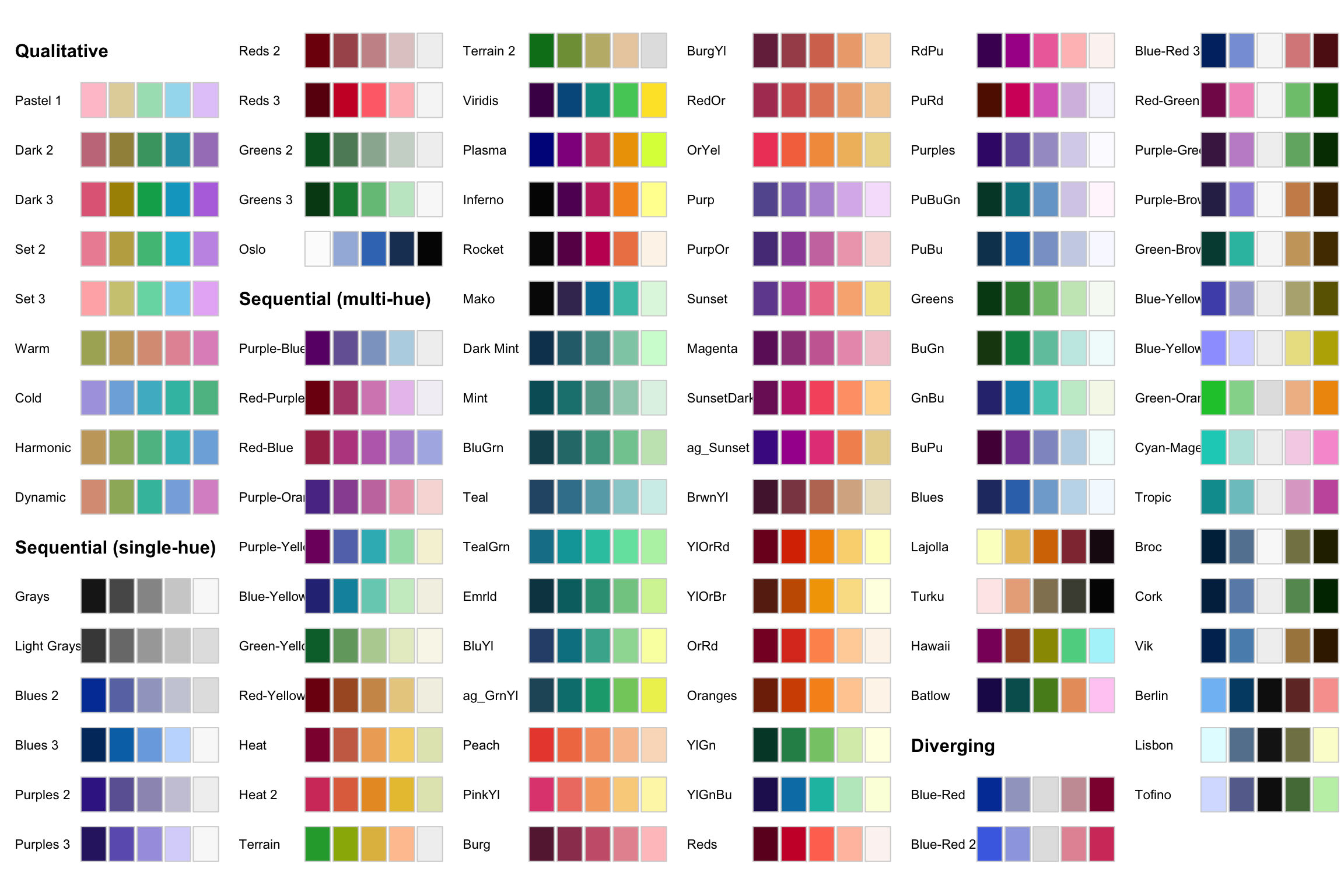
![](https://bastianolea.rbind.io/blog/colores/index.markdown_strict_files/figure-markdown_strict/paletas-de-colores-colorspace-R-1.png)

Usar estas paletas en `{ggplot2}` es tan fácil como agregar la función de escala apropiada para definir los colores del gráfico:

``` r
iris |> 
  ggplot() +
  aes(Petal.Width, Sepal.Width, color = Sepal.Length) +
  geom_point(size = 3, alpha = 0.7) +
  # usar la paleta "Sunset" para una variable continua
  colorspace::scale_color_continuous_sequential(palette = "Sunset") +
  scale_y_continuous(expand = expansion(c(0, 0.1)))
```
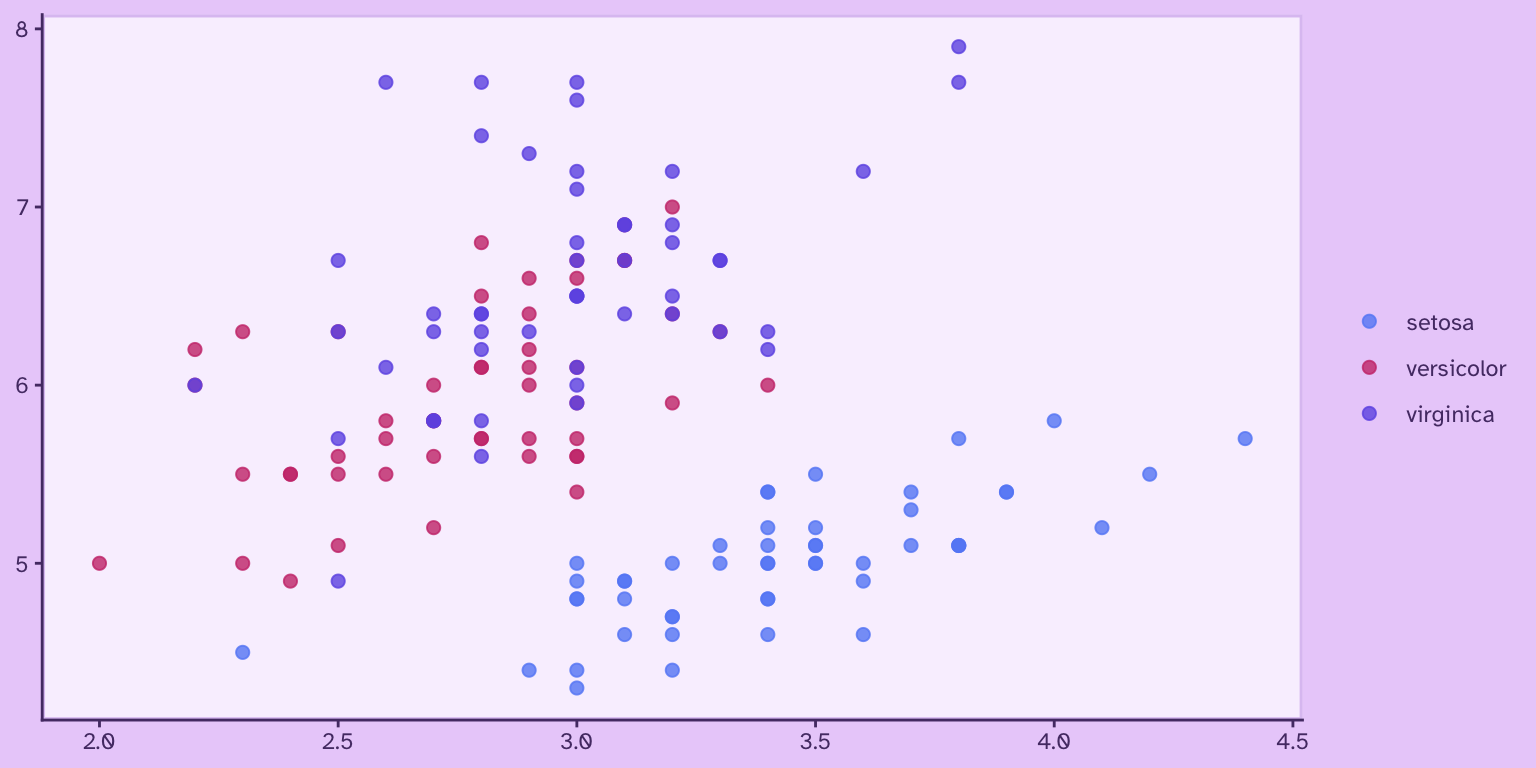
![](https://bastianolea.rbind.io/blog/colores/index.markdown_strict_files/figure-markdown_strict/unnamed-chunk-44-1.png)

Encuentra una lista que compila todas las paletas de colores de la comunidad de R [en este repositorio.](https://github.com/EmilHvitfeldt/r-color-palettes)

## Usar paletas de colores en gráficos

### Gráficos con colores manuales

La forma más simple de usar colores en gráficos de `{ggplot2}` es definiéndolos en la escala de color apropiada.

**Publicación relacionada:** [Tutorial: visualización de datos con {ggplot2}](https://bastianolea.rbind.io/blog/r_introduccion/tutorial_visualizacion_ggplot/index.md): {ggplot2} es una librería de visualización de datos bastante popular en el mundo de la ciencia de datos. Sus principales características son su atractivo, su conveniencia para la exploración de datos,…

Para una variable *discreta* o *categórica*, los colores se aplican en la capa `scale_color_manual()` y se aplican en el orden de la variable:

``` r
library(ggplot2)

iris |> 
  ggplot() +
  aes(Sepal.Width, Sepal.Length, 
      color = Species) +
  geom_point(size = 2, alpha = .8) +
  scale_color_manual(
    values = c("#cc3b7b", "#705ce6", "#668cf6")
  )
```
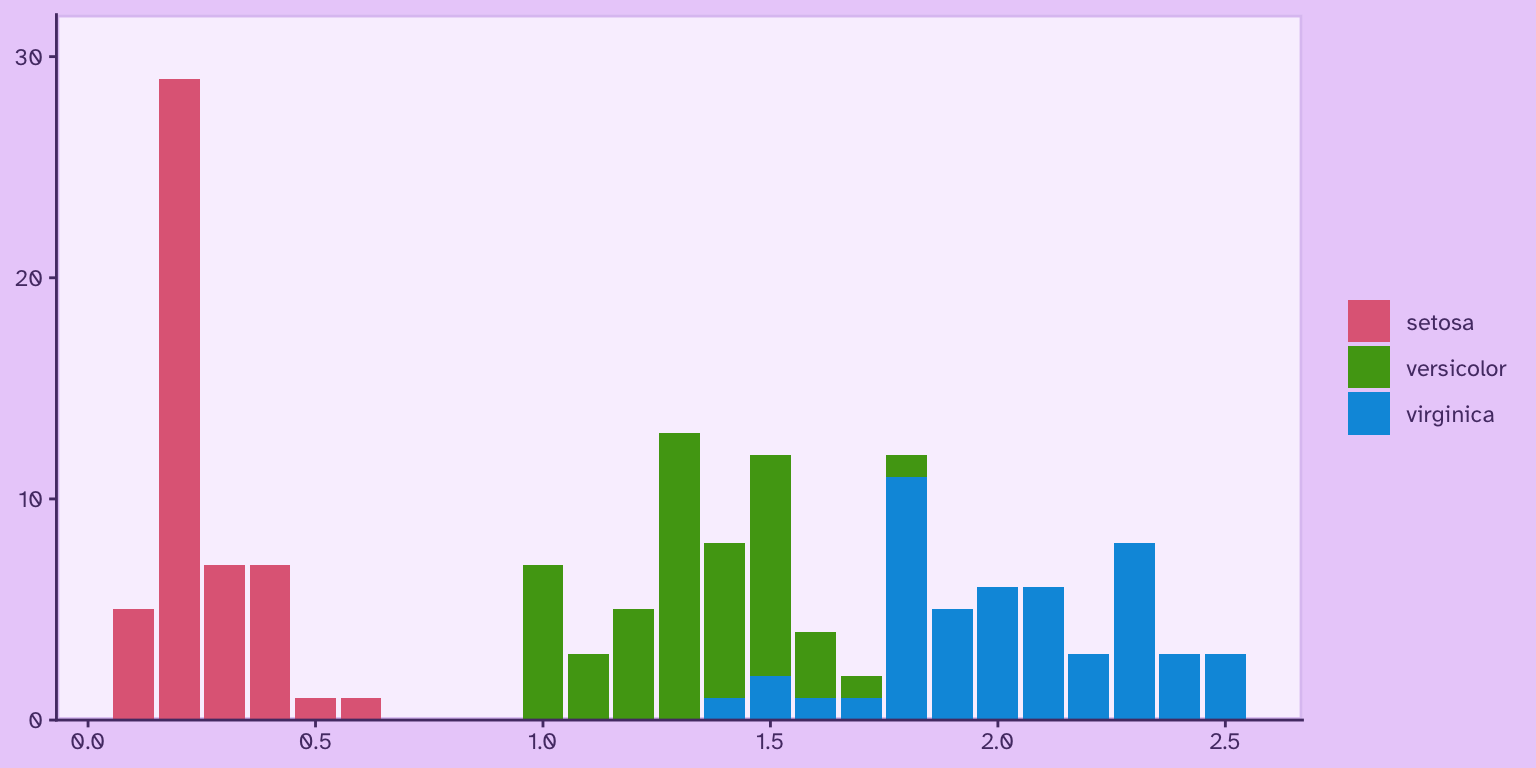
![](https://bastianolea.rbind.io/blog/colores/index.markdown_strict_files/figure-markdown_strict/unnamed-chunk-45-1.png)

O bien, se puede aplicar cada color a cada valor específico de la variable:

``` r
iris |> 
  ggplot() +
  aes(Sepal.Width, Sepal.Length, 
      color = Species) +
  geom_point(size = 2, alpha = .8) +
  # especificar un color para cada valor de la variable
  scale_color_manual(
    values = c("versicolor" = "#cc3b7b", 
               "virginica" = "#705ce6", 
               "setosa" = "#668cf6")
  )
```
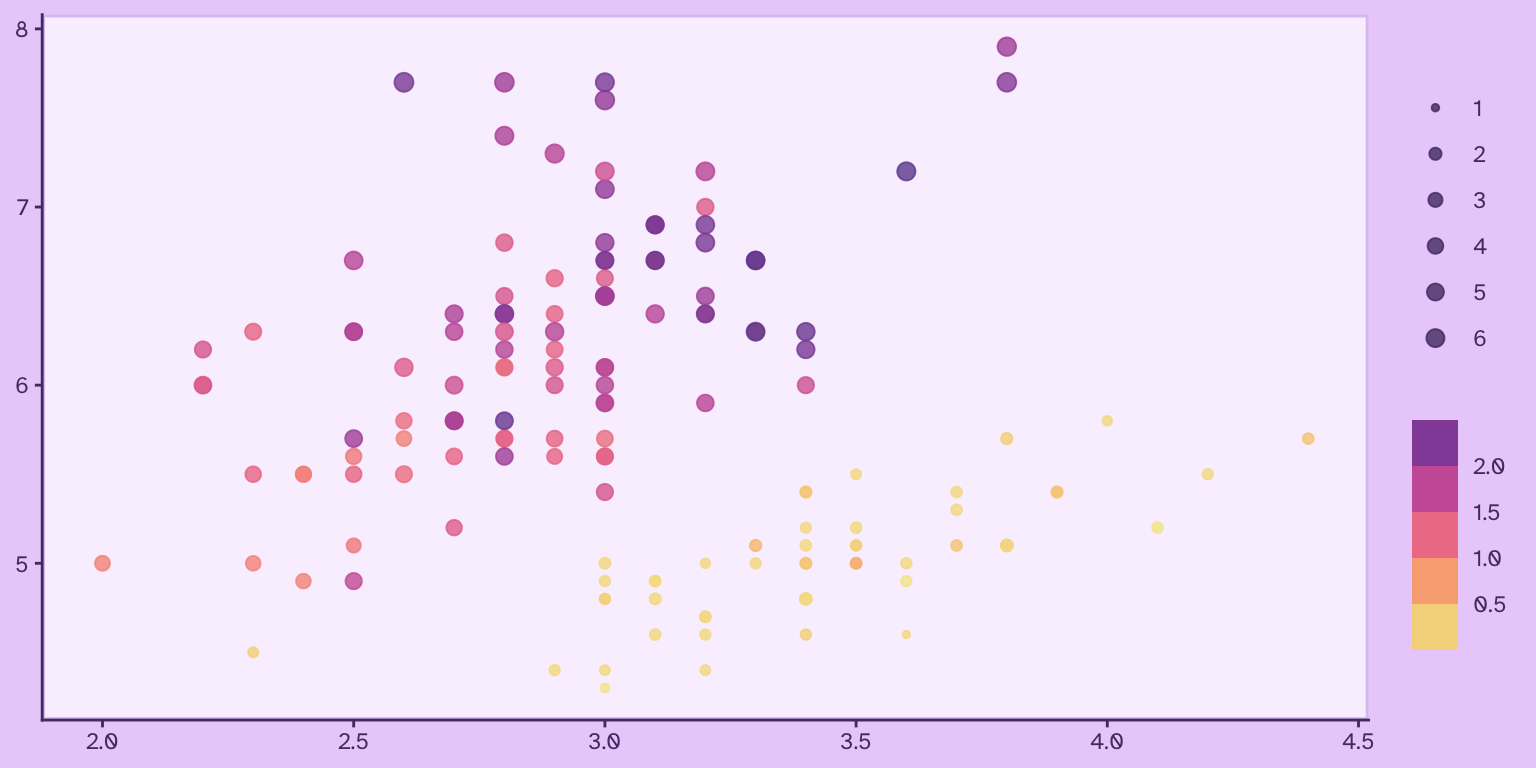
![](https://bastianolea.rbind.io/blog/colores/index.markdown_strict_files/figure-markdown_strict/unnamed-chunk-46-1.png)

### Paletas de colores predefinidos

Muchos paquetes de R incorporan funciones de escalas de colores (`scale_color_x()`, `scale_fill_x()`) para aplicar una paleta de color fácilmente a un gráfico creado `{ggplot2}`.

Por ejemplo, las paletas de `{colorspace}` que vimos más arriba:

``` r
library(ggplot2)

# escalas para variables discretas
iris |> 
  ggplot() +
  aes(Petal.Width, fill = Species) +
  geom_bar() +
  colorspace::scale_fill_discrete_qualitative(palette = "Dark 3") +
  scale_y_continuous(expand = expansion(c(0, 0.1)))
```
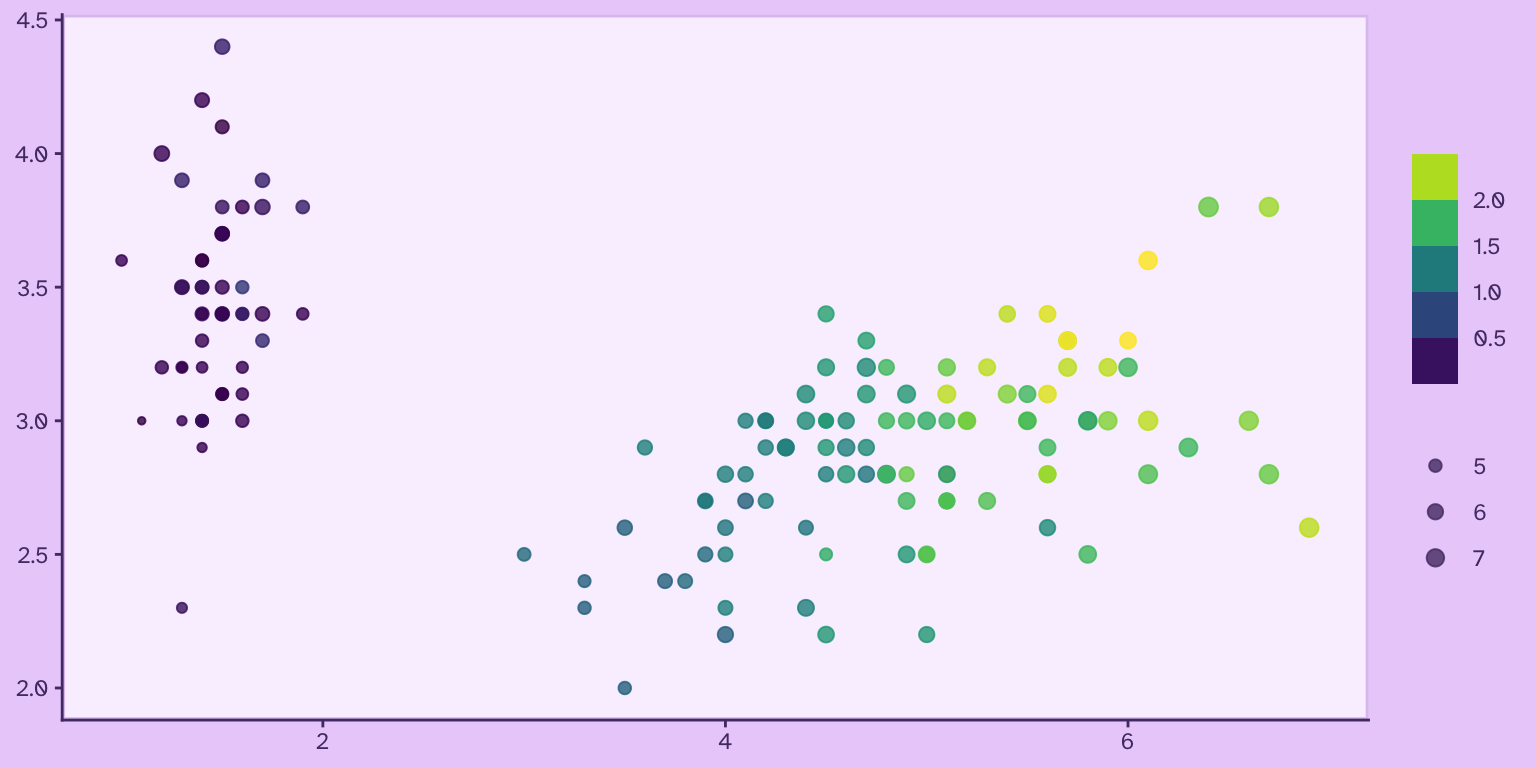
![](https://bastianolea.rbind.io/blog/colores/index.markdown_strict_files/figure-markdown_strict/unnamed-chunk-47-1.png)

``` r
# escalas para variables continuas
iris |> 
  ggplot() +
  aes(Sepal.Width, Sepal.Length, color = Petal.Width, size = Petal.Length) +
  geom_point(alpha = .8) +
  colorspace::scale_color_continuous_sequential(palette = "Sunset", na.value = "white") +
  scale_size_continuous(range = c(1, 3)) +
  guides(color = guide_colorsteps())
```
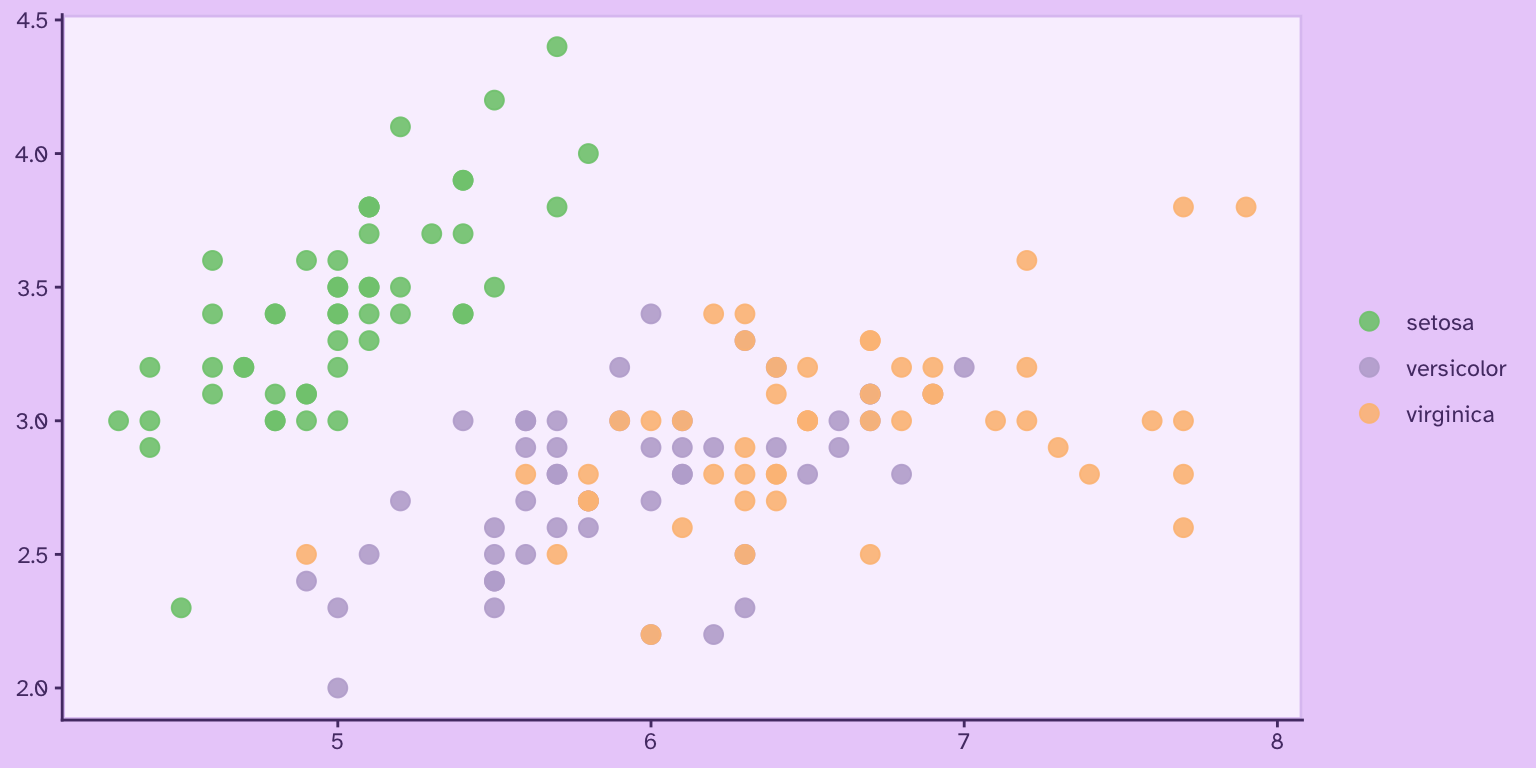
![](https://bastianolea.rbind.io/blog/colores/index.markdown_strict_files/figure-markdown_strict/unnamed-chunk-48-1.png)

``` r
# escalas para variables continuas
iris |> 
  ggplot() +
  aes(Petal.Length, Sepal.Width, color = Petal.Width, size = Sepal.Length) +
  geom_point(alpha = .8) +
  viridis::scale_colour_viridis("viridis", na.value = "white") +
  scale_size_continuous(range = c(1, 3)) +
  guides(color = guide_colorsteps())
```
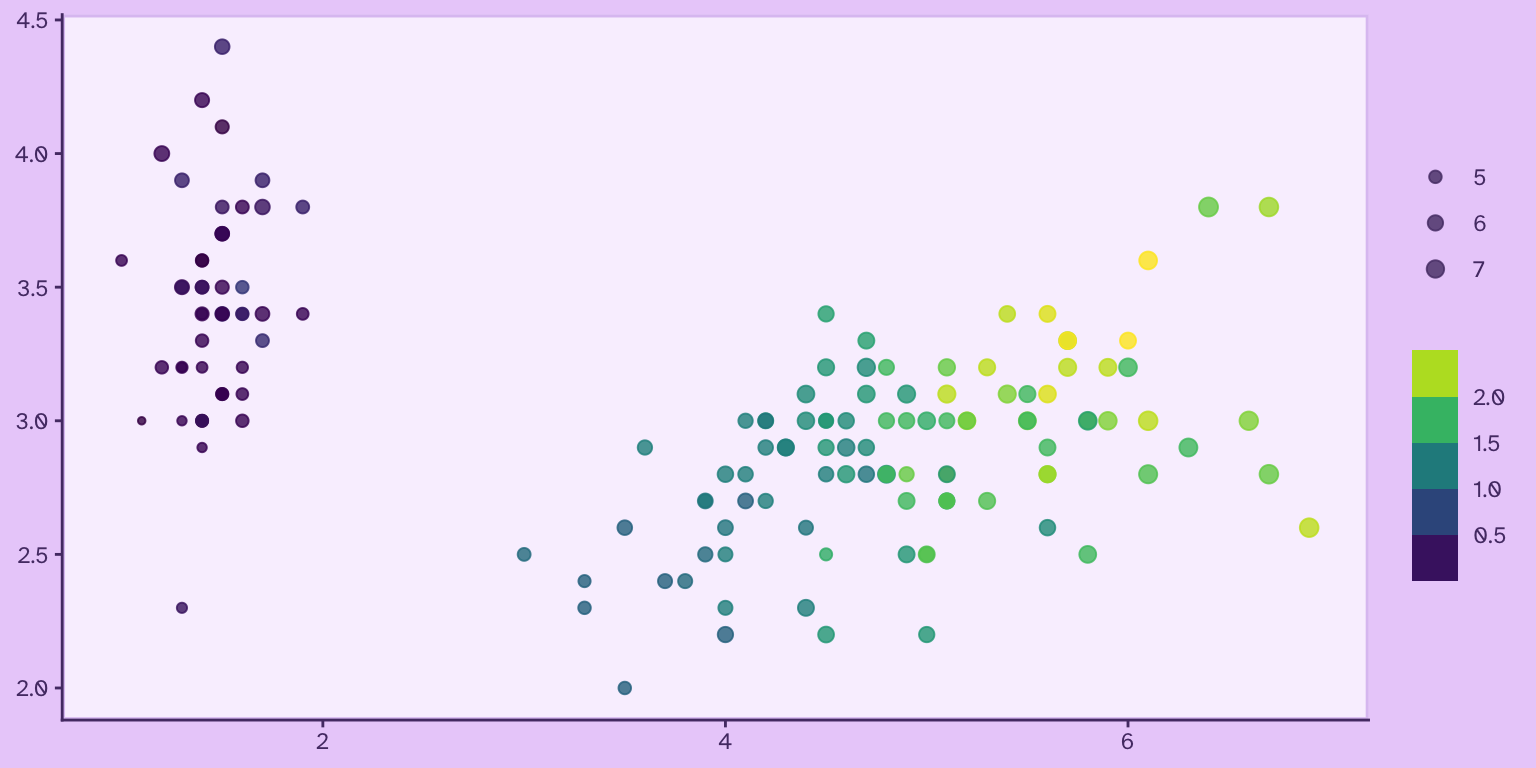
![](https://bastianolea.rbind.io/blog/colores/index.markdown_strict_files/figure-markdown_strict/unnamed-chunk-49-1.png)

O bien, las paletas de `{RColorBrewer}` que vimos antes:

``` r
library(ggplot2)

iris |> 
  ggplot() +
  aes(x = Sepal.Length, y = Sepal.Width, color = Species) +
  geom_point(size = 3, alpha = 0.9) +
  # usar la paleta "Set2" de Color Brewer
  scale_color_brewer(palette = "Accent")
```
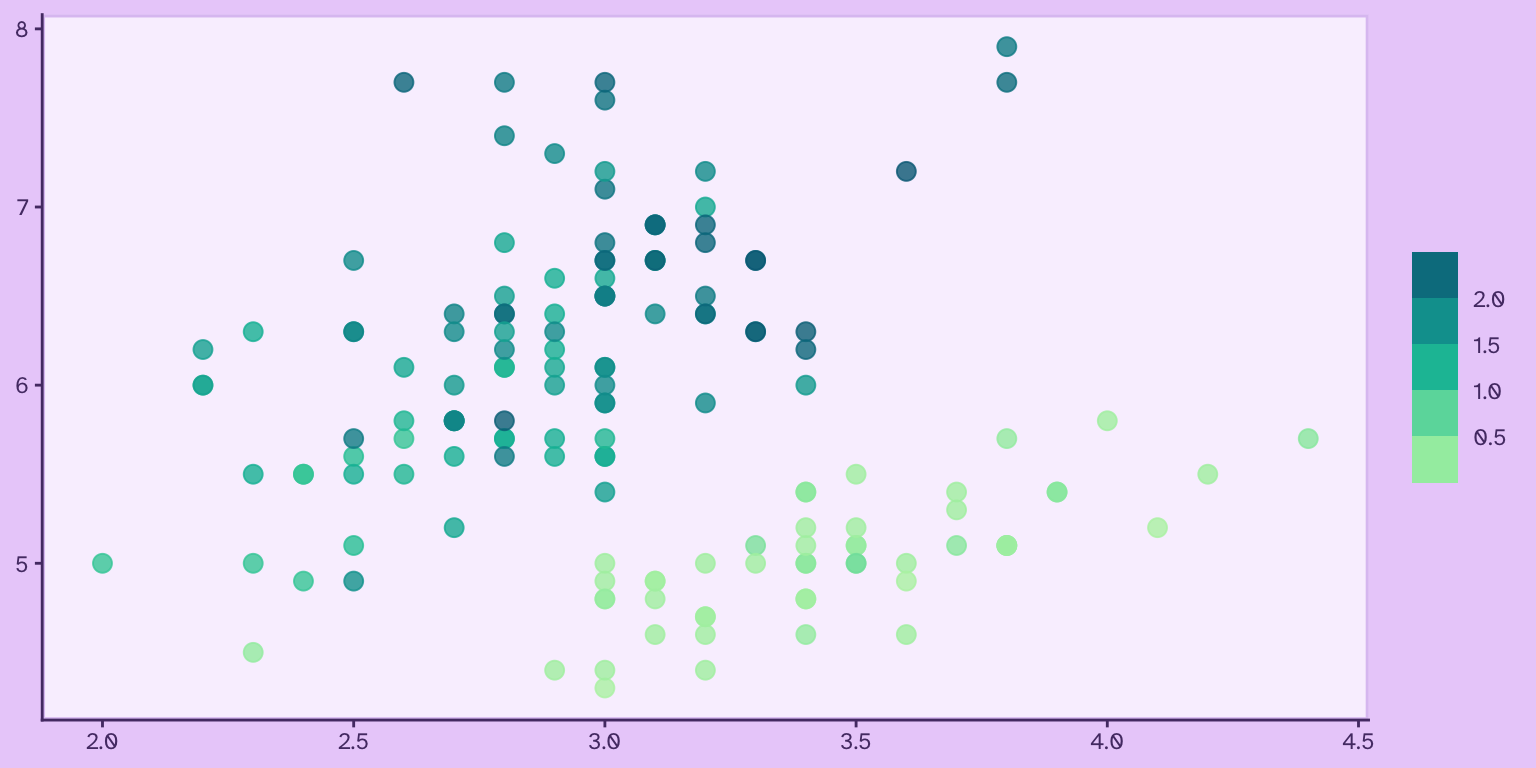
![](https://bastianolea.rbind.io/blog/colores/index.markdown_strict_files/figure-markdown_strict/unnamed-chunk-50-1.png)

Algunas de las funciones para aplicar paletas de colores tienen funcionalidades extras. Por ejemplo, las funciones de `{colorspace}` permiten modificar sus paletas en términos de la saturación (*chroma*) y el brillo del color (*luminance*), entregándote más libertad al momento de definir una apariencia específica:

``` r
grafico <- iris |> 
  ggplot() +
  geom_point(aes(Sepal.Width, Sepal.Length, color = Petal.Width), size = 3, alpha = .8) +
  guides(color = guide_colorsteps())
```

``` r
grafico +
  colorspace::scale_color_continuous_sequential(
    palette = "TealGrn", 
    c1 = 50, # intensidad del color
    l1 = 40) # brillo del color
```
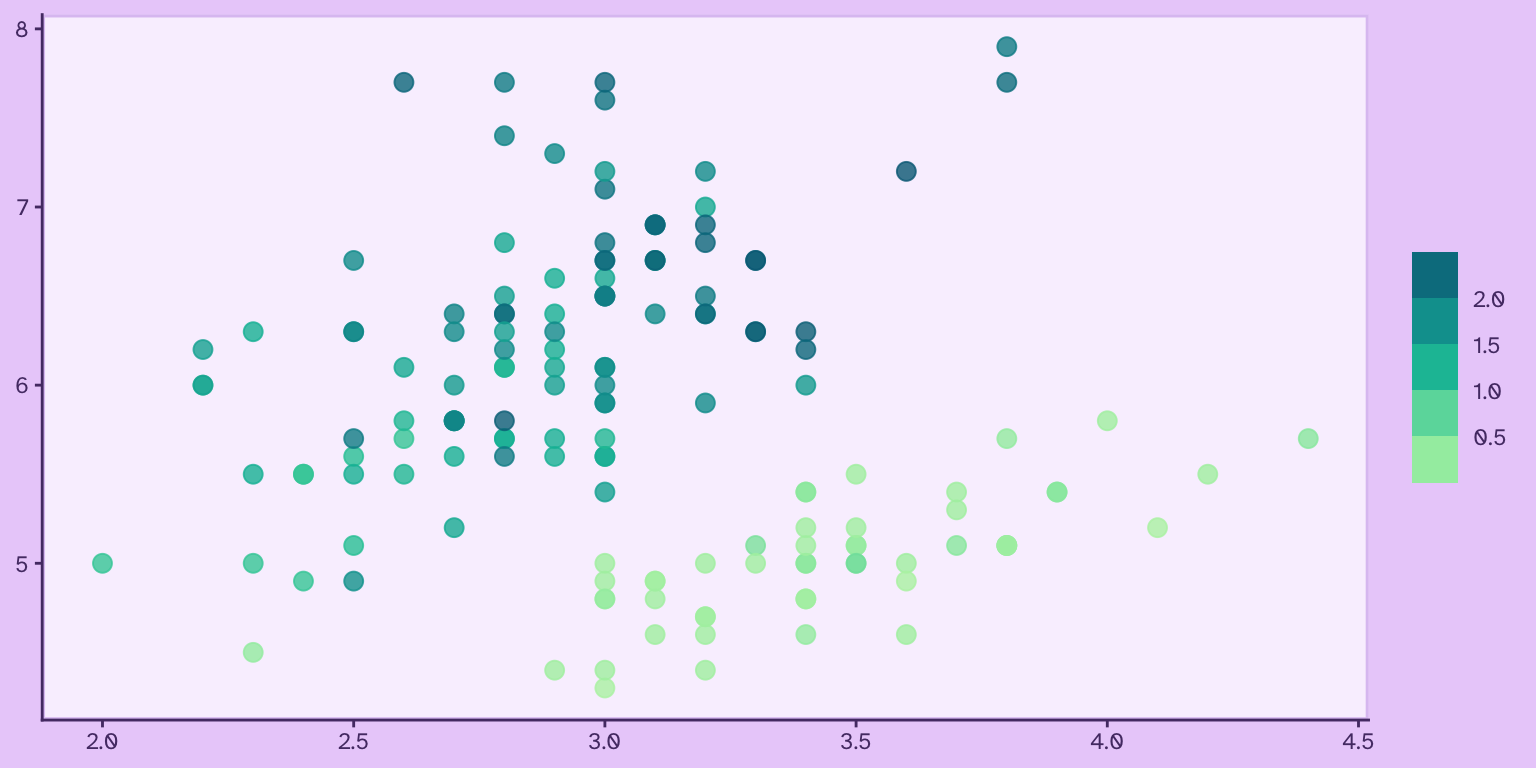
![](https://bastianolea.rbind.io/blog/colores/index.markdown_strict_files/figure-markdown_strict/unnamed-chunk-52-1.png)

``` r
grafico +
  colorspace::scale_color_continuous_sequential(
    palette = "TealGrn", 
    c1 = 10, # intensidad del color
    l1 = 30) # brillo del color
```
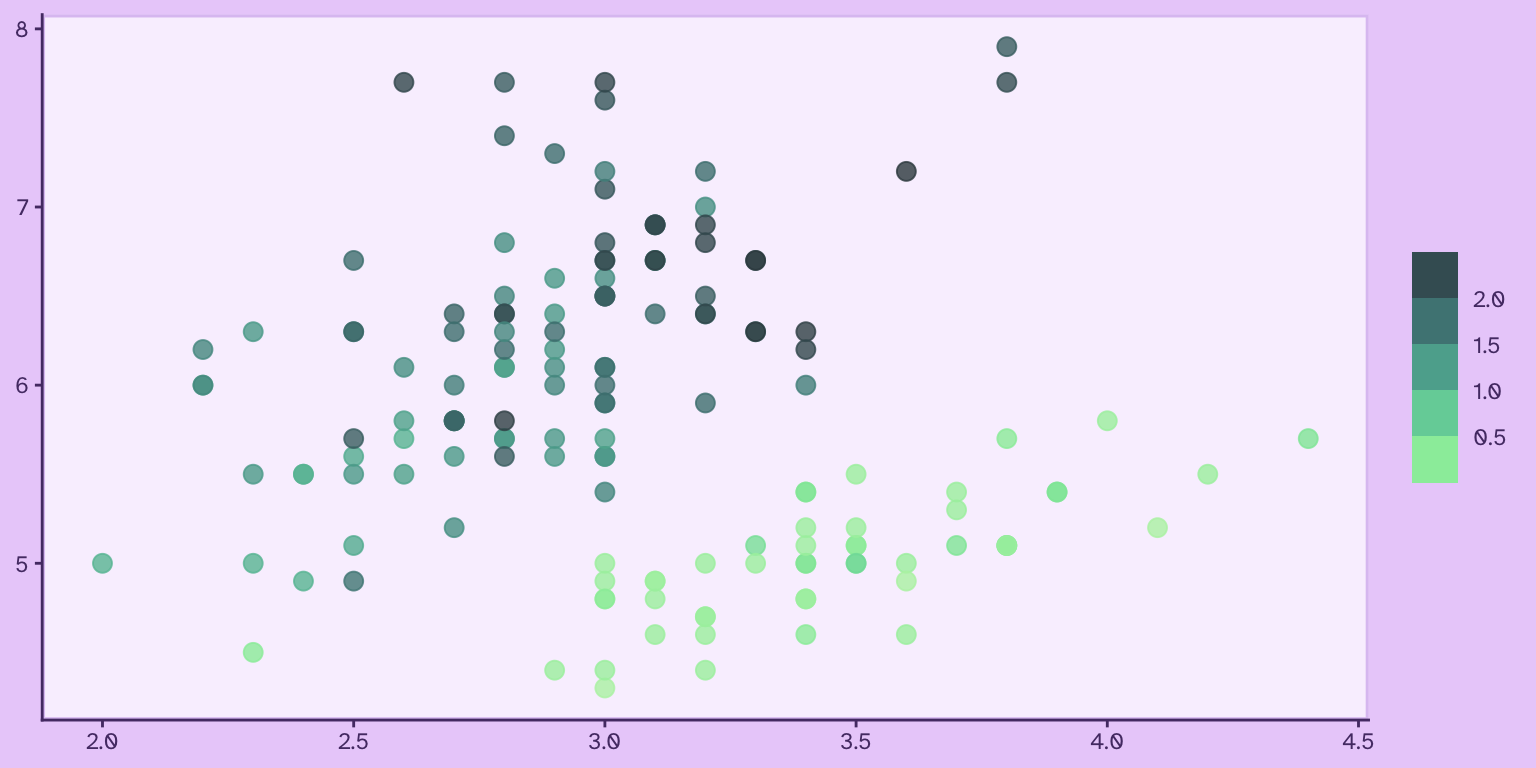
![](https://bastianolea.rbind.io/blog/colores/index.markdown_strict_files/figure-markdown_strict/unnamed-chunk-53-1.png)

> **Aviso:** Si quieres aprender `{ggplot2}`, revisa [este tutorial sobre visualización de datos desde cero!](https://bastianolea.rbind.io/blog/r_introduccion/tutorial_visualizacion_ggplot/)

## Crear paletas de colores

También podemos usar funciones de R para crear paletas de colores personalizadas a partir de uno o varios colores, o especificando los rangos de variación de los colores.

### Crear paletas secuenciales

Las paletas secuenciales consiste en un degradado entre dos o más colores. Suelen usarse para representar una variable continua o numérica, cuyo valor va cambiando de forma cuantitativa.

La función `sequential_hcl()` del paquete `{colorspace}` permite crear paletas secuenciales que, por defecto, se van degradando hacia blanco. El primer argumento es la **cantidad de colores** que deseas, y luego `h` es el **tono** desde el que quieres empezar la paleta:

``` r
colores <- colorspace::sequential_hcl(6, h = 300)
```

<div style="align-items: center; justify-content: center; text-align: center;">
<div style="background-color: #850094 ; width: 90px; height: 90px; font-size: 12px; border-radius: 50%; margin: 8px; display: inline-flex; word-break: break-all; align-items: center; justify-content: center; text-align: center; color: white ; border: solid 1px #6D0179 ;">#850094</div>
<div style="background-color: #9757A3 ; width: 90px; height: 90px; font-size: 12px; border-radius: 50%; margin: 8px; display: inline-flex; word-break: break-all; align-items: center; justify-content: center; text-align: center; color: black ; border: solid 1px #73497B ;">#9757A3</div>
<div style="background-color: #B089B8 ; width: 90px; height: 90px; font-size: 12px; border-radius: 50%; margin: 8px; display: inline-flex; word-break: break-all; align-items: center; justify-content: center; text-align: center; color: black ; border: solid 1px #8D6A95 ;">#B089B8</div>
<div style="background-color: #C6B2CB ; width: 90px; height: 90px; font-size: 12px; border-radius: 50%; margin: 8px; display: inline-flex; word-break: break-all; align-items: center; justify-content: center; text-align: center; color: black ; border: solid 1px #9D8AA2 ;">#C6B2CB</div>
<div style="background-color: #D8D1DA ; width: 90px; height: 90px; font-size: 12px; border-radius: 50%; margin: 8px; display: inline-flex; word-break: break-all; align-items: center; justify-content: center; text-align: center; color: black ; border: solid 1px #AAA2AC ;">#D8D1DA</div>
<div style="background-color: #E2E2E2 ; width: 90px; height: 90px; font-size: 12px; border-radius: 50%; margin: 8px; display: inline-flex; word-break: break-all; align-items: center; justify-content: center; text-align: center; color: black ; border: solid 1px #B0B0B0 ;">#E2E2E2</div>
</div>

Ahora, una paleta de 6 colores, que empiece en el tono 300 y termine por el tono 100, a la vez que va aclarándose:

``` r
colores <- colorspace::sequential_hcl(8, h = c(300, 100))
```

<div style="align-items: center; justify-content: center; text-align: center;">
<div style="background-color: #850094 ; width: 90px; height: 90px; font-size: 12px; border-radius: 50%; margin: 8px; display: inline-flex; word-break: break-all; align-items: center; justify-content: center; text-align: center; color: white ; border: solid 1px #6D0179 ;">#850094</div>
<div style="background-color: #6858A9 ; width: 90px; height: 90px; font-size: 12px; border-radius: 50%; margin: 8px; display: inline-flex; word-break: break-all; align-items: center; justify-content: center; text-align: center; color: white ; border: solid 1px #52497C ;">#6858A9</div>
<div style="background-color: #5585B1 ; width: 90px; height: 90px; font-size: 12px; border-radius: 50%; margin: 8px; display: inline-flex; word-break: break-all; align-items: center; justify-content: center; text-align: center; color: black ; border: solid 1px #4C6885 ;">#5585B1</div>
<div style="background-color: #67A4B4 ; width: 90px; height: 90px; font-size: 12px; border-radius: 50%; margin: 8px; display: inline-flex; word-break: break-all; align-items: center; justify-content: center; text-align: center; color: black ; border: solid 1px #52818D ;">#67A4B4</div>
<div style="background-color: #90BCB9 ; width: 90px; height: 90px; font-size: 12px; border-radius: 50%; margin: 8px; display: inline-flex; word-break: break-all; align-items: center; justify-content: center; text-align: center; color: black ; border: solid 1px #6C9492 ;">#90BCB9</div>
<div style="background-color: #B8CEC4 ; width: 90px; height: 90px; font-size: 12px; border-radius: 50%; margin: 8px; display: inline-flex; word-break: break-all; align-items: center; justify-content: center; text-align: center; color: black ; border: solid 1px #8DA298 ;">#B8CEC4</div>
<div style="background-color: #D5DBD6 ; width: 90px; height: 90px; font-size: 12px; border-radius: 50%; margin: 8px; display: inline-flex; word-break: break-all; align-items: center; justify-content: center; text-align: center; color: black ; border: solid 1px #A5ABA6 ;">#D5DBD6</div>
<div style="background-color: #E2E2E2 ; width: 90px; height: 90px; font-size: 12px; border-radius: 50%; margin: 8px; display: inline-flex; word-break: break-all; align-items: center; justify-content: center; text-align: center; color: black ; border: solid 1px #B0B0B0 ;">#E2E2E2</div>
</div>

Puedes explorar los argumentos para personalizar la paleta. Por ejemplo: 6 colores por el tono 200 definido en `h`, cambiando la intensidad del color en el argumento `c`, y pasando de una luminancia de `25` a una de `85`

``` r
colores <- colorspace::sequential_hcl(5, 
                                      h = 200,
                                      c = c(45, 25), 
                                      l = c(25, 80)
)
```

<div style="align-items: center; justify-content: center; text-align: center;">
<div style="background-color: #004B53 ; width: 90px; height: 90px; font-size: 12px; border-radius: 50%; margin: 8px; display: inline-flex; word-break: break-all; align-items: center; justify-content: center; text-align: center; color: white ; border: solid 1px #013D44 ;">#004B53</div>
<div style="background-color: #00757B ; width: 90px; height: 90px; font-size: 12px; border-radius: 50%; margin: 8px; display: inline-flex; word-break: break-all; align-items: center; justify-content: center; text-align: center; color: white ; border: solid 1px #085D62 ;">#00757B</div>
<div style="background-color: #5A9DA2 ; width: 90px; height: 90px; font-size: 12px; border-radius: 50%; margin: 8px; display: inline-flex; word-break: break-all; align-items: center; justify-content: center; text-align: center; color: black ; border: solid 1px #4E7B7E ;">#5A9DA2</div>
<div style="background-color: #88BDC1 ; width: 90px; height: 90px; font-size: 12px; border-radius: 50%; margin: 8px; display: inline-flex; word-break: break-all; align-items: center; justify-content: center; text-align: center; color: black ; border: solid 1px #639599 ;">#88BDC1</div>
<div style="background-color: #A1CFD3 ; width: 90px; height: 90px; font-size: 12px; border-radius: 50%; margin: 8px; display: inline-flex; word-break: break-all; align-items: center; justify-content: center; text-align: center; color: black ; border: solid 1px #76A3A7 ;">#A1CFD3</div>
</div>

También se pueden obtener vectores de colores a partir de las paletas existentes que vienen con el paquete `{colorspace}`:

``` r
colores <- colorspace::sequential_hcl(5, palette = "Red-Blue")
```

<div style="align-items: center; justify-content: center; text-align: center;">
<div style="background-color: #A93154 ; width: 90px; height: 90px; font-size: 12px; border-radius: 50%; margin: 8px; display: inline-flex; word-break: break-all; align-items: center; justify-content: center; text-align: center; color: white ; border: solid 1px #812F44 ;">#A93154</div>
<div style="background-color: #BA4B8E ; width: 90px; height: 90px; font-size: 12px; border-radius: 50%; margin: 8px; display: inline-flex; word-break: break-all; align-items: center; justify-content: center; text-align: center; color: black ; border: solid 1px #8E416E ;">#BA4B8E</div>
<div style="background-color: #BC6EB9 ; width: 90px; height: 90px; font-size: 12px; border-radius: 50%; margin: 8px; display: inline-flex; word-break: break-all; align-items: center; justify-content: center; text-align: center; color: black ; border: solid 1px #965694 ;">#BC6EB9</div>
<div style="background-color: #B494D5 ; width: 90px; height: 90px; font-size: 12px; border-radius: 50%; margin: 8px; display: inline-flex; word-break: break-all; align-items: center; justify-content: center; text-align: center; color: black ; border: solid 1px #9072AE ;">#B494D5</div>
<div style="background-color: #AEB6E5 ; width: 90px; height: 90px; font-size: 12px; border-radius: 50%; margin: 8px; display: inline-flex; word-break: break-all; align-items: center; justify-content: center; text-align: center; color: black ; border: solid 1px #868EBC ;">#AEB6E5</div>
</div>

``` r
colores <- colorspace::sequential_hcl(5, palette = "Purple-Orange")
```

<div style="align-items: center; justify-content: center; text-align: center;">
<div style="background-color: #5B3794 ; width: 90px; height: 90px; font-size: 12px; border-radius: 50%; margin: 8px; display: inline-flex; word-break: break-all; align-items: center; justify-content: center; text-align: center; color: white ; border: solid 1px #492C78 ;">#5B3794</div>
<div style="background-color: #9953A1 ; width: 90px; height: 90px; font-size: 12px; border-radius: 50%; margin: 8px; display: inline-flex; word-break: break-all; align-items: center; justify-content: center; text-align: center; color: black ; border: solid 1px #75467A ;">#9953A1</div>
<div style="background-color: #C87AAD ; width: 90px; height: 90px; font-size: 12px; border-radius: 50%; margin: 8px; display: inline-flex; word-break: break-all; align-items: center; justify-content: center; text-align: center; color: black ; border: solid 1px #A55B8C ;">#C87AAD</div>
<div style="background-color: #EBA8BA ; width: 90px; height: 90px; font-size: 12px; border-radius: 50%; margin: 8px; display: inline-flex; word-break: break-all; align-items: center; justify-content: center; text-align: center; color: black ; border: solid 1px #C27F92 ;">#EBA8BA</div>
<div style="background-color: #F8DCD9 ; width: 90px; height: 90px; font-size: 12px; border-radius: 50%; margin: 8px; display: inline-flex; word-break: break-all; align-items: center; justify-content: center; text-align: center; color: black ; border: solid 1px #D2A6A1 ;">#F8DCD9</div>
</div>

### Crear paletas cualitativas

Como su nombre ética, en las paletas cualitativas los colores van saltando para maximizar la diferencia entre ellos. Se utilizan para variables cualitativas, categóricas o discretas, donde cada elemento de una secuencia es independiente de los demás, y el objetivo del uso del color es poder distinguirlos.

La función `rainbow_hcl()` de `{colorspace}` entrega una típica paleta de arcoíris, pero con la posibilidad de modificar sus atributos de color en sus argumentos, tales como las tonalidades (*hue*) de inicio o final, la intensidad (*chroma*) de los tonos, y más.

Por ejemplo, una paleta de arcoíris de 6 colores con intensidad de color de 70:

``` r
colores <- colorspace::rainbow_hcl(6, c = 70)
```

<div style="align-items: center; justify-content: center; text-align: center;">
<div style="background-color: #F68BA2 ; width: 90px; height: 90px; font-size: 12px; border-radius: 50%; margin: 8px; display: inline-flex; word-break: break-all; align-items: center; justify-content: center; text-align: center; color: black ; border: solid 1px #CD657D ;">#F68BA2</div>
<div style="background-color: #D0A544 ; width: 90px; height: 90px; font-size: 12px; border-radius: 50%; margin: 8px; display: inline-flex; word-break: break-all; align-items: center; justify-content: center; text-align: center; color: black ; border: solid 1px #A48131 ;">#D0A544</div>
<div style="background-color: #76BD58 ; width: 90px; height: 90px; font-size: 12px; border-radius: 50%; margin: 8px; display: inline-flex; word-break: break-all; align-items: center; justify-content: center; text-align: center; color: black ; border: solid 1px #60944B ;">#76BD58</div>
<div style="background-color: #00C5B3 ; width: 90px; height: 90px; font-size: 12px; border-radius: 50%; margin: 8px; display: inline-flex; word-break: break-all; align-items: center; justify-content: center; text-align: center; color: black ; border: solid 1px #0F9A8C ;">#00C5B3</div>
<div style="background-color: #5EB3F0 ; width: 90px; height: 90px; font-size: 12px; border-radius: 50%; margin: 8px; display: inline-flex; word-break: break-all; align-items: center; justify-content: center; text-align: center; color: black ; border: solid 1px #398DC4 ;">#5EB3F0</div>
<div style="background-color: #DB8FEA ; width: 90px; height: 90px; font-size: 12px; border-radius: 50%; margin: 8px; display: inline-flex; word-break: break-all; align-items: center; justify-content: center; text-align: center; color: black ; border: solid 1px #B569C4 ;">#DB8FEA</div>
</div>

Un arcoíris de 7 colores de *croma* 100, que empiece en la tonalidad 190 y termine en la 380:

``` r
colores <- colorspace::rainbow_hcl(6, 
                                   c = 100, 
                                   start = 190,
                                   end = 380)
```

<div style="align-items: center; justify-content: center; text-align: center;">
<div style="background-color: #00CDC9 ; width: 90px; height: 90px; font-size: 12px; border-radius: 50%; margin: 8px; display: inline-flex; word-break: break-all; align-items: center; justify-content: center; text-align: center; color: black ; border: solid 1px #03A19E ;">#00CDC9</div>
<div style="background-color: #00BFFF ; width: 90px; height: 90px; font-size: 12px; border-radius: 50%; margin: 8px; display: inline-flex; word-break: break-all; align-items: center; justify-content: center; text-align: center; color: black ; border: solid 1px #0896C9 ;">#00BFFF</div>
<div style="background-color: #9F9EFF ; width: 90px; height: 90px; font-size: 12px; border-radius: 50%; margin: 8px; display: inline-flex; word-break: break-all; align-items: center; justify-content: center; text-align: center; color: black ; border: solid 1px #7978E4 ;">#9F9EFF</div>
<div style="background-color: #F67AFF ; width: 90px; height: 90px; font-size: 12px; border-radius: 50%; margin: 8px; display: inline-flex; word-break: break-all; align-items: center; justify-content: center; text-align: center; color: black ; border: solid 1px #D349DC ;">#F67AFF</div>
<div style="background-color: #FF72C3 ; width: 90px; height: 90px; font-size: 12px; border-radius: 50%; margin: 8px; display: inline-flex; word-break: break-all; align-items: center; justify-content: center; text-align: center; color: black ; border: solid 1px #DC44A1 ;">#FF72C3</div>
<div style="background-color: #FF876E ; width: 90px; height: 90px; font-size: 12px; border-radius: 50%; margin: 8px; display: inline-flex; word-break: break-all; align-items: center; justify-content: center; text-align: center; color: black ; border: solid 1px #D36449 ;">#FF876E</div>
</div>

Un arcoíris de 6 colores con intensidad de 60, luminancia de 30, que empiece en el tono 230 y termine en el 370:

``` r
colores <- colorspace::rainbow_hcl(6, 
                                   c = 60, 
                                   l = 30, 
                                   start = 230, 
                                   end = 370)
```

<div style="align-items: center; justify-content: center; text-align: center;">
<div style="background-color: #00537E ; width: 90px; height: 90px; font-size: 12px; border-radius: 50%; margin: 8px; display: inline-flex; word-break: break-all; align-items: center; justify-content: center; text-align: center; color: white ; border: solid 1px #004367 ;">#00537E</div>
<div style="background-color: #21438B ; width: 90px; height: 90px; font-size: 12px; border-radius: 50%; margin: 8px; display: inline-flex; word-break: break-all; align-items: center; justify-content: center; text-align: center; color: white ; border: solid 1px #183674 ;">#21438B</div>
<div style="background-color: #642C87 ; width: 90px; height: 90px; font-size: 12px; border-radius: 50%; margin: 8px; display: inline-flex; word-break: break-all; align-items: center; justify-content: center; text-align: center; color: white ; border: solid 1px #551D76 ;">#642C87</div>
<div style="background-color: #7D1674 ; width: 90px; height: 90px; font-size: 12px; border-radius: 50%; margin: 8px; display: inline-flex; word-break: break-all; align-items: center; justify-content: center; text-align: center; color: white ; border: solid 1px #6B0163 ;">#7D1674</div>
<div style="background-color: #841956 ; width: 90px; height: 90px; font-size: 12px; border-radius: 50%; margin: 8px; display: inline-flex; word-break: break-all; align-items: center; justify-content: center; text-align: center; color: white ; border: solid 1px #730048 ;">#841956</div>
<div style="background-color: #7E292E ; width: 90px; height: 90px; font-size: 12px; border-radius: 50%; margin: 8px; display: inline-flex; word-break: break-all; align-items: center; justify-content: center; text-align: center; color: white ; border: solid 1px #662225 ;">#7E292E</div>
</div>

También pueden usarse los nombres de las paletas preexistentes para generar una secuencia cualitativa con ellos.

Por ejemplo, 6 colores de la paleta de colores fríos, con intensidad (*chroma*) de 80:

``` r
colores <- colorspace::qualitative_hcl(6, 
                                       palette = "Cold", 
                                       c = 80)
```

<div style="align-items: center; justify-content: center; text-align: center;">
<div style="background-color: #AC9FFF ; width: 90px; height: 90px; font-size: 12px; border-radius: 50%; margin: 8px; display: inline-flex; word-break: break-all; align-items: center; justify-content: center; text-align: center; color: black ; border: solid 1px #8777E2 ;">#AC9FFF</div>
<div style="background-color: #62B0FD ; width: 90px; height: 90px; font-size: 12px; border-radius: 50%; margin: 8px; display: inline-flex; word-break: break-all; align-items: center; justify-content: center; text-align: center; color: black ; border: solid 1px #3F8BCF ;">#62B0FD</div>
<div style="background-color: #00BEEB ; width: 90px; height: 90px; font-size: 12px; border-radius: 50%; margin: 8px; display: inline-flex; word-break: break-all; align-items: center; justify-content: center; text-align: center; color: black ; border: solid 1px #0295B9 ;">#00BEEB</div>
<div style="background-color: #00C6CF ; width: 90px; height: 90px; font-size: 12px; border-radius: 50%; margin: 8px; display: inline-flex; word-break: break-all; align-items: center; justify-content: center; text-align: center; color: black ; border: solid 1px #019BA3 ;">#00C6CF</div>
<div style="background-color: #00C8AB ; width: 90px; height: 90px; font-size: 12px; border-radius: 50%; margin: 8px; display: inline-flex; word-break: break-all; align-items: center; justify-content: center; text-align: center; color: black ; border: solid 1px #019D86 ;">#00C8AB</div>
<div style="background-color: #00C681 ; width: 90px; height: 90px; font-size: 12px; border-radius: 50%; margin: 8px; display: inline-flex; word-break: break-all; align-items: center; justify-content: center; text-align: center; color: black ; border: solid 1px #019C65 ;">#00C681</div>
</div>

Seis colores de la paleta de colores cálidos, con intensidad (*chroma*) de 70:

``` r
colores <- colorspace::qualitative_hcl(6, 
                                       palette = "Warm", 
                                       c = 70)
```

<div style="align-items: center; justify-content: center; text-align: center;">
<div style="background-color: #ABB234 ; width: 90px; height: 90px; font-size: 12px; border-radius: 50%; margin: 8px; display: inline-flex; word-break: break-all; align-items: center; justify-content: center; text-align: center; color: black ; border: solid 1px #868C27 ;">#ABB234</div>
<div style="background-color: #C9A83D ; width: 90px; height: 90px; font-size: 12px; border-radius: 50%; margin: 8px; display: inline-flex; word-break: break-all; align-items: center; justify-content: center; text-align: center; color: black ; border: solid 1px #9E8432 ;">#C9A83D</div>
<div style="background-color: #E19D60 ; width: 90px; height: 90px; font-size: 12px; border-radius: 50%; margin: 8px; display: inline-flex; word-break: break-all; align-items: center; justify-content: center; text-align: center; color: black ; border: solid 1px #B7793A ;">#E19D60</div>
<div style="background-color: #F09286 ; width: 90px; height: 90px; font-size: 12px; border-radius: 50%; margin: 8px; display: inline-flex; word-break: break-all; align-items: center; justify-content: center; text-align: center; color: black ; border: solid 1px #C56E62 ;">#F09286</div>
<div style="background-color: #F78AAB ; width: 90px; height: 90px; font-size: 12px; border-radius: 50%; margin: 8px; display: inline-flex; word-break: break-all; align-items: center; justify-content: center; text-align: center; color: black ; border: solid 1px #CF6486 ;">#F78AAB</div>
<div style="background-color: #F387CC ; width: 90px; height: 90px; font-size: 12px; border-radius: 50%; margin: 8px; display: inline-flex; word-break: break-all; align-items: center; justify-content: center; text-align: center; color: black ; border: solid 1px #CE5EA8 ;">#F387CC</div>
</div>

### Crear paletas divergentes

Las paletas divergentes se utilizan cuando una variable expresa dos polos; una una misma magnitud donde los extremos son separados por una brecha central.

``` r
colores <- colorspace::diverging_hcl(n = 5, 
                                     h = c(35, 200),
                                     l = c(50, 90))
```

<div style="align-items: center; justify-content: center; text-align: center;">
<div style="background-color: #B2630F ; width: 90px; height: 90px; font-size: 12px; border-radius: 50%; margin: 8px; display: inline-flex; word-break: break-all; align-items: center; justify-content: center; text-align: center; color: black ; border: solid 1px #8F4E03 ;">#B2630F</div>
<div style="background-color: #D7B4A4 ; width: 90px; height: 90px; font-size: 12px; border-radius: 50%; margin: 8px; display: inline-flex; word-break: break-all; align-items: center; justify-content: center; text-align: center; color: black ; border: solid 1px #AC8C7D ;">#D7B4A4</div>
<div style="background-color: #E2E2E2 ; width: 90px; height: 90px; font-size: 12px; border-radius: 50%; margin: 8px; display: inline-flex; word-break: break-all; align-items: center; justify-content: center; text-align: center; color: black ; border: solid 1px #B0B0B0 ;">#E2E2E2</div>
<div style="background-color: #8FC4C9 ; width: 90px; height: 90px; font-size: 12px; border-radius: 50%; margin: 8px; display: inline-flex; word-break: break-all; align-items: center; justify-content: center; text-align: center; color: black ; border: solid 1px #689B9F ;">#8FC4C9</div>
<div style="background-color: #00919D ; width: 90px; height: 90px; font-size: 12px; border-radius: 50%; margin: 8px; display: inline-flex; word-break: break-all; align-items: center; justify-content: center; text-align: center; color: black ; border: solid 1px #04737C ;">#00919D</div>
</div>

``` r
colores <- colorspace::diverging_hcl(n = 6, h = c(320, 180))
```

<div style="align-items: center; justify-content: center; text-align: center;">
<div style="background-color: #92007C ; width: 90px; height: 90px; font-size: 12px; border-radius: 50%; margin: 8px; display: inline-flex; word-break: break-all; align-items: center; justify-content: center; text-align: center; color: white ; border: solid 1px #770165 ;">#92007C</div>
<div style="background-color: #BB86AE ; width: 90px; height: 90px; font-size: 12px; border-radius: 50%; margin: 8px; display: inline-flex; word-break: break-all; align-items: center; justify-content: center; text-align: center; color: black ; border: solid 1px #98678C ;">#BB86AE</div>
<div style="background-color: #DBD0D8 ; width: 90px; height: 90px; font-size: 12px; border-radius: 50%; margin: 8px; display: inline-flex; word-break: break-all; align-items: center; justify-content: center; text-align: center; color: black ; border: solid 1px #AEA1AA ;">#DBD0D8</div>
<div style="background-color: #C9D6D4 ; width: 90px; height: 90px; font-size: 12px; border-radius: 50%; margin: 8px; display: inline-flex; word-break: break-all; align-items: center; justify-content: center; text-align: center; color: black ; border: solid 1px #9AA8A6 ;">#C9D6D4</div>
<div style="background-color: #4EA49A ; width: 90px; height: 90px; font-size: 12px; border-radius: 50%; margin: 8px; display: inline-flex; word-break: break-all; align-items: center; justify-content: center; text-align: center; color: black ; border: solid 1px #448079 ;">#4EA49A</div>
<div style="background-color: #006250 ; width: 90px; height: 90px; font-size: 12px; border-radius: 50%; margin: 8px; display: inline-flex; word-break: break-all; align-items: center; justify-content: center; text-align: center; color: white ; border: solid 1px #004F40 ;">#006250</div>
</div>

``` r
colores <- colorspace::diverging_hcl(n = 6, 
                                     h = c(360, 180), 
                                     c = 30,
                                     l = 60)
```

<div style="align-items: center; justify-content: center; text-align: center;">
<div style="background-color: #B4848D ; width: 90px; height: 90px; font-size: 12px; border-radius: 50%; margin: 8px; display: inline-flex; word-break: break-all; align-items: center; justify-content: center; text-align: center; color: black ; border: solid 1px #8F676F ;">#B4848D</div>
<div style="background-color: #A28B8F ; width: 90px; height: 90px; font-size: 12px; border-radius: 50%; margin: 8px; display: inline-flex; word-break: break-all; align-items: center; justify-content: center; text-align: center; color: black ; border: solid 1px #7F6E71 ;">#A28B8F</div>
<div style="background-color: #948F90 ; width: 90px; height: 90px; font-size: 12px; border-radius: 50%; margin: 8px; display: inline-flex; word-break: break-all; align-items: center; justify-content: center; text-align: center; color: black ; border: solid 1px #747171 ;">#948F90</div>
<div style="background-color: #8D9291 ; width: 90px; height: 90px; font-size: 12px; border-radius: 50%; margin: 8px; display: inline-flex; word-break: break-all; align-items: center; justify-content: center; text-align: center; color: black ; border: solid 1px #6F7372 ;">#8D9291</div>
<div style="background-color: #7B9692 ; width: 90px; height: 90px; font-size: 12px; border-radius: 50%; margin: 8px; display: inline-flex; word-break: break-all; align-items: center; justify-content: center; text-align: center; color: black ; border: solid 1px #637673 ;">#7B9692</div>
<div style="background-color: #5B9C94 ; width: 90px; height: 90px; font-size: 12px; border-radius: 50%; margin: 8px; display: inline-flex; word-break: break-all; align-items: center; justify-content: center; text-align: center; color: black ; border: solid 1px #4F7A74 ;">#5B9C94</div>
</div>

Como podemos ver, todas las paletas divergentes pasan por un tono blanco en el intermedio.

### Extender paletas de colores

Si tienes un vector de colores y necesitas alargarlo para tener más colores basados en la paleta original, puedes hacerlo con la función `colorRampPalette()`. Esta función crea otra *función* a partir de los colores, a la que luego le das el número de colores que necesites obtener a partir de la paleta original:

``` r
# paleta de 5 colores
colores <- c("#f4b43f", "#ec6a2d", "#cc3b7b", "#705ce6", "#668cf6")
```

<div style="align-items: center; justify-content: center; text-align: center;">
<div style="background-color: #F4B43F ; width: 90px; height: 90px; font-size: 12px; border-radius: 50%; margin: 8px; display: inline-flex; word-break: break-all; align-items: center; justify-content: center; text-align: center; color: black ; border: solid 1px #C38C05 ;">#f4b43f</div>
<div style="background-color: #EC6A2D ; width: 90px; height: 90px; font-size: 12px; border-radius: 50%; margin: 8px; display: inline-flex; word-break: break-all; align-items: center; justify-content: center; text-align: center; color: black ; border: solid 1px #B75630 ;">#ec6a2d</div>
<div style="background-color: #CC3B7B ; width: 90px; height: 90px; font-size: 12px; border-radius: 50%; margin: 8px; display: inline-flex; word-break: break-all; align-items: center; justify-content: center; text-align: center; color: black ; border: solid 1px #9B3961 ;">#cc3b7b</div>
<div style="background-color: #705CE6 ; width: 90px; height: 90px; font-size: 12px; border-radius: 50%; margin: 8px; display: inline-flex; word-break: break-all; align-items: center; justify-content: center; text-align: center; color: black ; border: solid 1px #5840D1 ;">#705ce6</div>
<div style="background-color: #668CF6 ; width: 90px; height: 90px; font-size: 12px; border-radius: 50%; margin: 8px; display: inline-flex; word-break: break-all; align-items: center; justify-content: center; text-align: center; color: black ; border: solid 1px #486ECD ;">#668cf6</div>
</div>

``` r
# extender la paleta de 5 colores a 12 colores
colores <- colorRampPalette(colores)(12)
```

<div style="align-items: center; justify-content: center; text-align: center;">
<div style="background-color: #F4B43F ; width: 90px; height: 90px; font-size: 12px; border-radius: 50%; margin: 8px; display: inline-flex; word-break: break-all; align-items: center; justify-content: center; text-align: center; color: black ; border: solid 1px #C38C05 ;">#F4B43F</div>
<div style="background-color: #F19938 ; width: 90px; height: 90px; font-size: 12px; border-radius: 50%; margin: 8px; display: inline-flex; word-break: break-all; align-items: center; justify-content: center; text-align: center; color: black ; border: solid 1px #C2760A ;">#F19938</div>
<div style="background-color: #EE7E31 ; width: 90px; height: 90px; font-size: 12px; border-radius: 50%; margin: 8px; display: inline-flex; word-break: break-all; align-items: center; justify-content: center; text-align: center; color: black ; border: solid 1px #BB632A ;">#EE7E31</div>
<div style="background-color: #E96534 ; width: 90px; height: 90px; font-size: 12px; border-radius: 50%; margin: 8px; display: inline-flex; word-break: break-all; align-items: center; justify-content: center; text-align: center; color: black ; border: solid 1px #B55233 ;">#E96534</div>
<div style="background-color: #DD5450 ; width: 90px; height: 90px; font-size: 12px; border-radius: 50%; margin: 8px; display: inline-flex; word-break: break-all; align-items: center; justify-content: center; text-align: center; color: black ; border: solid 1px #B1413D ;">#DD5450</div>
<div style="background-color: #D1436C ; width: 90px; height: 90px; font-size: 12px; border-radius: 50%; margin: 8px; display: inline-flex; word-break: break-all; align-items: center; justify-content: center; text-align: center; color: black ; border: solid 1px #9F3D57 ;">#D1436C</div>
<div style="background-color: #BB418E ; width: 90px; height: 90px; font-size: 12px; border-radius: 50%; margin: 8px; display: inline-flex; word-break: break-all; align-items: center; justify-content: center; text-align: center; color: black ; border: solid 1px #8E3B6E ;">#BB418E</div>
<div style="background-color: #994DB5 ; width: 90px; height: 90px; font-size: 12px; border-radius: 50%; margin: 8px; display: inline-flex; word-break: break-all; align-items: center; justify-content: center; text-align: center; color: black ; border: solid 1px #754289 ;">#994DB5</div>
<div style="background-color: #7859DC ; width: 90px; height: 90px; font-size: 12px; border-radius: 50%; margin: 8px; display: inline-flex; word-break: break-all; align-items: center; justify-content: center; text-align: center; color: black ; border: solid 1px #6141BE ;">#7859DC</div>
<div style="background-color: #6D69EA ; width: 90px; height: 90px; font-size: 12px; border-radius: 50%; margin: 8px; display: inline-flex; word-break: break-all; align-items: center; justify-content: center; text-align: center; color: black ; border: solid 1px #524DD2 ;">#6D69EA</div>
<div style="background-color: #697AF0 ; width: 90px; height: 90px; font-size: 12px; border-radius: 50%; margin: 8px; display: inline-flex; word-break: break-all; align-items: center; justify-content: center; text-align: center; color: black ; border: solid 1px #4C5ECE ;">#697AF0</div>
<div style="background-color: #668CF6 ; width: 90px; height: 90px; font-size: 12px; border-radius: 50%; margin: 8px; display: inline-flex; word-break: break-all; align-items: center; justify-content: center; text-align: center; color: black ; border: solid 1px #486ECD ;">#668CF6</div>
</div>

También podemos usar esta función para crear con facilidad una paleta secuencial entre dos o más colores:

``` r
colores <- c("#df65b2", "#fae55f")
```

<div style="align-items: center; justify-content: center; text-align: center;">
<div style="background-color: #DF65B2 ; width: 90px; height: 90px; font-size: 12px; border-radius: 50%; margin: 8px; display: inline-flex; word-break: break-all; align-items: center; justify-content: center; text-align: center; color: black ; border: solid 1px #BD4293 ;">#df65b2</div>
<div style="background-color: #FAE55F ; width: 90px; height: 90px; font-size: 12px; border-radius: 50%; margin: 8px; display: inline-flex; word-break: break-all; align-items: center; justify-content: center; text-align: center; color: black ; border: solid 1px #C6B304 ;">#fae55f</div>
</div>

``` r
# extender la paleta a 8 colores
colores <- colorRampPalette(colores)(16)
```

<div style="align-items: center; justify-content: center; text-align: center;">
<div style="background-color: #DF65B2 ; width: 90px; height: 90px; font-size: 12px; border-radius: 50%; margin: 8px; display: inline-flex; word-break: break-all; align-items: center; justify-content: center; text-align: center; color: black ; border: solid 1px #BD4293 ;">#DF65B2</div>
<div style="background-color: #E06DAC ; width: 90px; height: 90px; font-size: 12px; border-radius: 50%; margin: 8px; display: inline-flex; word-break: break-all; align-items: center; justify-content: center; text-align: center; color: black ; border: solid 1px #BC4C8C ;">#E06DAC</div>
<div style="background-color: #E276A6 ; width: 90px; height: 90px; font-size: 12px; border-radius: 50%; margin: 8px; display: inline-flex; word-break: break-all; align-items: center; justify-content: center; text-align: center; color: black ; border: solid 1px #BC5685 ;">#E276A6</div>
<div style="background-color: #E47EA1 ; width: 90px; height: 90px; font-size: 12px; border-radius: 50%; margin: 8px; display: inline-flex; word-break: break-all; align-items: center; justify-content: center; text-align: center; color: black ; border: solid 1px #BC5D7F ;">#E47EA1</div>
<div style="background-color: #E6879B ; width: 90px; height: 90px; font-size: 12px; border-radius: 50%; margin: 8px; display: inline-flex; word-break: break-all; align-items: center; justify-content: center; text-align: center; color: black ; border: solid 1px #BD6579 ;">#E6879B</div>
<div style="background-color: #E88F96 ; width: 90px; height: 90px; font-size: 12px; border-radius: 50%; margin: 8px; display: inline-flex; word-break: break-all; align-items: center; justify-content: center; text-align: center; color: black ; border: solid 1px #BE6C73 ;">#E88F96</div>
<div style="background-color: #E99890 ; width: 90px; height: 90px; font-size: 12px; border-radius: 50%; margin: 8px; display: inline-flex; word-break: break-all; align-items: center; justify-content: center; text-align: center; color: black ; border: solid 1px #BE746C ;">#E99890</div>
<div style="background-color: #EBA08B ; width: 90px; height: 90px; font-size: 12px; border-radius: 50%; margin: 8px; display: inline-flex; word-break: break-all; align-items: center; justify-content: center; text-align: center; color: black ; border: solid 1px #BF7B66 ;">#EBA08B</div>
<div style="background-color: #EDA985 ; width: 90px; height: 90px; font-size: 12px; border-radius: 50%; margin: 8px; display: inline-flex; word-break: break-all; align-items: center; justify-content: center; text-align: center; color: black ; border: solid 1px #C0825F ;">#EDA985</div>
<div style="background-color: #EFB180 ; width: 90px; height: 90px; font-size: 12px; border-radius: 50%; margin: 8px; display: inline-flex; word-break: break-all; align-items: center; justify-content: center; text-align: center; color: black ; border: solid 1px #C28857 ;">#EFB180</div>
<div style="background-color: #F1BA7A ; width: 90px; height: 90px; font-size: 12px; border-radius: 50%; margin: 8px; display: inline-flex; word-break: break-all; align-items: center; justify-content: center; text-align: center; color: black ; border: solid 1px #C3904B ;">#F1BA7A</div>
<div style="background-color: #F2C275 ; width: 90px; height: 90px; font-size: 12px; border-radius: 50%; margin: 8px; display: inline-flex; word-break: break-all; align-items: center; justify-content: center; text-align: center; color: black ; border: solid 1px #C49640 ;">#F2C275</div>
<div style="background-color: #F4CB6F ; width: 90px; height: 90px; font-size: 12px; border-radius: 50%; margin: 8px; display: inline-flex; word-break: break-all; align-items: center; justify-content: center; text-align: center; color: black ; border: solid 1px #C59E2F ;">#F4CB6F</div>
<div style="background-color: #F6D36A ; width: 90px; height: 90px; font-size: 12px; border-radius: 50%; margin: 8px; display: inline-flex; word-break: break-all; align-items: center; justify-content: center; text-align: center; color: black ; border: solid 1px #C6A417 ;">#F6D36A</div>
<div style="background-color: #F8DC64 ; width: 90px; height: 90px; font-size: 12px; border-radius: 50%; margin: 8px; display: inline-flex; word-break: break-all; align-items: center; justify-content: center; text-align: center; color: black ; border: solid 1px #C6AB00 ;">#F8DC64</div>
<div style="background-color: #FAE55F ; width: 90px; height: 90px; font-size: 12px; border-radius: 50%; margin: 8px; display: inline-flex; word-break: break-all; align-items: center; justify-content: center; text-align: center; color: black ; border: solid 1px #C6B304 ;">#FAE55F</div>
</div>

### Usando las paletas de colores creadas

Una vez que pensaste una paleta de colores, puedes usarla en cualquier gráfico de `{ggplot2}` usando `scale_color_manual()` o `scale_fill_manual()`, según corresponda, teniendo en consideración que tienes que crear la cantidad de colores que necesites según tus datos.

En este ejemplo, usamos la paleta de colores fríos para un gráfico de dispersión de la base de datos `msleep` que viene con `{ggplot2}`:

``` r
library(ggplot2)
library(dplyr)

# preparar datos de prueba
datos <- msleep |> 
  filter_out(is.na(vore))

# ver cuántos valores únicos tiene la variable
n_casos <- n_distinct(datos$vore)

# crear una paleta con esa cantidad de colores
colores <- colorspace::qualitative_hcl(n_casos, 
                                       palette = "Cold", 
                                       c = 80)

# visualizar
datos |> 
  ggplot() +
  aes(x = vore, y = sleep_total, color = vore) +
  geom_jitter(size = 3, alpha = 0.7, width = 0.3) +
  scale_color_manual(values = colores)
```
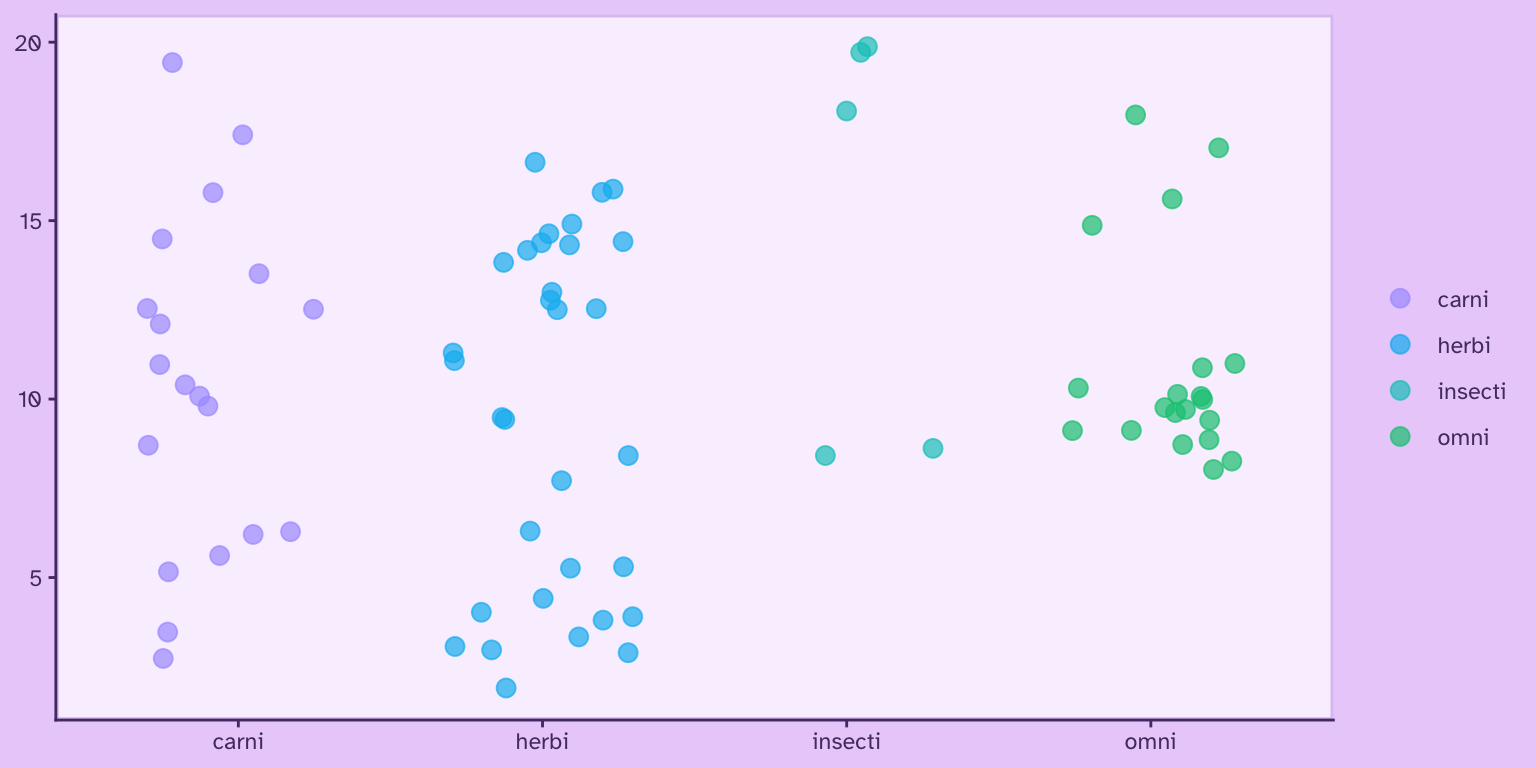
![](https://bastianolea.rbind.io/blog/colores/index.markdown_strict_files/figure-markdown_strict/unnamed-chunk-88-1.png)

## Personalizar y crear colores

### Modificar colores existentes

Las funciones del paquete `{shades}` nos permitan obtener información detallada sobre cada uno de los colores, y usar esta misma información para modificarlos con mucho detalle.

Por ejemplo, definamos un color, y luego obtengamos el valor de su tonalidad. Recordemos que la tonalidad de los colores se expresan como grados entre 0° y 360°.

``` r
color <- "#f65b74"
```

<div style="align-items: center; justify-content: center; text-align: center;">
<div style="background-color: #F65B74 ; width: 90px; height: 90px; font-size: 12px; border-radius: 50%; margin: 8px; display: inline-flex; word-break: break-all; align-items: center; justify-content: center; text-align: center; color: black ; border: solid 1px #CF3955 ;">#f65b74</div>
</div>

``` r
shades::hue(color)
```

    [1] 350.3226

Obtenemos que, para el color definido, el valor de su tonalidad es 350.3226125. Podemos usar esta información para modificar levemente el mismo color y así obtener una variable del mismo color levemente más anaranjada.

``` r
color2 <- shades::hue(color, 370)
```

<div style="align-items: center; justify-content: center; text-align: center;">
<div style="background-color: #F65B74 ; width: 90px; height: 90px; font-size: 12px; border-radius: 50%; margin: 8px; display: inline-flex; word-break: break-all; align-items: center; justify-content: center; text-align: center; color: black ; border: solid 1px #CF3955 ;">#f65b74</div>
<div style="background-color: #F6755B ; width: 90px; height: 90px; font-size: 12px; border-radius: 50%; margin: 8px; display: inline-flex; word-break: break-all; align-items: center; justify-content: center; text-align: center; color: black ; border: solid 1px #CB563B ;">#F6755B</div>
</div>

Podemos obtener mismos resultados utilizando el *delta* de la tonalidad del color; es decir, sumándole restándole una cantidad de grados a el valor de la tonalidad del color mismo:

``` r
color3 <- shades::hue(color, delta(50))
```

<div style="align-items: center; justify-content: center; text-align: center;">
<div style="background-color: #F65B74 ; width: 90px; height: 90px; font-size: 12px; border-radius: 50%; margin: 8px; display: inline-flex; word-break: break-all; align-items: center; justify-content: center; text-align: center; color: black ; border: solid 1px #CF3955 ;">#f65b74</div>
<div style="background-color: #F6C35B ; width: 90px; height: 90px; font-size: 12px; border-radius: 50%; margin: 8px; display: inline-flex; word-break: break-all; align-items: center; justify-content: center; text-align: center; color: black ; border: solid 1px #C7970A ;">#F6C35B</div>
</div>

Al usar la función `delta()`, lo que hacemos es pedirle que cambie la tonalidad del color en 50°, volviéndose en un tono amarillo.

Podemos obtener un resultado similar usando `col_shift()` del paquete `{scales}`:

``` r
color2 <- scales::col_shift(color, 20)
```

<div style="align-items: center; justify-content: center; text-align: center;">
<div style="background-color: #F65B74 ; width: 90px; height: 90px; font-size: 12px; border-radius: 50%; margin: 8px; display: inline-flex; word-break: break-all; align-items: center; justify-content: center; text-align: center; color: black ; border: solid 1px #CF3955 ;">#f65b74</div>
<div style="background-color: #E86D2B ; width: 90px; height: 90px; font-size: 12px; border-radius: 50%; margin: 8px; display: inline-flex; word-break: break-all; align-items: center; justify-content: center; text-align: center; color: black ; border: solid 1px #B25932FF ;">#E86D2BFF</div>
</div>

El **brillo** (*brightness*) va de cero a uno, mientras que la claridad (*lightness*) va de cero a 100.

``` r
color <- color |> brightness(0.7)
```

<div style="align-items: center; justify-content: center; text-align: center;">
<div style="background-color: #B34254 ; width: 90px; height: 90px; font-size: 12px; border-radius: 50%; margin: 8px; display: inline-flex; word-break: break-all; align-items: center; justify-content: center; text-align: center; color: white ; border: solid 1px #833E48 ;">#B34254</div>
</div>

``` r
color <- color |> lightness(delta(20))
```

<div style="align-items: center; justify-content: center; text-align: center;">
<div style="background-color: #EE7786 ; width: 90px; height: 90px; font-size: 12px; border-radius: 50%; margin: 8px; display: inline-flex; word-break: break-all; align-items: center; justify-content: center; text-align: center; color: black ; border: solid 1px #C55766 ;">#EE7786</div>
</div>

Con `{scales}`, la función `col_lighter()` realiza el mismo propósito:

``` r
color <- col_lighter(color, 20)
```

<div style="align-items: center; justify-content: center; text-align: center;">
<div style="background-color: #F9D2D7 ; width: 90px; height: 90px; font-size: 12px; border-radius: 50%; margin: 8px; display: inline-flex; word-break: break-all; align-items: center; justify-content: center; text-align: center; color: black ; border: solid 1px #D69CA4 ;">#F9D2D7</div>
</div>

Por su parte, la **saturación** aumenta la intensidad del color.

``` r
color <- color |> saturation(delta(30))
```

<div style="align-items: center; justify-content: center; text-align: center;">
<div style="background-color: #F90020 ; width: 90px; height: 90px; font-size: 12px; border-radius: 50%; margin: 8px; display: inline-flex; word-break: break-all; align-items: center; justify-content: center; text-align: center; color: black ; border: solid 1px #C80017 ;">#F90020</div>
</div>

Podemos utilizar la función `delta()` para crear una sencilla paleta de colores a partir de un mismo color, aumentando y disminuyendo su intensidad (*chroma*):

``` r
colores <- c(color |> chroma(delta(30)), 
             color,
             color |> chroma(delta(-30)))
```

<div style="align-items: center; justify-content: center; text-align: center;">
<div style="background-color: #FF0000 ; width: 90px; height: 90px; font-size: 12px; border-radius: 50%; margin: 8px; display: inline-flex; word-break: break-all; align-items: center; justify-content: center; text-align: center; color: black ; border: solid 1px #CC0303 ;">#FF0000</div>
<div style="background-color: #F90020 ; width: 90px; height: 90px; font-size: 12px; border-radius: 50%; margin: 8px; display: inline-flex; word-break: break-all; align-items: center; justify-content: center; text-align: center; color: black ; border: solid 1px #C80017 ;">#F90020</div>
<div style="background-color: #D94C3E ; width: 90px; height: 90px; font-size: 12px; border-radius: 50%; margin: 8px; display: inline-flex; word-break: break-all; align-items: center; justify-content: center; text-align: center; color: black ; border: solid 1px #A6423A ;">#D94C3E</div>
</div>

En `{scales}`, la función es `col_saturate()`:

``` r
color <- col_saturate(color, -50)
```

<div style="align-items: center; justify-content: center; text-align: center;">
<div style="background-color: #BB3E4E ; width: 90px; height: 90px; font-size: 12px; border-radius: 50%; margin: 8px; display: inline-flex; word-break: break-all; align-items: center; justify-content: center; text-align: center; color: white ; border: solid 1px #883D45 ;">#BB3E4E</div>
</div>

Podemos combinar estas técnicas para crear una paleta de colores más compleja, construida toda a partir de un solo color al cual se le va aumentando o disminuyendo sus valores de claridad e intensidad. El beneficio de hacerlo de esta manera es que luego basta con cambiar el color principal para obtener una paleta de iguales características, pero basada en una tonalidad distinta.

``` r
color_principal = "#4D4484"

color_fondo = color_principal |> lightness(13) |> chroma(20)
color_detalle = color_principal |> lightness(20) |> chroma(40)
color_destacado = color_principal |> lightness(50) |> chroma(65)
color_texto = color_principal |> lightness(80)

colores <- c(color_principal,
             color_fondo,
             color_detalle,
             color_destacado,
             color_texto)
```

<div style="align-items: center; justify-content: center; text-align: center;">
<div style="background-color: #4D4484 ; width: 90px; height: 90px; font-size: 12px; border-radius: 50%; margin: 8px; display: inline-flex; word-break: break-all; align-items: center; justify-content: center; text-align: center; color: white ; border: solid 1px #3E3768 ;">#4D4484</div>
<div style="background-color: #221E39 ; width: 90px; height: 90px; font-size: 12px; border-radius: 50%; margin: 8px; display: inline-flex; word-break: break-all; align-items: center; justify-content: center; text-align: center; color: white ; border: solid 1px #1D1444 ;">#221E39</div>
<div style="background-color: #2D2863 ; width: 90px; height: 90px; font-size: 12px; border-radius: 50%; margin: 8px; display: inline-flex; word-break: break-all; align-items: center; justify-content: center; text-align: center; color: white ; border: solid 1px #231C63 ;">#2D2863</div>
<div style="background-color: #7467D7 ; width: 90px; height: 90px; font-size: 12px; border-radius: 50%; margin: 8px; display: inline-flex; word-break: break-all; align-items: center; justify-content: center; text-align: center; color: black ; border: solid 1px #5B4EBA ;">#7467D7</div>
<div style="background-color: #CCBCFF ; width: 90px; height: 90px; font-size: 12px; border-radius: 50%; margin: 8px; display: inline-flex; word-break: break-all; align-items: center; justify-content: center; text-align: center; color: black ; border: solid 1px #A48DE4 ;">#CCBCFF</div>
</div>

Ahora usamos el mismo código, pero cambiando el color de origen:

``` r
color_principal = "#3170ac"

color_fondo = color_principal |> lightness(13) |> chroma(20)
color_detalle = color_principal |> lightness(20) |> chroma(40)
color_destacado = color_principal |> lightness(50) |> chroma(65)
color_texto = color_principal |> lightness(80)

colores <- c(color_principal,
             color_fondo,
             color_detalle,
             color_destacado,
             color_texto)
```

<div style="align-items: center; justify-content: center; text-align: center;">
<div style="background-color: #3170AC ; width: 90px; height: 90px; font-size: 12px; border-radius: 50%; margin: 8px; display: inline-flex; word-break: break-all; align-items: center; justify-content: center; text-align: center; color: black ; border: solid 1px #325983 ;">#3170ac</div>
<div style="background-color: #03233D ; width: 90px; height: 90px; font-size: 12px; border-radius: 50%; margin: 8px; display: inline-flex; word-break: break-all; align-items: center; justify-content: center; text-align: center; color: white ; border: solid 1px #011E35 ;">#03233D</div>
<div style="background-color: #00346C ; width: 90px; height: 90px; font-size: 12px; border-radius: 50%; margin: 8px; display: inline-flex; word-break: break-all; align-items: center; justify-content: center; text-align: center; color: white ; border: solid 1px #012B5A ;">#00346C</div>
<div style="background-color: #007EE6 ; width: 90px; height: 90px; font-size: 12px; border-radius: 50%; margin: 8px; display: inline-flex; word-break: break-all; align-items: center; justify-content: center; text-align: center; color: black ; border: solid 1px #2564AF ;">#007EE6</div>
<div style="background-color: #96CAFF ; width: 90px; height: 90px; font-size: 12px; border-radius: 50%; margin: 8px; display: inline-flex; word-break: break-all; align-items: center; justify-content: center; text-align: center; color: black ; border: solid 1px #679FD3 ;">#96CAFF</div>
</div>

Notar que el código es igual, y sólo se cambió el valor del `color_principal`. Esta estrategia es muy útil si se están produciendo visualizaciones o aplicaciones que ocupan una paleta de colores monocromática.

### Mezclar colores

Las funciones `submix()` y `addmix()` del paquete `{shades}` facilitan el mezclado de colores sustraje ctivo y aditivo, respectivamente.

A partir de dos colores, entrega la mezcla de ellos, abriendo muchas posibilidades para la experimentación y creación de nuevos colores.

Los siguientes ejemplos muestran en el centro la mezcla que resulta de los otros dos colores:

``` r
colores <- c("#70f1d5",
             submix("#70f1d5", "#fae55f"),
             "#fae55f")
```

<div style="align-items: center; justify-content: center; text-align: center;">
<div style="background-color: #70F1D5 ; width: 90px; height: 90px; font-size: 12px; border-radius: 50%; margin: 8px; display: inline-flex; word-break: break-all; align-items: center; justify-content: center; text-align: center; color: black ; border: solid 1px #2FC0A5 ;">#70f1d5</div>
<div style="background-color: #6BD735 ; width: 90px; height: 90px; font-size: 12px; border-radius: 50%; margin: 8px; display: inline-flex; word-break: break-all; align-items: center; justify-content: center; text-align: center; color: black ; border: solid 1px #56A832 ;">#6BD735</div>
<div style="background-color: #FAE55F ; width: 90px; height: 90px; font-size: 12px; border-radius: 50%; margin: 8px; display: inline-flex; word-break: break-all; align-items: center; justify-content: center; text-align: center; color: black ; border: solid 1px #C6B304 ;">#fae55f</div>
</div>

``` r
colores <- c("#3377f7",
             addmix("#3377f7", "#ec4e3c"),
             "#ec4e3c")
```

<div style="align-items: center; justify-content: center; text-align: center;">
<div style="background-color: #3377F7 ; width: 90px; height: 90px; font-size: 12px; border-radius: 50%; margin: 8px; display: inline-flex; word-break: break-all; align-items: center; justify-content: center; text-align: center; color: black ; border: solid 1px #285EC5 ;">#3377f7</div>
<div style="background-color: #FFC5FF ; width: 90px; height: 90px; font-size: 12px; border-radius: 50%; margin: 8px; display: inline-flex; word-break: break-all; align-items: center; justify-content: center; text-align: center; color: black ; border: solid 1px #DE8BDE ;">#FFC5FF</div>
<div style="background-color: #EC4E3C ; width: 90px; height: 90px; font-size: 12px; border-radius: 50%; margin: 8px; display: inline-flex; word-break: break-all; align-items: center; justify-content: center; text-align: center; color: black ; border: solid 1px #BD3C2D ;">#ec4e3c</div>
</div>

``` r
colores <- c("#f9ce45",
             submix("#f9ce45", "#77d671", amount = 0.5),
             "#77d671")
```

<div style="align-items: center; justify-content: center; text-align: center;">
<div style="background-color: #F9CE45 ; width: 90px; height: 90px; font-size: 12px; border-radius: 50%; margin: 8px; display: inline-flex; word-break: break-all; align-items: center; justify-content: center; text-align: center; color: black ; border: solid 1px #C6A000 ;">#f9ce45</div>
<div style="background-color: #B5BA00 ; width: 90px; height: 90px; font-size: 12px; border-radius: 50%; margin: 8px; display: inline-flex; word-break: break-all; align-items: center; justify-content: center; text-align: center; color: black ; border: solid 1px #8E9205 ;">#B5BA00</div>
<div style="background-color: #77D671 ; width: 90px; height: 90px; font-size: 12px; border-radius: 50%; margin: 8px; display: inline-flex; word-break: break-all; align-items: center; justify-content: center; text-align: center; color: black ; border: solid 1px #4FAA48 ;">#77d671</div>
</div>

### Aplicar una tonalidad a una paleta de colores

El paquete `{scales}` también provee una función para **mezclar** colores: `col_mix()`. Cualquiera de estas funciones, ya sea `scales:col_mix()` o `shades::addmix()` y `shades::submix()` pueden usarse para tomar una paleta de colores y volverla más **coherente** al aplicarle una pequeña fracción de otro color. Veamos primero la paleta:

<div style="align-items: center; justify-content: center; text-align: center;">
<div style="background-color: #77D671 ; width: 90px; height: 90px; font-size: 12px; border-radius: 50%; margin: 8px; display: inline-flex; word-break: break-all; align-items: center; justify-content: center; text-align: center; color: black ; border: solid 1px #4FAA48 ;">#77d671</div>
<div style="background-color: #70F1D5 ; width: 90px; height: 90px; font-size: 12px; border-radius: 50%; margin: 8px; display: inline-flex; word-break: break-all; align-items: center; justify-content: center; text-align: center; color: black ; border: solid 1px #2FC0A5 ;">#70f1d5</div>
<div style="background-color: #FAE55F ; width: 90px; height: 90px; font-size: 12px; border-radius: 50%; margin: 8px; display: inline-flex; word-break: break-all; align-items: center; justify-content: center; text-align: center; color: black ; border: solid 1px #C6B304 ;">#fae55f</div>
<div style="background-color: #FF479C ; width: 90px; height: 90px; font-size: 12px; border-radius: 50%; margin: 8px; display: inline-flex; word-break: break-all; align-items: center; justify-content: center; text-align: center; color: black ; border: solid 1px #DD007E ;">#ff479c</div>
</div>

Ahora agreguémosle un 20% de naranjo a todos sus colores:

``` r
colores <- col_mix(a = c("#77d671", "#70f1d5", "#fae55f", "#ff479c"),
                   b = "orange2", 
                   amount = 0.2)
```

Ahora vemos que la paleta mantiene la diferencia entre sus colores, pero ahora todos se perciben más coherentes al compartir una tonalidad común:

<div style="align-items: center; justify-content: center; text-align: center;">
<div style="background-color: #8FCA5A ; width: 90px; height: 90px; font-size: 12px; border-radius: 50%; margin: 8px; display: inline-flex; word-break: break-all; align-items: center; justify-content: center; text-align: center; color: black ; border: solid 1px #6F9F44 ;">#8FCA5A</div>
<div style="background-color: #89E0AA ; width: 90px; height: 90px; font-size: 12px; border-radius: 50%; margin: 8px; display: inline-flex; word-break: break-all; align-items: center; justify-content: center; text-align: center; color: black ; border: solid 1px #61B180 ;">#89E0AA</div>
<div style="background-color: #F8D64C ; width: 90px; height: 90px; font-size: 12px; border-radius: 50%; margin: 8px; display: inline-flex; word-break: break-all; align-items: center; justify-content: center; text-align: center; color: black ; border: solid 1px #C5A701 ;">#F8D64C</div>
<div style="background-color: #FC587D ; width: 90px; height: 90px; font-size: 12px; border-radius: 50%; margin: 8px; display: inline-flex; word-break: break-all; align-items: center; justify-content: center; text-align: center; color: black ; border: solid 1px #D6325E ;">#FC587D</div>
</div>

### Crear colores

Puedes crear un color en R definiendo su tonalidad (*hue*), saturación (*saturation*) y brillo (*value*) con `hsv()`, entendiendo que el matiz es la posición del color en la escala de todos los colores, que va del 0 al 1, empezando y terminando con el rojo:

``` r
color <- hsv(h = 0, s = 1, v = 1)
```

<div style="align-items: center; justify-content: center; text-align: center;">
<div style="background-color: #FF0000 ; width: 90px; height: 90px; font-size: 12px; border-radius: 50%; margin: 8px; display: inline-flex; word-break: break-all; align-items: center; justify-content: center; text-align: center; color: black ; border: solid 1px #CC0303 ;">#FF0000</div>
</div>

Para guiarse, la siguiente gráfica muestra la tonalidad de colores entre `0` y `1`,

![](https://bastianolea.rbind.io/blog/colores/index.markdown_strict_files/figure-markdown_strict/unnamed-chunk-126-1.png)

**Ver código de la secuencia de colores y el gráfico**

``` r
library(purrr)
library(dplyr)
library(ggplot2)

secuencia <- seq(0.0, 1.0, 0.1)

colores <- map(secuencia,
               ~hsv(h = .x, s = 1, v = 1))

tabla <- tibble(secuencia,
                colores = unlist(colores))

tabla |> 
  ggplot() +
  aes(x = secuencia, y = 1,
      fill = colores) +
  geom_tile(color = "#EAD1FA") +
  scale_fill_identity() +
  scale_x_continuous(breaks = secuencia) +
  theme_void(
    paper = "#EAD1FA",
    accent = "#9069C0",
    ink = "#553A74") +
  theme(axis.text.x = element_text(margin = margin(t = 1, b = 6)))
```

Siguiendo el gráfico anterior, vemos que el tono `0.8` corresponde al color morado, así que podemos crearlo con `hsv()`:

``` r
color <- hsv(0.85, 1, 1)
```

<div style="align-items: center; justify-content: center; text-align: center;">
<div style="background-color: #FF00E6 ; width: 90px; height: 90px; font-size: 12px; border-radius: 50%; margin: 8px; display: inline-flex; word-break: break-all; align-items: center; justify-content: center; text-align: center; color: black ; border: solid 1px #CB02B7 ;">#FF00E6</div>
</div>

Luego podemos modificar la saturación y brillo del color con los otros dos argumentos de `hsv()`:

``` r
color <- hsv(0.82, 0.5, 0.4)
```

<div style="align-items: center; justify-content: center; text-align: center;">
<div style="background-color: #623366 ; width: 90px; height: 90px; font-size: 12px; border-radius: 50%; margin: 8px; display: inline-flex; word-break: break-all; align-items: center; justify-content: center; text-align: center; color: white ; border: solid 1px #542558 ;">#623366</div>
</div>

## Previsualizar colores

En R puedes usar la función `swatch()` del paquete `{shades}` para previsualizar cualquier color o vector de colores. Una alternativa es la función `show_col()` de `{scales}`, que hace lo mismo.

``` r
library(shades)
library(scales)
```

``` r
colores <- c("#DEC5F2", "#9069C0", "#6E3A98")
```

``` r
shades::swatch(colores)
```
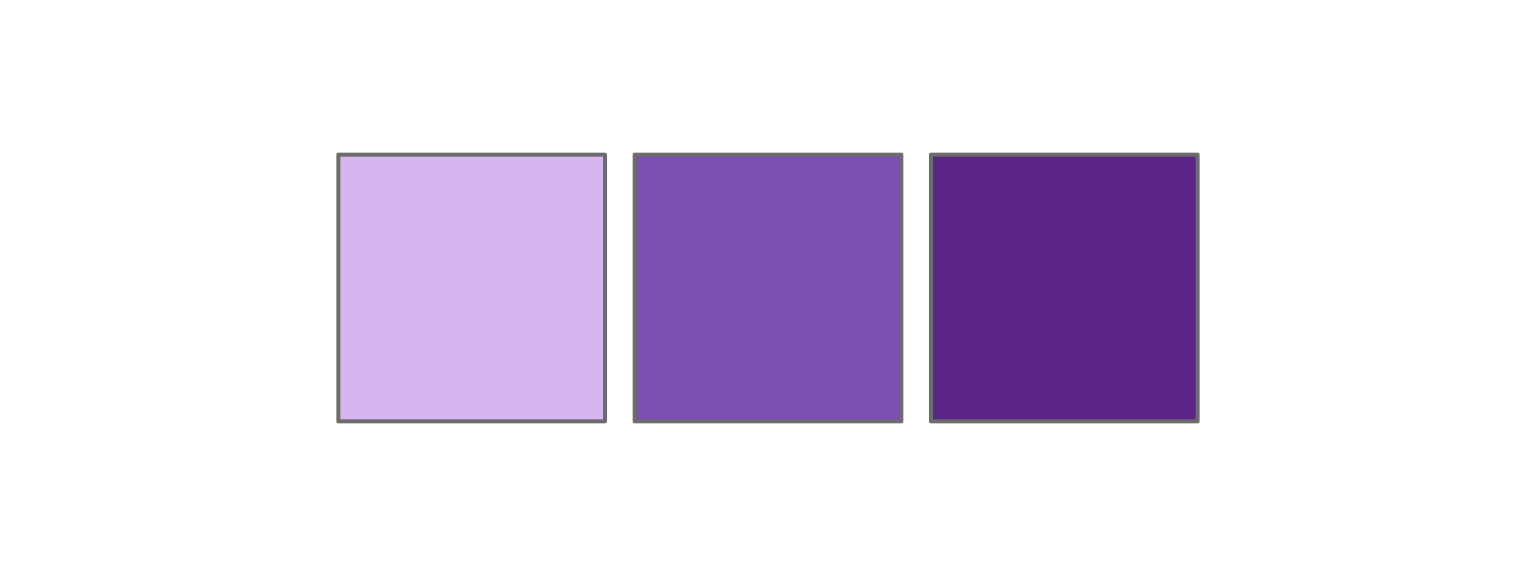
![](https://bastianolea.rbind.io/blog/colores/index.markdown_strict_files/figure-markdown_strict/unnamed-chunk-134-1.png)

``` r
scales::show_col(colores)
```

![](https://bastianolea.rbind.io/blog/colores/index.markdown_strict_files/figure-markdown_strict/unnamed-chunk-135-1.png)

Así puedes experimentar visualizando de inmediato las mezclas de colores y paletas de colores que crees.

**Publicaciones sobre visualización de datos:**

- [Mapas interactivos con {mapgl} para visualizar datos geoespaciales en R](https://bastianolea.rbind.io/blog/mapas_mapgl/index.md)
- [Mapas bivariados de adultos mayores en relación a viviendas propias en las comunas de Chile](https://bastianolea.rbind.io/blog/2026-07-24/index.md)
- [Crea mapas bivariados en R para visualizar la relación entre dos variables](https://bastianolea.rbind.io/blog/mapas_bivariados/index.md)
- [Palíndromos de Chile](https://bastianolea.rbind.io/blog/2026-05-29/index.md)
- [Mapas hexagonales o cuadriculados con R](https://bastianolea.rbind.io/blog/mapas_hexagonales/index.md)

## Accesibilidad

### Simular deficiencias cromáticas

El daltonismo, o los distintos tipos de deficiencia para distinguir la visión de colores, afecta aproximadamente a un 8% de los hombres y a un 0,5% de las mujeres. Por eso es importante probar las paletas de colores para comprobar que sean distinguibles y accesibles.

Creemos una paleta de colores:

``` r
library(colorspace)

colores <- colorspace::rainbow_hcl(
  6, 
  c = 90,
  l = 70,
  start = 0,
  end = 300)
```

<div style="align-items: center; justify-content: center; text-align: center;">
<div style="background-color: #FF80A0 ; width: 90px; height: 90px; font-size: 12px; border-radius: 50%; margin: 8px; display: inline-flex; word-break: break-all; align-items: center; justify-content: center; text-align: center; color: black ; border: solid 1px #D7597C ;">#FF80A0</div>
<div style="background-color: #D8A400 ; width: 90px; height: 90px; font-size: 12px; border-radius: 50%; margin: 8px; display: inline-flex; word-break: break-all; align-items: center; justify-content: center; text-align: center; color: black ; border: solid 1px #AA8100 ;">#D8A400</div>
<div style="background-color: #63C02A ; width: 90px; height: 90px; font-size: 12px; border-radius: 50%; margin: 8px; display: inline-flex; word-break: break-all; align-items: center; justify-content: center; text-align: center; color: black ; border: solid 1px #50962A ;">#63C02A</div>
<div style="background-color: #00CBB6 ; width: 90px; height: 90px; font-size: 12px; border-radius: 50%; margin: 8px; display: inline-flex; word-break: break-all; align-items: center; justify-content: center; text-align: center; color: black ; border: solid 1px #089F8F ;">#00CBB6</div>
<div style="background-color: #16B5FF ; width: 90px; height: 90px; font-size: 12px; border-radius: 50%; margin: 8px; display: inline-flex; word-break: break-all; align-items: center; justify-content: center; text-align: center; color: black ; border: solid 1px #0C8ECA ;">#16B5FF</div>
<div style="background-color: #E984FB ; width: 90px; height: 90px; font-size: 12px; border-radius: 50%; margin: 8px; display: inline-flex; word-break: break-all; align-items: center; justify-content: center; text-align: center; color: black ; border: solid 1px #C658D8 ;">#E984FB</div>
</div>

Usando funciones del paquete `{colorspace}` podemos convertir la paleta creada a los distintos tipos de daltonismo dicromático:

**Deuteranomalía:** deficiencia en los conos verdes, el tipo de daltonismo más usual.

``` r
deuteranopia <- deutan(colores)
```

<div style="align-items: center; justify-content: center; text-align: center;">
<div style="background-color: #B7B19D ; width: 90px; height: 90px; font-size: 12px; border-radius: 50%; margin: 8px; display: inline-flex; word-break: break-all; align-items: center; justify-content: center; text-align: center; color: black ; border: solid 1px #908B79 ;">#B7B19D</div>
<div style="background-color: #C7B116 ; width: 90px; height: 90px; font-size: 12px; border-radius: 50%; margin: 8px; display: inline-flex; word-break: break-all; align-items: center; justify-content: center; text-align: center; color: black ; border: solid 1px #9D8B02 ;">#C7B116</div>
<div style="background-color: #BBA83B ; width: 90px; height: 90px; font-size: 12px; border-radius: 50%; margin: 8px; display: inline-flex; word-break: break-all; align-items: center; justify-content: center; text-align: center; color: black ; border: solid 1px #938433 ;">#BBA83B</div>
<div style="background-color: #ABAEB8 ; width: 90px; height: 90px; font-size: 12px; border-radius: 50%; margin: 8px; display: inline-flex; word-break: break-all; align-items: center; justify-content: center; text-align: center; color: black ; border: solid 1px #868891 ;">#ABAEB8</div>
<div style="background-color: #73A2FE ; width: 90px; height: 90px; font-size: 12px; border-radius: 50%; margin: 8px; display: inline-flex; word-break: break-all; align-items: center; justify-content: center; text-align: center; color: black ; border: solid 1px #517FD2 ;">#73A2FE</div>
<div style="background-color: #90AFF8 ; width: 90px; height: 90px; font-size: 12px; border-radius: 50%; margin: 8px; display: inline-flex; word-break: break-all; align-items: center; justify-content: center; text-align: center; color: black ; border: solid 1px #6A89CE ;">#90AFF8</div>
</div>

**Protanomalía:** deficiencia de los conos rojos, la segunda más prevalente.

``` r
protanopia <- protan(colores)
```

<div style="align-items: center; justify-content: center; text-align: center;">
<div style="background-color: #9799A1 ; width: 90px; height: 90px; font-size: 12px; border-radius: 50%; margin: 8px; display: inline-flex; word-break: break-all; align-items: center; justify-content: center; text-align: center; color: black ; border: solid 1px #77787F ;">#9799A1</div>
<div style="background-color: #BBA400 ; width: 90px; height: 90px; font-size: 12px; border-radius: 50%; margin: 8px; display: inline-flex; word-break: break-all; align-items: center; justify-content: center; text-align: center; color: black ; border: solid 1px #938102 ;">#BBA400</div>
<div style="background-color: #C7AF00 ; width: 90px; height: 90px; font-size: 12px; border-radius: 50%; margin: 8px; display: inline-flex; word-break: break-all; align-items: center; justify-content: center; text-align: center; color: black ; border: solid 1px #9C8909 ;">#C7AF00</div>
<div style="background-color: #C1BEB5 ; width: 90px; height: 90px; font-size: 12px; border-radius: 50%; margin: 8px; display: inline-flex; word-break: break-all; align-items: center; justify-content: center; text-align: center; color: black ; border: solid 1px #97958C ;">#C1BEB5</div>
<div style="background-color: #91B5FF ; width: 90px; height: 90px; font-size: 12px; border-radius: 50%; margin: 8px; display: inline-flex; word-break: break-all; align-items: center; justify-content: center; text-align: center; color: black ; border: solid 1px #688ED5 ;">#91B5FF</div>
<div style="background-color: #72A4FF ; width: 90px; height: 90px; font-size: 12px; border-radius: 50%; margin: 8px; display: inline-flex; word-break: break-all; align-items: center; justify-content: center; text-align: center; color: black ; border: solid 1px #5081D3 ;">#72A4FF</div>
</div>

**Tritanomalía:** deficiencia de los conos azules, muy poco frecuente (0.01% de cada sexo).

``` r
tritanopia <- tritan(colores)
```

<div style="align-items: center; justify-content: center; text-align: center;">
<div style="background-color: #FF748C ; width: 90px; height: 90px; font-size: 12px; border-radius: 50%; margin: 8px; display: inline-flex; word-break: break-all; align-items: center; justify-content: center; text-align: center; color: black ; border: solid 1px #D74F69 ;">#FF748C</div>
<div style="background-color: #EB938B ; width: 90px; height: 90px; font-size: 12px; border-radius: 50%; margin: 8px; display: inline-flex; word-break: break-all; align-items: center; justify-content: center; text-align: center; color: black ; border: solid 1px #C06F68 ;">#EB938B</div>
<div style="background-color: #5EB9A4 ; width: 90px; height: 90px; font-size: 12px; border-radius: 50%; margin: 8px; display: inline-flex; word-break: break-all; align-items: center; justify-content: center; text-align: center; color: black ; border: solid 1px #4D9181 ;">#5EB9A4</div>
<div style="background-color: #00CFC4 ; width: 90px; height: 90px; font-size: 12px; border-radius: 50%; margin: 8px; display: inline-flex; word-break: break-all; align-items: center; justify-content: center; text-align: center; color: black ; border: solid 1px #0AA29A ;">#00CFC4</div>
<div style="background-color: #00C8CF ; width: 90px; height: 90px; font-size: 12px; border-radius: 50%; margin: 8px; display: inline-flex; word-break: break-all; align-items: center; justify-content: center; text-align: center; color: black ; border: solid 1px #039DA3 ;">#00C8CF</div>
<div style="background-color: #EB93B4 ; width: 90px; height: 90px; font-size: 12px; border-radius: 50%; margin: 8px; display: inline-flex; word-break: break-all; align-items: center; justify-content: center; text-align: center; color: black ; border: solid 1px #C36D8F ;">#EB93B4</div>
</div>

Ojo que también existen personas con anomalía tricromática, donde tienen los tres conos receptores de color, pero perciben colores alterados. Por consiguiente, se recomienda usar **anotaciones** en los gráficos y codificar la información con **redundancia**: mezclar colores con figuras, colores con tamaños, etc.

Como regla general para mejorar la inclusividad de paletas de colores, se recomienda elegir colores que sean seguros para personas daltónicas (evitar paletas rojo/verde o azul/morado), y hacer que los colores varíen tanto por su tono como por su saturación y brillo, de manera que una persona que no pueda distinguir entre tonos de todas maneras pueda distinguir por la intensidad del color.

### Analizar el contraste de colores

Para mejorar la visibilidad y accesibilidad de tus visualizaciones de datos, puedes calcular el valor de contraste que tienen tus colores en comparación con otro. Por ejemplo, medir el contraste que tendría un texto negro encima de los colores de tu paleta:

``` r
# paleta de morados de distinta intensidad
colores <- colorspace::sequential_hcl(5, h = 290, c = 70)
```

``` r
colorspace::contrast_ratio(colores, "black", plot = TRUE)
```
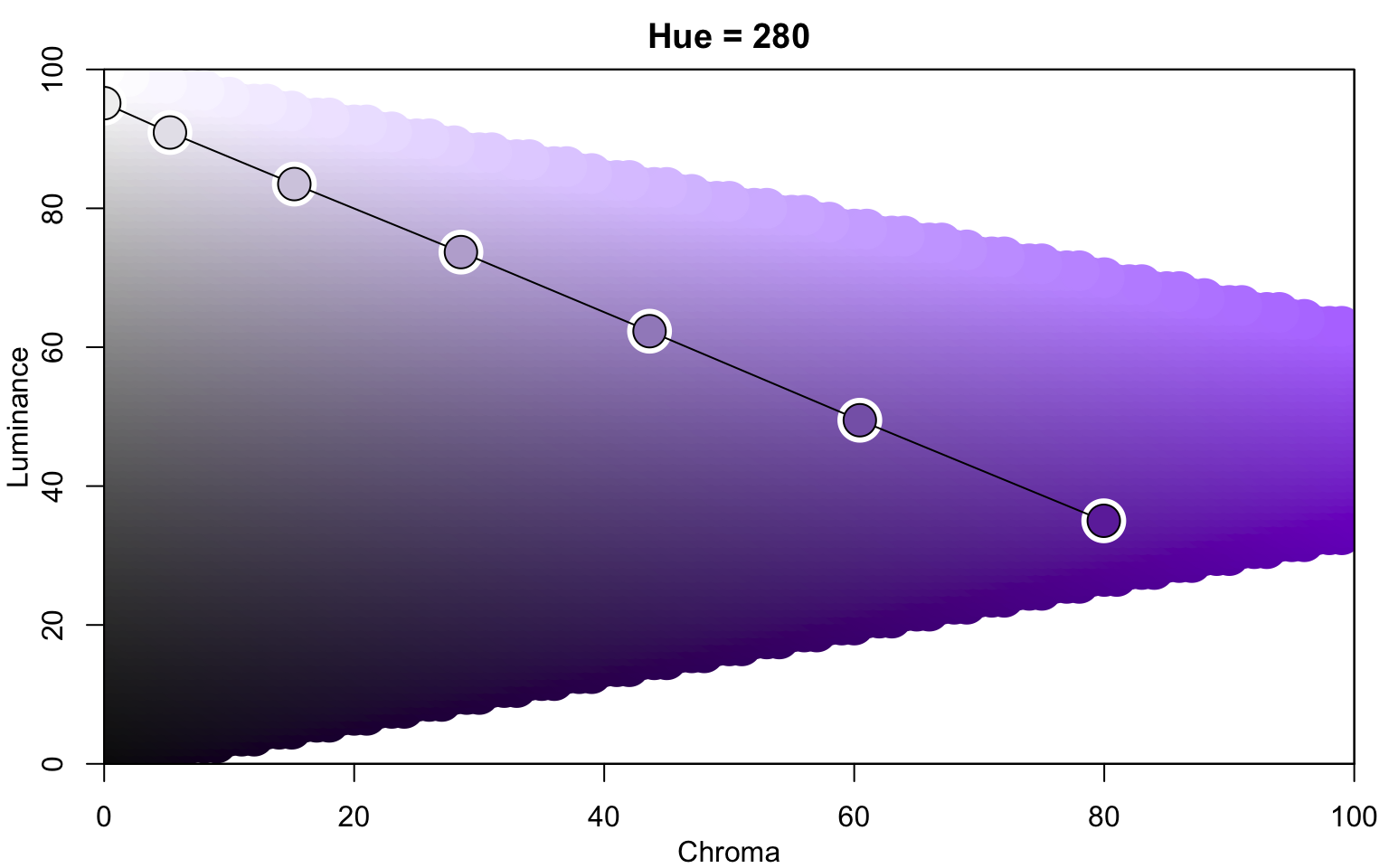
![](https://bastianolea.rbind.io/blog/colores/index.markdown_strict_files/figure-markdown_strict/unnamed-chunk-145-1.png)

``` r
colorspace::contrast_ratio(colores, "white", plot = TRUE)
```
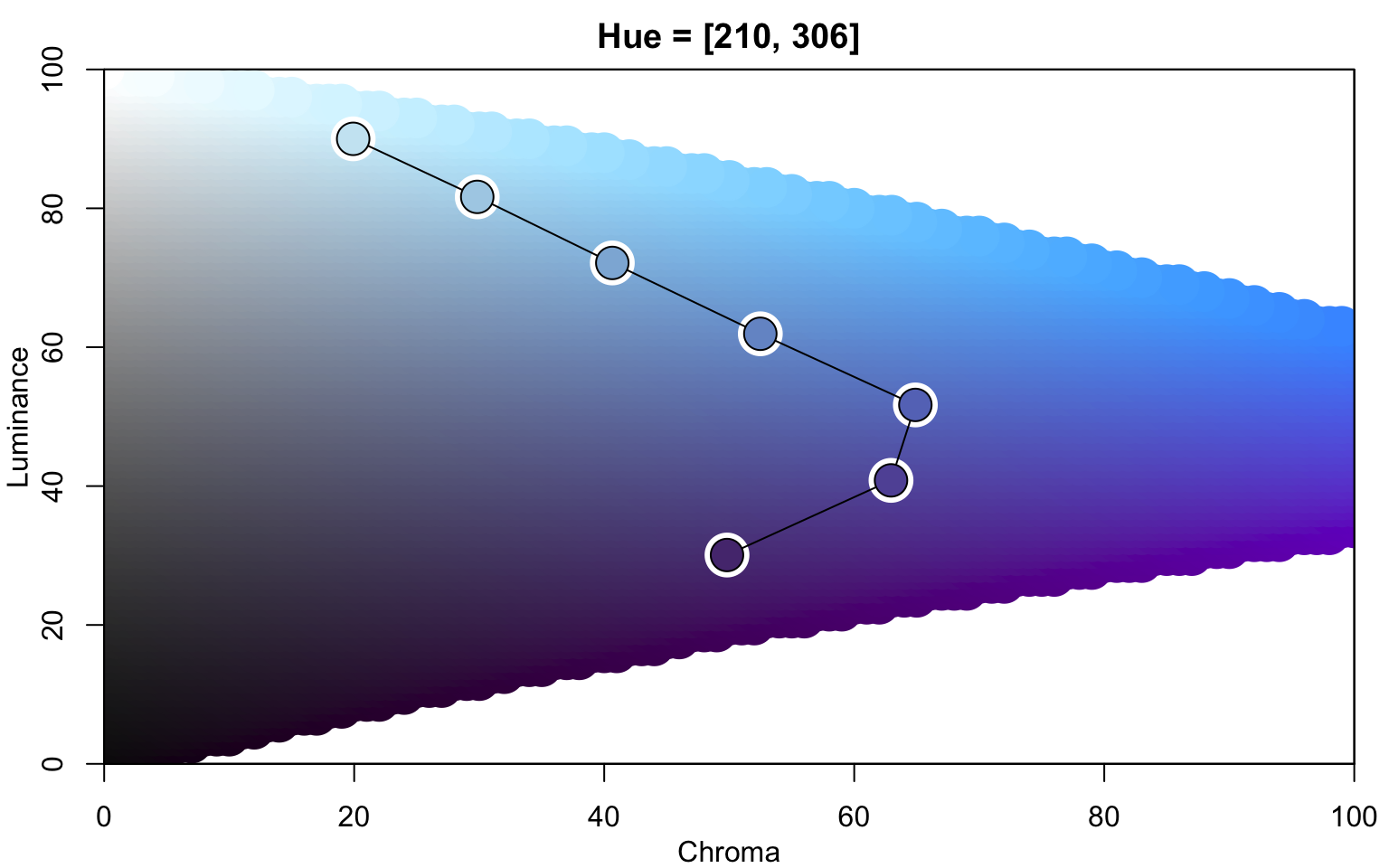
![](https://bastianolea.rbind.io/blog/colores/index.markdown_strict_files/figure-markdown_strict/unnamed-chunk-146-1.png)

La función `contrast_ratio()` del paquete `{colorspace}` retorna números que representan el contraste, donde un valor menor significa menor contraste, y por lo tanto menor visibilidad del color en comparación con el color de referencia.

Esto mismo se puede hacer con páginas como [WebAIM](https://webaim.org/resources/contrastchecker/), pero la gracia de hacerlo con R es que podemos usar la información del contraste para tomar decisiones: por ejemplo, decidir automáticamente si un texto debe ser blanco o negro dependiendo del color que le corresponde:

``` r
library(dplyr)
library(ggplot2)
library(colorspace)

# paleta de morados de distinta intensidad
colores <- colorspace::sequential_hcl(5, h = 290, c = 70)

# poner colores en tabla
tabla <- tibble(colores = colores,
                secuencia = seq_along(colores)) |> 
  # calcular contraste de cada color respecto al color negro
  mutate(contraste = contrast_ratio(colores, "black"))

# gráfico simple para mostrar los colores
tabla |> 
  ggplot() +
  # gráfico de mosaicos
  aes(x = secuencia, y = 1,
      fill = colores) +
  geom_tile(color = "#EAD1FA") +
  # texto con nombre de colores
  geom_text(
    aes(label = colores),
    # definir color del texto según el contraste
    color = ifelse(tabla$contraste > 7, "black", "white")
  ) +
  # aplicar el color que viene en la columna usada para el `fill`
  scale_fill_identity() +
  theme_void(
    base_family = "Atkinson Hyperlegible",
    paper = "#EAD1FA",
    accent = "#9069C0",
    ink = "#553A74")
```

![](https://bastianolea.rbind.io/blog/colores/index.markdown_strict_files/figure-markdown_strict/unnamed-chunk-147-1.png)

Ahora el color del texto se decide dependiendo del contraste del color de fondo!

## Avanzado

### Analizar colores

Si tenemos un conjunto de colores, podemos analizar sus propiedades, como tono (*hue*), brillo, e intensidad del color (*chroma*).

``` r
colores <- colors()
```

``` r
library(dplyr)

# crear una tabla con el vector de colores
tabla <- tibble(color = colores)
```

Con las funciones `hue()`, `lightness()` y `chroma()` del paquete `{shades}` podemos calcular el tono, brillo e intensidad de cada color:

``` r
library(shades)

tabla <- tabla |> 
  mutate(tono = shades::hue(color)) |> 
  mutate(brillo = shades::lightness(color)) |> 
  mutate(croma = shades::chroma(color)) |> 
  # redondear los valores
  mutate(across(where(is.numeric), ~round(.x, 0))) |> 
  # ordenar los colores
  arrange(desc(tono), desc(croma), desc(brillo))
```

Así obtenemos una tabla con las características de los colores, con lo que podemos ordenarlos por tono, desde menos a más claros, o realizar otras operaciones.

``` r
tabla
```

    # A tibble: 657 × 4
       color       tono brillo croma
       <chr>      <dbl>  <dbl> <dbl>
     1 lightpink1   352     79    32
     2 lightpink3   352     65    27
     3 lightpink4   352     45    19
     4 lightpink2   351     74    30
     5 lightpink    351     81    29
     6 pink         350     84    24
     7 pink1        347     81    29
     8 pink2        347     76    28
     9 pink3        347     66    25
    10 pink4        347     46    18
    # ℹ 647 more rows

También podemos visualizar esta información con la función `specplot()` de `{colorspace}`:

``` r
colores <- colorspace::sequential_hcl(5, h = 290, c = 70)

colorspace::specplot(colores)
```
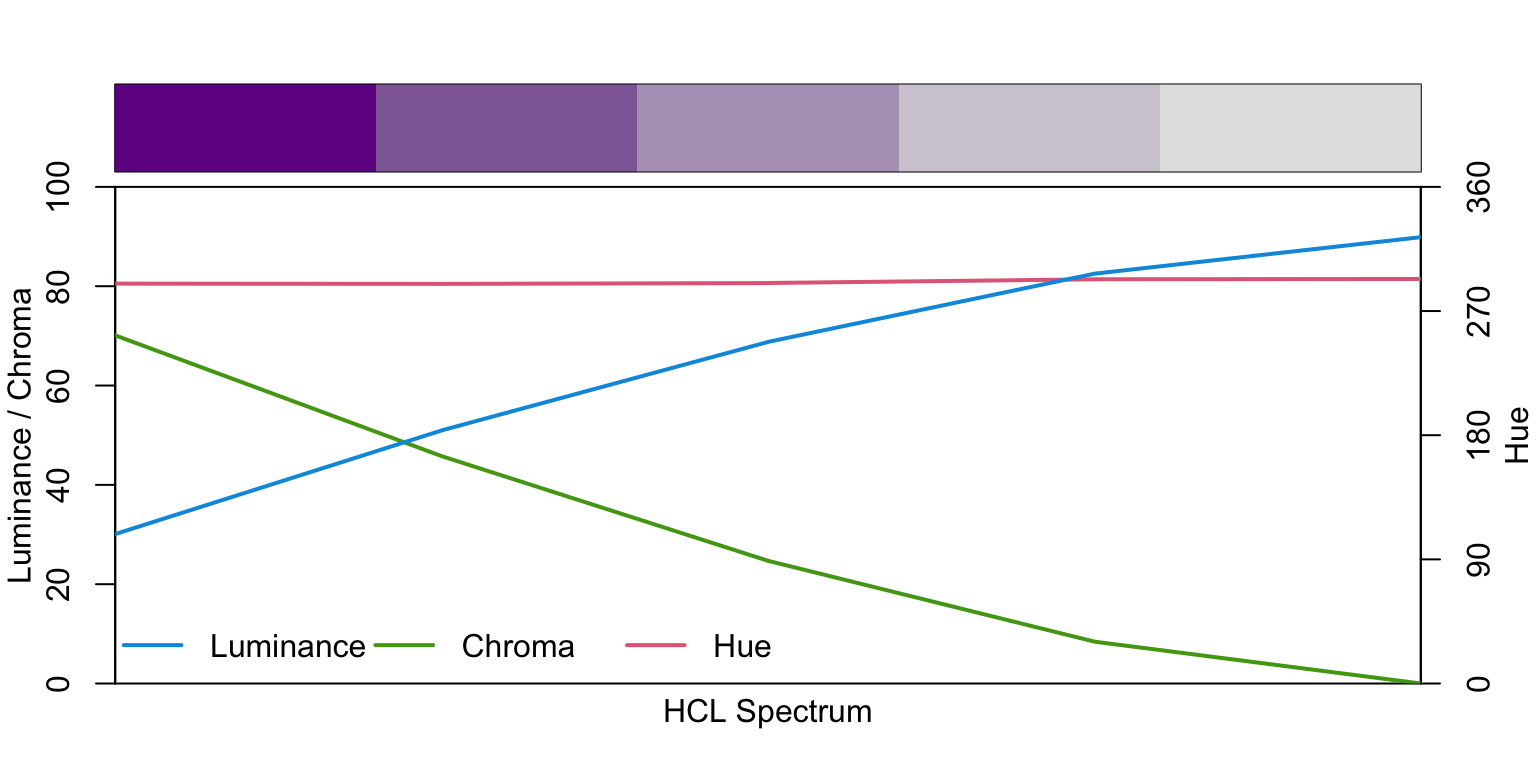
![](https://bastianolea.rbind.io/blog/colores/index.markdown_strict_files/figure-markdown_strict/unnamed-chunk-152-1.png)

En el gráfico anterior vemos que los colores de la paleta no cambian de tono (*hue*), pero sí aumentan en brillo (*luminance*) y bajan en intensidad (*chroma*). Usualmente se recomienda que las paletas tengan también un cambio de tono, lo que ayuda con la accesibilidad. Así que podemos hacer un cambio en la paleta para mejorarla un poco, indicando que queretmos que el tono (argumento `h`) cambie:

``` r
colores <- colorspace::sequential_hcl(5, h = c(290, 350), c = 70)
```

<div style="align-items: center; justify-content: center; text-align: center;">
<div style="background-color: #701B91 ; width: 90px; height: 90px; font-size: 12px; border-radius: 50%; margin: 8px; display: inline-flex; word-break: break-all; align-items: center; justify-content: center; text-align: center; color: white ; border: solid 1px #610180 ;">#701B91</div>
<div style="background-color: #9D67A0 ; width: 90px; height: 90px; font-size: 12px; border-radius: 50%; margin: 8px; display: inline-flex; word-break: break-all; align-items: center; justify-content: center; text-align: center; color: black ; border: solid 1px #78557A ;">#9D67A0</div>
<div style="background-color: #C19EB8 ; width: 90px; height: 90px; font-size: 12px; border-radius: 50%; margin: 8px; display: inline-flex; word-break: break-all; align-items: center; justify-content: center; text-align: center; color: black ; border: solid 1px #9B7B92 ;">#C19EB8</div>
<div style="background-color: #D8CAD1 ; width: 90px; height: 90px; font-size: 12px; border-radius: 50%; margin: 8px; display: inline-flex; word-break: break-all; align-items: center; justify-content: center; text-align: center; color: black ; border: solid 1px #AC9DA4 ;">#D8CAD1</div>
<div style="background-color: #E2E2E2 ; width: 90px; height: 90px; font-size: 12px; border-radius: 50%; margin: 8px; display: inline-flex; word-break: break-all; align-items: center; justify-content: center; text-align: center; color: black ; border: solid 1px #B0B0B0 ;">#E2E2E2</div>
</div>

### Convertir colores a código hexadecimal

Si tenemos colores definidos como nombres, podemos convertirlos a su valor hexadecimal con la función `col2hex()` [del paquete `{gplots}`:](https://talgalili.github.io/gplots/)

``` r
color <- "mediumpurple"

gplots::col2hex(color)
```

    [1] "#9370DB"

### Visualizar paletas en espacios de color

`{colorspace}` incluye funciones para poder visualizar secuencias de colores en proyecciones del espacio de color HCL (*hue, chroma, luminance*), lo que nos permite contextualizar las paletas en un espacio perceptual del color basado en estos tres parámetros.

``` r
colores <- sequential_hcl(7, h = 280, c = 80, l = c(35, 95))

colorspace::hclplot(colores)
```
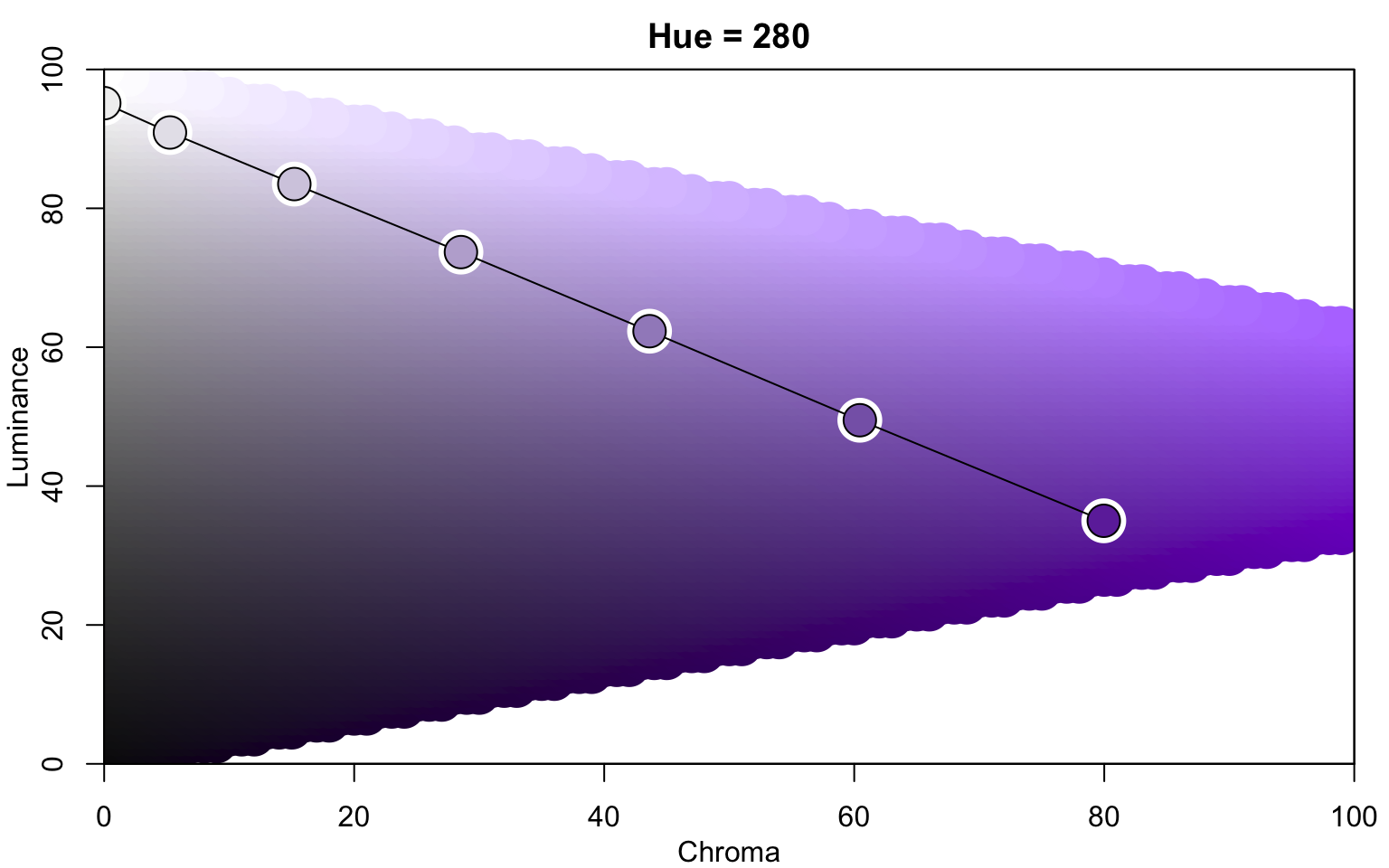
![](https://bastianolea.rbind.io/blog/colores/index.markdown_strict_files/figure-markdown_strict/unnamed-chunk-156-1.png)

``` r
colores <- sequential_hcl(7, h = c(280, 220), c = c(50, 70, 20), l = c(30, 90), power = 1.1)

colorspace::hclplot(colores)
```
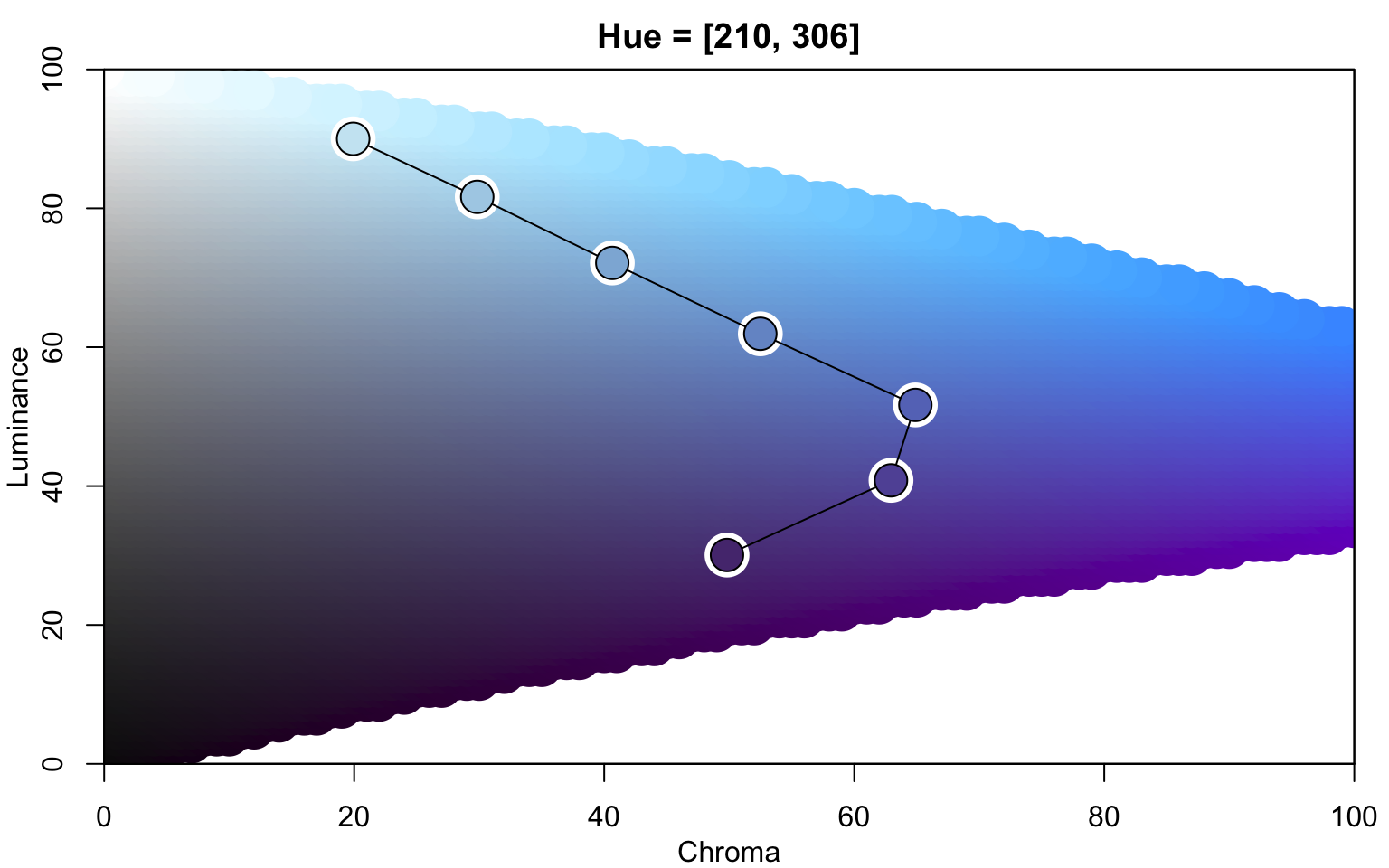
![](https://bastianolea.rbind.io/blog/colores/index.markdown_strict_files/figure-markdown_strict/unnamed-chunk-157-1.png)

**Publicaciones sobre gráficos:**

- [Línea de tiempo del lenguaje de programación R](https://bastianolea.rbind.io/blog/linea_temporal_r/index.md)
- [Gráficos de puntos comparativos o dumbbell en {ggplot2}](https://bastianolea.rbind.io/blog/ggplot_dumbbell/index.md)
- [Aplicación: Visualizador de densidad de población urbana en comunas de Chile](https://bastianolea.rbind.io/blog/app_densidad_comunas/index.md)
- [App: Suicidios en Chile (2017-2024) desde una perspectiva de género](https://bastianolea.rbind.io/blog/app_suicidios_genero/index.md)
- [Gráficos de puente en {ggplot2}](https://bastianolea.rbind.io/blog/ggplot_puente/index.md)

## Fuentes y recursos

- [R Color Palettes](https://emilhvitfeldt.github.io/r-color-palettes/), lista de paletas discretas por Emil Hvitfeldt
- [Dealing with colors in ggplot2](https://r-graph-gallery.com/ggplot2-color.html)
- [Top R Color Palettes to Know for Great Data Visualization](https://www.datanovia.com/en/blog/top-r-color-palettes-to-know-for-great-data-visualization/)
- [Paletas de colores usadas en el paquete `{tidyplots}`](https://jbengler.github.io/tidyplots/articles/Color-schemes.html)